EasyManua.ls Logo

Tescom TEOS Series - Abbreviation Meaning in Lcd Display; Lcd Setting

Tescom TEOS Series
Print Icon
To Next Page IconTo Next Page
To Previous Page IconTo Previous Page
Loading...
14
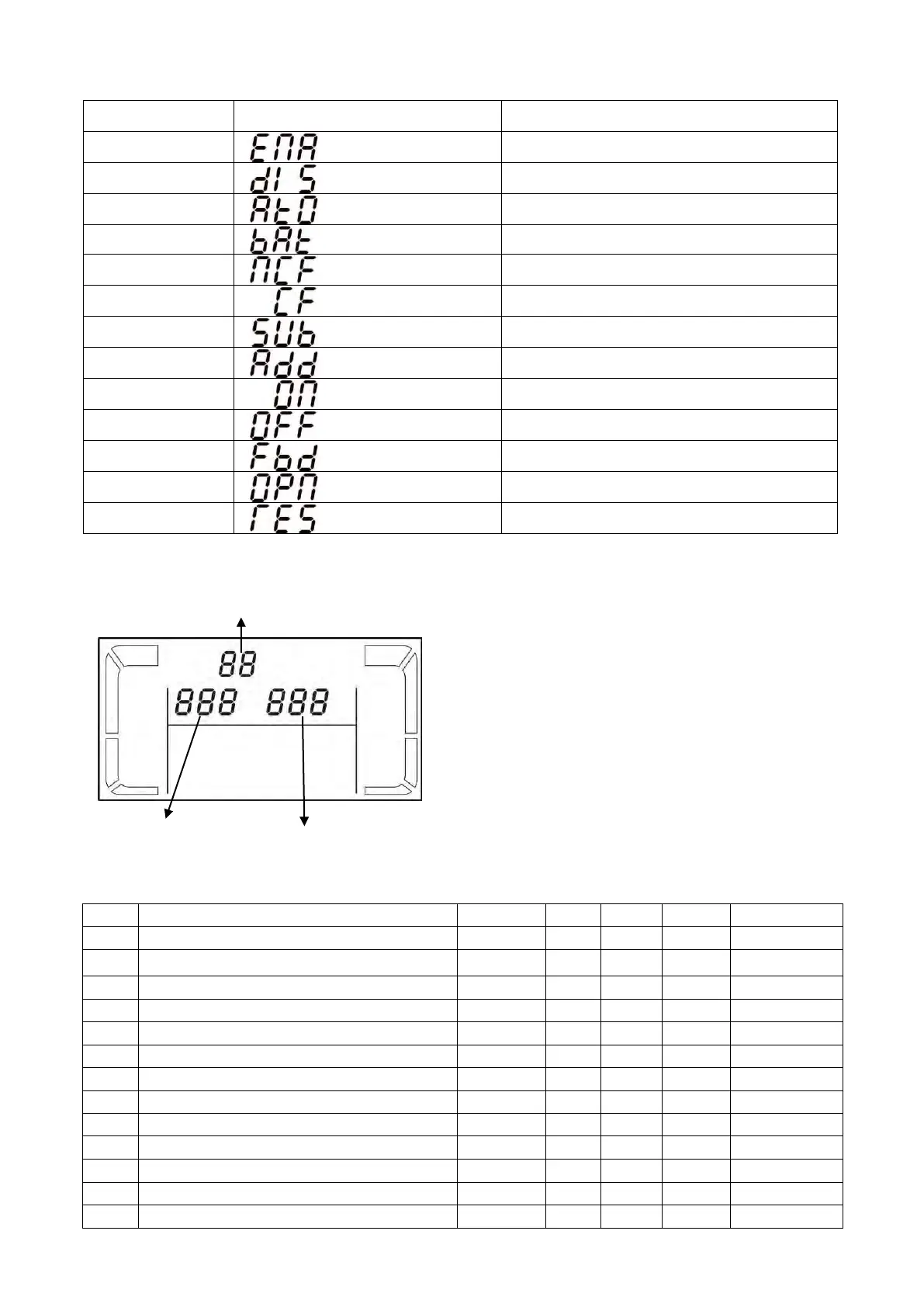
3-5. Abbreviation Meaning in LCD Display
Abbreviation
Display content
Meaning
ENA
Enable
DIS
Disable
ATO
Auto
BAT
Battery
NCF
Normal mode (not CVCF mode)
CF
CVCF mode
SUB
Subtract
ADD
Add
ON
On
OFF
Off
FBD
Not allowed
OPN
Allow
RES
Reserved
3-6. LCD Setting
There are three parameters to set up the UPS.
Refer to following diagram.
Parameter 1: It’s for program alternatives. Refer to
below table for the programs to set up.
Parameter 2 and parameter 3 are the setting
options or values for each program.
Note: Please select “Up or “Downbutton to
change the programs or parameters.
Programs available list for parameter 1:
Code
Description
Bypass
AC
CVCF
Battery
Battery Test
01
Output voltage
Y
02
Output frequency
Y
03
Voltage range for bypass
Y
04
Frequency range for bypass
Y
05
Reserved
06
Reserved
07
Reserved
08
Bypass mode setting
Y
Y
09
Maximum battery discharging time setting
Y
Y
Y
Y
Y
10
Reserved
11
Reserved
12
Reserved
13
Battery voltage calibration
Y
Y
Y
Y
Y
Parameter 1
Parameter 2
Parameter 3

Related product manuals