13
11. Operation in maintenance mode
This operation is only available for professional or qualified technicians.
When the UPS needs to repair or maintenance and the load couldn’t be cut off in this case, please
operate the UPS in maintenance mode.
1) First, remove the cover of maintenance bypass switch on the rear panel. Then, the UPS automatically
stop and enter bypass mode.
2) Turn the maintenance switch to “BYPASS” position.
3) Turn off the input breaker. Now, you may start to maintain the UPS.
4) After the maintenance is complete, please turn on the input breaker.
5) Turn the maintenance switch to “UPS” position.
6) Put the cover back to original position.
7) Restart the UPS.
12. Change battery numbers
1) This operation is only available for professional or qualified technicians.
2) Turn off the UPS. If the load couldn’t be cut off, you should remove the cover of maintenance
bypass switch on the rear panel and turn the maintenance switch to “BPS” position first.
3) Switch off the input breaker and the battery breaker.
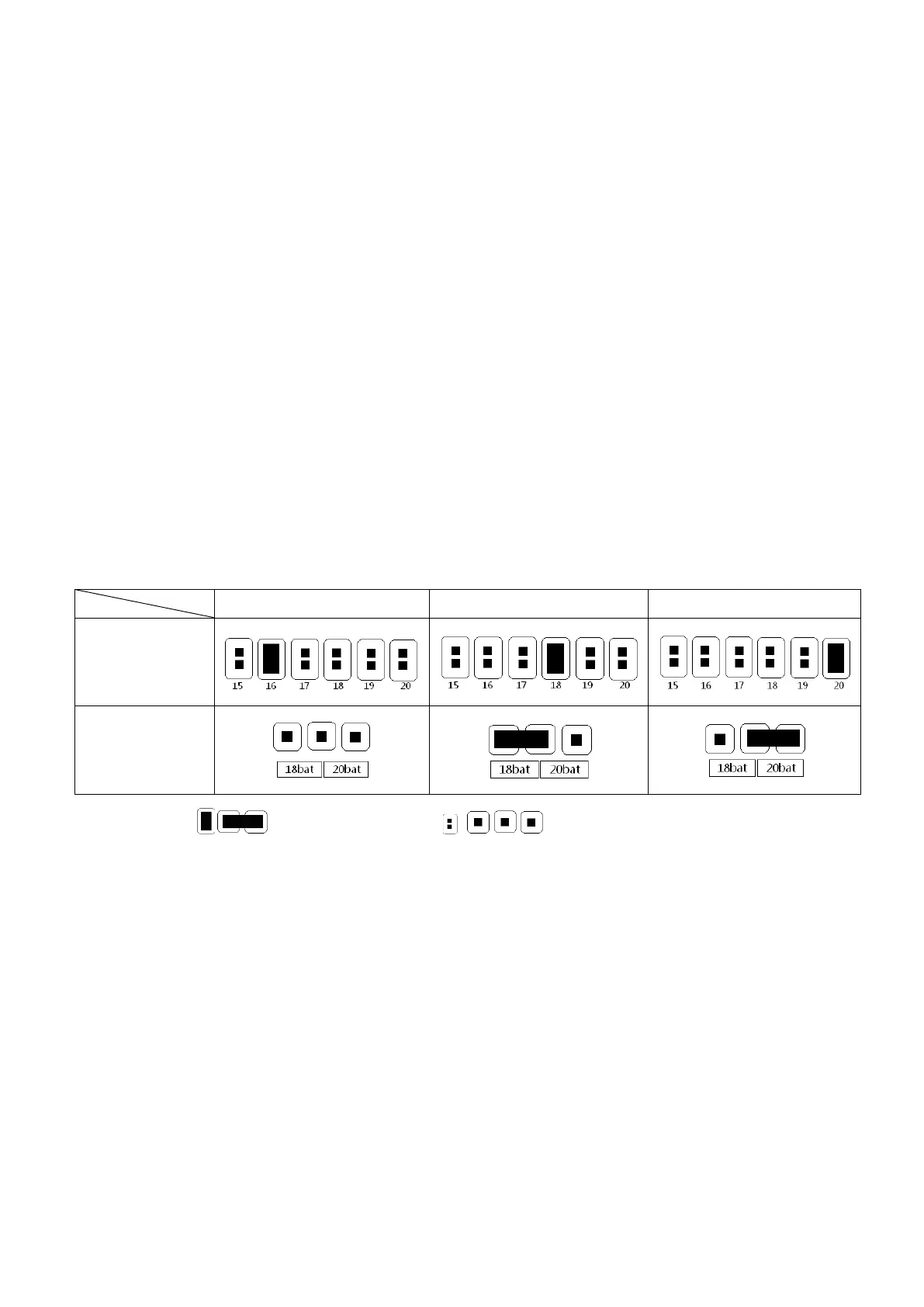
4) Remove the cabinet cover, and then modify the jumpers (CN1) on the control board to set the
battery numbers as the following table:
Note: =connect with jumper; =no jumper.
5) Modify the battery pack according to setting number carefully. After complete it, put the cover back,
and switch on the battery breaker.
6) Switch on the input breaker and the UPS will enter Bypass mode. If the UPS is in maintenance
Bypass mode, switch the maintenance switch to “UPS” position and then turn on the UPS.










 To Next Page