6 Using the product
35
Select the storage location (folder):
1. While an image is frozen (fixed image): Press the left
[Folder] quick select button.
- The Folder dialogue is opened.
To create a new folder, see Create new folder page 26.
2. Select the desired folder with the joystick and open with
[OK].
- The folder name of the opened folder is displayed in the
header.
3. Press left [Apply] quick select button to select the opened
folder.
Aiming at the measuring surface
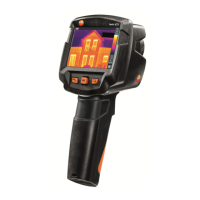
Using the laser, the measuring surface can be aimed at.
Warning! Eye damage due to laser beam!
> Do not look into the laser beam.
> Do not point the laser beam at people.
To change the quick select button functions, Getting to know
the quick select buttons page 20.
> Press and hold [Laser].
- When the laser is active, the laser symbol (
) flashes.
Caution: Laser and lens have a different slant due to the special
separation. The laser sighting and the centre of the image thus
do not correspond completely (parallax error). The laser dot is
therefore not suitable for marking locations that were aimed at
using the crosshairs.



 To Next Page