5 First steps
17
5.2. Getting to know the product
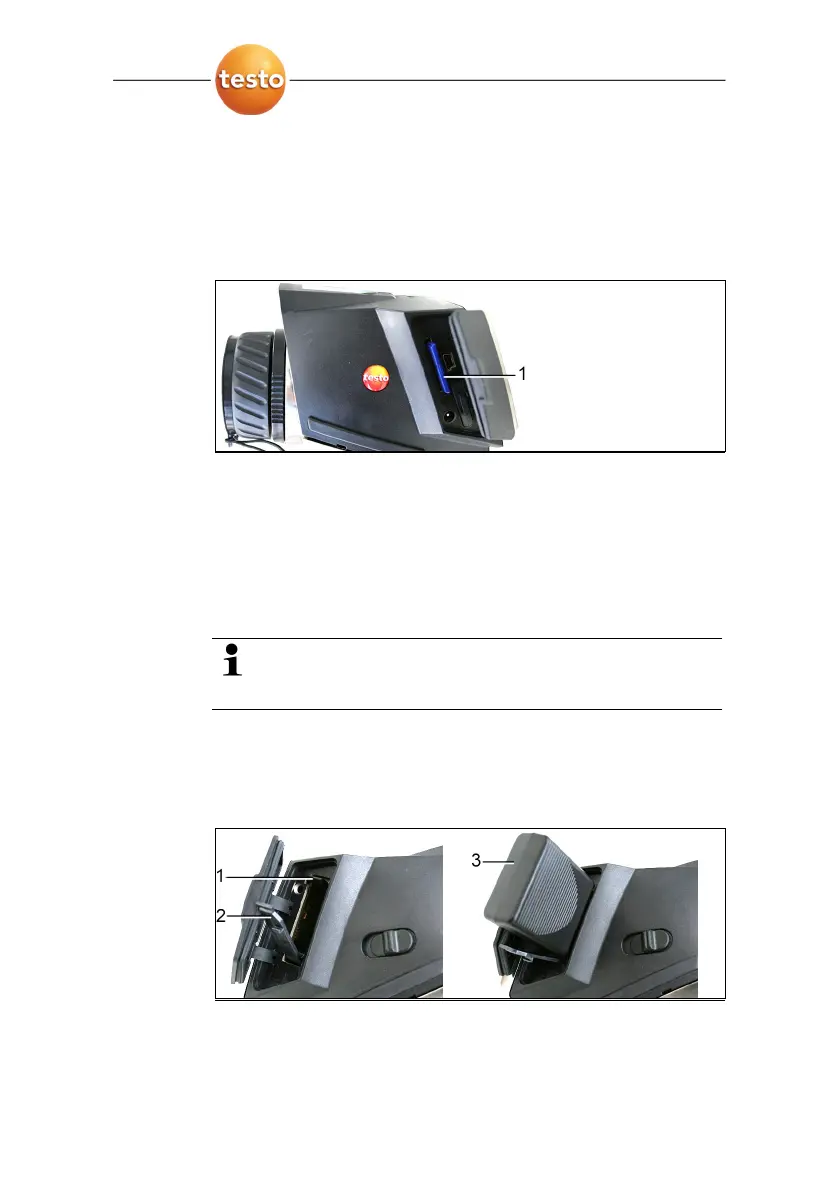
Insert the memory card
1. Open the cover on the left side of the thermal imager.
2. Insert memory card (SD card) into the card slot (SD) (1).
> To remove the memory card: Press on the memory card to
release the lock.
Insert radio module (accessories, testo 880-3 only)
Using a radio module (accessory) the instrument can be
connected with a radio humidity probe. The radio module must
be connected before switching on the instrument in order for the
instrument to be identified.
Radio probes may only be used in countries in which
they are permitted (see instructions for use of radio
probe).
> Switch off instrument before inserting the radio module.
1. Open the cover on the right side of the thermal imager.
2. Release the lock (1) and open the retaining clip (2).
3. Insert radio module into the module slot (3).
> To remove the radio module: Press the radio module down
and pull out.



 To Next Page