7 Maintaining the product
36
7 Maintaining the product
Changing the battery
To prevent losing the instrument settings: Only change the
rechargeable battery when a buffer battery is inserted in the
instrument or the mains unit is connected.
1. Press lock release button.
- The rechargeable battery is released and sticks out a little
from the rechargeable battery slot. The locking function
keeps the battery from falling out.
2. Completely remove the battery from the rechargeable
battery slot.
3. Insert a new battery into the rechargeable battery slot until
this is flush with the bottom of the handle.
- The thermal imager starts automatically.
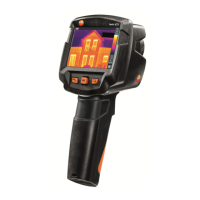
Clean thermal imager
> If the housing of the thermal imager is dirty, clean it with a
damp cloth. Do not use any aggressive cleaning agents or
solvents! Weak household cleaning agents and soap suds
may be used.
Clean lens
> Large dust particles can be blown off.
> Use a lens cleaning cloth for slight contamination. Do not
use rubbing alcohol!
Change buffer battery
To prevent losing the instrument settings: Only change the
buffer battery when a charged rechargeable battery is inserted
or the mains unit is connected.
1. Open the cover on the left side of the thermal imager.
2. Remove battery holder, including buffer battery, from the
battery slot.
3. Remove empty battery from the holder and insert new
battery (type CR 1632).



 To Next Page