7 First steps
18
7.5 Switching the instrument on and off
Current
status
Action Function
off
Press the side
button for 3 seconds
Instrument is switched on.
When the measuring instrument is started for the first time, the setup
wizard guides you through the following setting parameters step by
step:
- Country version
- Language
- Wi-Fi
- Date and Time
- Own company address
- E-mail account
A tutorial can be started after the setup wizard.
The tutorial demonstrates the general operation and the most important
functions of the measuring instrument using examples.
on
Press the side
button briefly
(< 1 s)
Instrument is switched to standby mode.
The instrument is re-activated when the
off
Press the side
button for a long
time (>1 s)
Selection: [OK] Instrument is switched
off or cancel the instrument being
switched off with [Cancel].
Standby mode has 3 time-dependent functions:
• Standby time up to 1 min: Immediate restart after pressing the key.
• Standby time up to 1 hour: After pressing the key, a restart takes
place after 5 seconds.
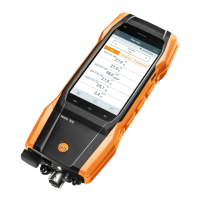
• Standby time more than 1 hour: Next-Gen testo 300 is in power
save mode. After pressing the key, a restart takes place after the
zeroing phase.
Unsaved readings are lost when the measuring instrument is switched
off.


 To Next Page