5. Instructions for Charging and Auto-cleaning
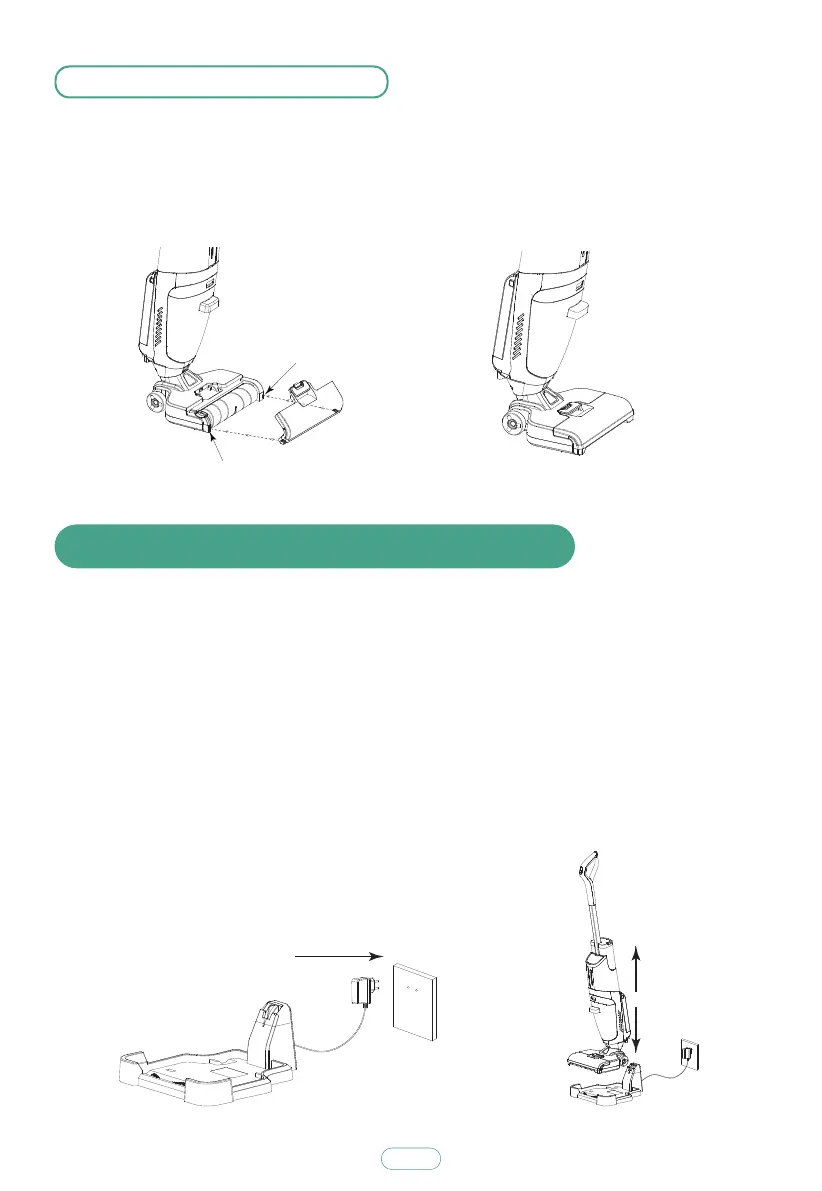
Plug adapter into socket in the direction as shown in figure.
Place machine onto charging stand as shown in figure, battery level indicator light
on display will flash, machine will be charged, charging is finished when indicator
light goes off. After cleaning is done, place machine onto charging stand, assure
sufficient water in clean water bucket, press Auto-cleaning Button to enter
auto-cleaning mode, cleaning and spin drying will be completed within 80 s,
and then machine will stop automatically.
After charging is finished, turn off power switch and unplug adapter.
Note: “Auto-cleaning function” can only be selected under charging mode.
4.5 Assemble Roller Brush Cover
Insert the roller brush cover into the corresponding position at the bottom of the
floor brush assembly in the direction shown in the figure. Then press the roller
brush cover until you hear a "ka" to complete the assembly.
Buttonhole
Buttonhole
9



 To Next Page