Double-color light ring for floor cleanness: Blue light illuminates by default;
when floor is dirty, light rings will illuminate red according to floor condition,
the more rings illuminate, the dirtier floor is, fan suction level will be raised
automatically. During charging, effect will be displayed dynamically upon
charging progress.
Fan suction level:
Under auto-washing mode, machine will automatically identify stains on floor
and intelligently adjust fan suction level, the more bars illuminate, the higher
fan suction level is.
Under auto-washing mode, short press UV Disinfection/MAX Button for 0.5 s
to enter MAX suction mode, progress bar will fully illuminate; under MAX
suction mode, short press UV Disinfection/MAX Button for 0.5 s to enter
auto-washing mode, suction level can be adjusted intelligently.
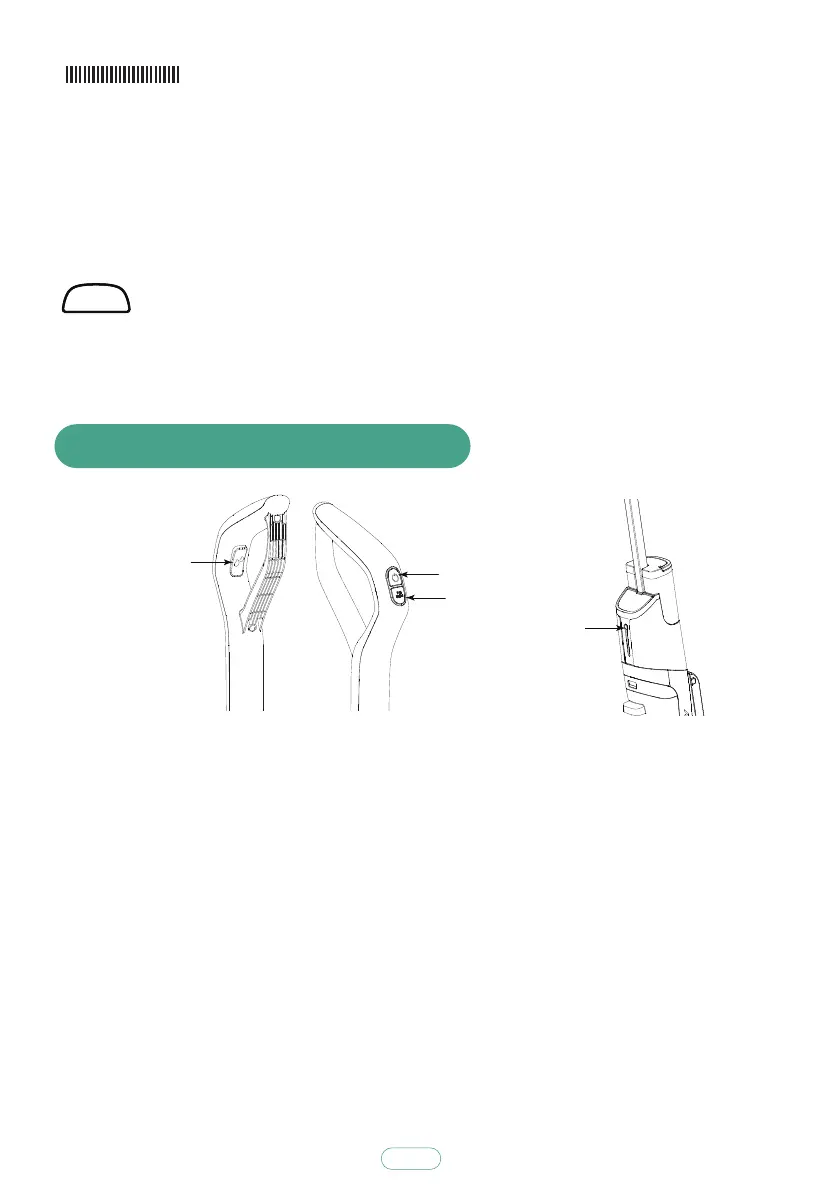
8. Introduction of Function Buttons
Long press "Switch Button" for 2 s to enter auto-washing mode; short press the button to stop machine.
short press the button for 0.5 s to enter MAX suction mode, short press the button again for 0.5 s to exit
such mode.
Long press "UV Disinfection/MAX Button" for 2 s to enter UV disinfection mode,long press the button again
for 2 s to exit such mode; short press the button for 0.5 s to enter MAX suction mode, short press the button
again for 0.5 s to exit such mode.Working mode:ln the working mode, the machine keeps outputs water by
default.
Short press the "self-cleaning button", the machine stops watering with voice prompt "turn off water
output"; short press the "self-cleaning button" again, the machine starts to output water with voice
prompt "turn off water output".
self-cleaning mode:When the machine is placed in the charging dock (make sure the charging dock is
connected to the power), when the balance battery power is over 30%, short press the "self-cleaning
button", it starts automatic cleaning mode, the mode takes 80 seconds.
Press“Voice Switch”to disable voice prompt, press the switch again to disable the function.
UV Disinfection/MAX
Switch Button
Auto-cleaning Button
Voice Switch
12



 To Next Page