EasyManua.ls Logo

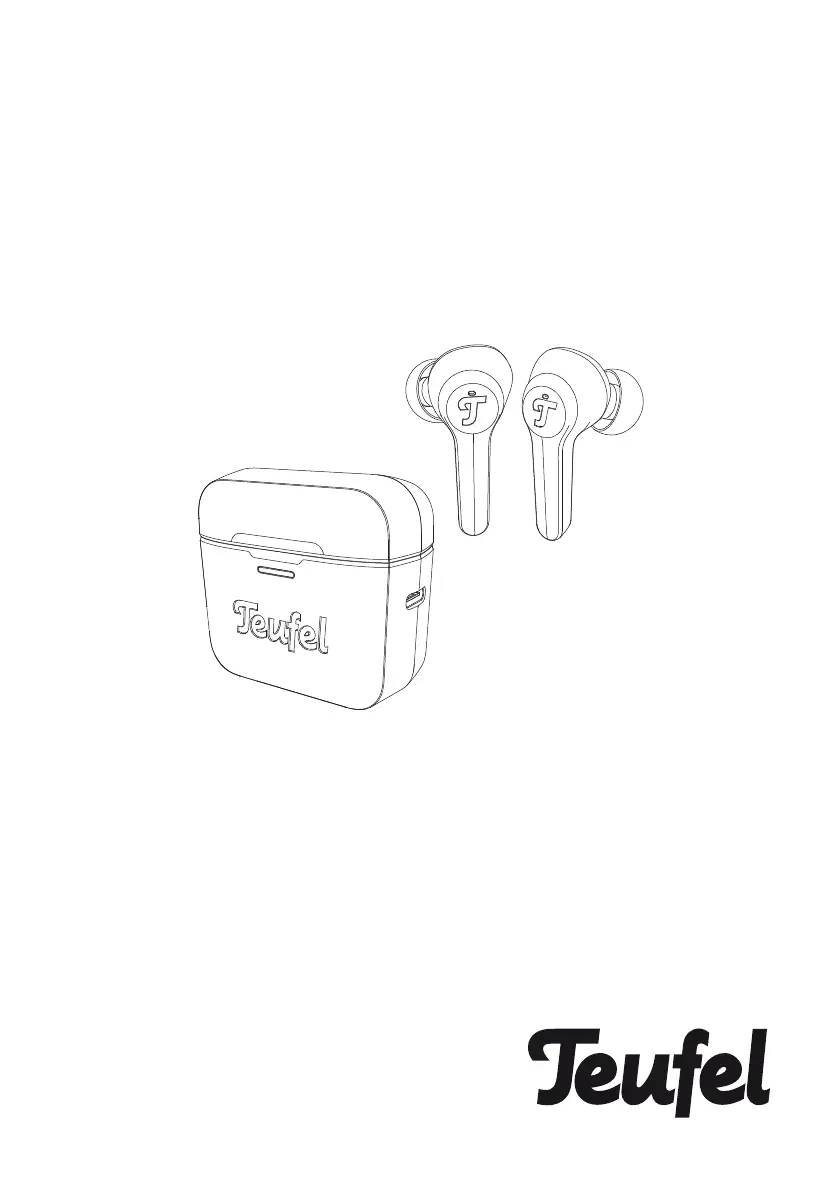
Teufel AIRY - User Manual

Teufel AIRY
30 pages
Print Icon
To Next Page IconTo Next Page
Loading...
AIRY
®
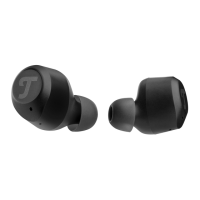
AIRY TWS
Bluetooth In-Ear Headphone
Technical Description And
User Manual

Other manuals for Teufel AIRY

Questions and Answers

  • J
    Jason ParkerAug 16, 2025
    What to do if my Teufel Headphones don't connect with my mobile device?
    • H
      howarddavidAug 16, 2025
      If your Teufel Headphones aren't connecting to your mobile device, here are a few things to try: * Ensure your mobile device supports Bluetooth. * Turn Bluetooth off and on again on your mobile device. * Delete your Teufel AIRY TWS headphones from the Bluetooth list and reconnect. * Move your mobile device closer to the headphones, away from obstructions. * Try connecting a different mobile device to see if the problem persists. * Clear the headphone's pairing list by placing the headphones in the charging case and holding the L and R multipurpose areas for 8 seconds, then try connecting again.
  • M
    Mr. Jesse MoranAug 19, 2025
    What to do if there is no audio playback from my Teufel Headphones?
    • T
      Theresa WadeAug 19, 2025
      If you're not getting any sound from your Teufel Headphones, here are a few things to check: * Make sure the 3.5 mm jack plug cable is properly connected. * Ensure a Bluetooth connection has been established. * Bring the headphones closer to the external player to ensure it is within range. * Increase the volume on both the external player and the headphones themselves.
  • A
    Alexandra OsborneAug 21, 2025
    Why volume control doesn’t work on Teufel Headphones?
    • D
      Dr. Katherine NicholsonAug 22, 2025
      If the volume control on your Teufel Headphones isn't working, there are a couple of possible reasons. The volume control may have been turned too fast, so always turn the volume control slowly. Also, when the 3.5 mm jack plug cable is connected, adjust the volume directly on the playback device or remove the connector cord from the headphones.
  • D
    Dawn BrownAug 25, 2025
    Why is there no sound from my Teufel Headphones?
    • A
      alexanderschroederAug 25, 2025
      If you're not getting any sound from your Teufel Headphones, try the following: * Make sure the audio track is playing on your mobile device. * Check the charging status of the headphones by placing them in the charging case; charge if needed. * Increase the volume on your mobile device. * Move your mobile device closer to the headphones, within 10 meters and away from obstructions. * Try a different music source. * Connect a different mobile device.
  • M
    Michael KingAug 28, 2025
    How to fix Teufel Headphones that don’t charge?
    • M
      Makayla WalshAug 28, 2025
      If your Teufel Headphones aren’t charging, try these steps: * Ensure the headphones are correctly placed in the charging case. * Make sure the charging case isn't depleted. * Check for and remove any dirt or debris from the charging conductors in the case and on the headphones. * If the headphones were exposed to extreme temperatures, allow them to return to room temperature before attempting to charge again.
  • G
    Gregory Garcia MDAug 31, 2025
    What to do if Teufel Headphone charging case doesn’t charge?
    • E
      Evelyn WareAug 31, 2025
      If your Teufel Headphone charging case isn’t charging, consider the following: * Check the case battery level by opening the case. If it's low, charge it using the supplied USB type-c cable. * Ensure both ends of the USB cable are securely connected. * If the charging case has been exposed to high or low temperatures, let it return to room temperature before trying to charge it again.
  • R
    Ryan RiveraSep 2, 2025
    What to do if there is no sound from one Teufel AIRY?
    • S
      Shannon GallowaySep 2, 2025
      If you're only getting sound from one Teufel Headphone: * Make sure that both headphones are charged and paired with your Bluetooth device, and connected to it. * Also, ensure that the headphones are correctly inserted into your ears.
  • D
    dominguezzacharySep 6, 2025
    What to do if my Teufel AIRY has no audio playback?
    • B
      Brent JonesSep 6, 2025
      If there is no audio playback from your Teufel headphones, here are a few things to check: * Ensure the 3.5 mm jack plug cable is properly connected. * Establish a Bluetooth connection. * Make sure the headphones are within range of the external player. * Increase the volume on both the external player and the headphones.
  • M
    mcbridestuartSep 9, 2025
    Why is the volume control not working on my Teufel Headphone?
    • M
      Michael NunezSep 9, 2025
      The volume control on your Teufel headphones might not be working for a couple of reasons. First, avoid turning the volume control too fast; always adjust it slowly. Second, if the 3.5 mm jack plug cable is connected, adjust the volume directly on the playback device or remove the connector cord from the headphones.
  • T
    Teresa RobinsonSep 12, 2025
    Why is the sound quality of my Teufel Headphones poor?
    • D
      danielrodriguezSep 12, 2025
      If you're experiencing poor sound quality with your Teufel Headphones: * Make sure that both headphones fit securely in your ear. * Try a different music source to rule out the file. * Try connecting another mobile device. * Move your mobile device closer to the headphones (10 m) and away from any interference or obstructions. * Clear any debris or wax buildup from the headphones and headphone nozzles.

Summary

Safety and Proper Use

Safety Warnings and Precautions

General safety notices, explanations of terms, and specific hazards.

Battery and Electrical Safety

Warnings regarding battery handling, electrical hazards, and radio interference.

Hearing Protection and Damage Prevention

Advice to avoid listening at high volumes and prevent device damage.

Getting Started with AIRY TWS

Operating Your Headphones

Charging Your Device

Charging the Headphones

Instructions for charging the earbuds.

Checking Headphone Battery Level

Methods to check the battery status of the headphones.

Charging the Charging Case

Instructions for charging the case.

Checking Case Battery Level

Methods to check the battery level of the charging case.

Care and Maintenance

Troubleshooting Guide

Power and Connectivity Issues

Solutions for headphones not powering on or connecting to a mobile device.

Charging and Sound Problems

Troubleshooting steps for charging issues and lack of sound.

Technical Specifications

Teufel AIRY Specifications

General IconGeneral
Impedance32 Ω
Driver unit40 mm
Magnet typeNeodymium
Ear couplingSupraaural
Headphone frequency20 - 19500 Hz
Headphone sensitivity100 dB
Carrying caseYes
Cables includedAudio (3.5mm)
Battery recharge time3.5 h
Cable length1.38 m
Headset typeBinaural
Product typeHeadset
Product colorWhite
Wearing styleHead-band
Bluetooth version4.0
Connectivity technologyWired & Wireless
Weight and Dimensions IconWeight and Dimensions
Weight150 g

Related product manuals