EasyManua.ls Logo

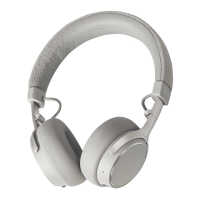
Teufel SUPREME ON - User Manual

Teufel SUPREME ON
12 pages
Print Icon
To Next Page IconTo Next Page
Loading...
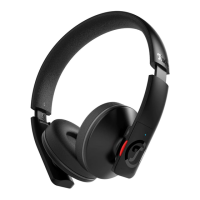
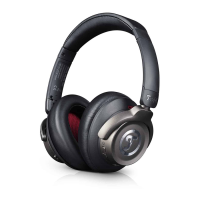
Teufel SUPREME ON
Bluetooth
®
On-Ear Headphones
Technical Description and User Manual
General notes and information
Contact
Please contact our customer service
department with any questions,
suggestions, or complaints:
Lautsprecher Teufel GmbH
BIKINI Berlin
Budapester Straße 44
10787 Berlin (Germany)
Telephone:
00800 200 300 40 (toll-free)
Fax: +49 (0) 30 / 300 930 930
Online support:
www.teufelaudio.com/service
Contact form:
www.teufelaudio.com/contact
Notice
The information in this document
may change without prior notice
and in no way constitutes any
liability on the part of Lautsprecher
Teufel GmbH.
No part of this user manual
may be reproduced in any form
or be broadcasted in any way
electronically, mechanically, by
photocopy or recording without the
written permission of Lautsprecher
Teufel GmbH.
© Lautsprecher Teufel GmbH
Version 1.0, December 2019

Other manuals for Teufel SUPREME ON

Questions and Answers

Summary

General notes and information

Notice

Legal disclaimer regarding potential changes to document information and limitations of liability.

Contact

Customer service details for inquiries, suggestions, and complaints.

Original packaging

Complaints

Protecting the environment

Trademark

Package contents

For your safety

Safety notes

Critical warnings covering suffocation, hearing loss, road safety, injury, and explosion risks.

Cleaning

Handling

Storage

Controls and connections

NFC connection interface

Interface for quick Bluetooth pairing with NFC-enabled devices.

Power button

Button used to turn the headphones on/off and activate Bluetooth pairing.

LED

Indicator light displaying battery status and operational modes.

USB-C port

Port for charging the headphones using the provided USB cable.

3.5 mm jack connector cable

Port for connecting the headphones via a 3.5 mm audio cable.

Built-in microphone

Integrated microphone for voice calls and assistant activation.

Control knob

Multifunctional knob for music playback, call management, and voice assistant control.

Charging the rechargeable battery

Switching on or off

Establishing a Bluetooth connection

One-touch pairing

Simultaneous pairing of two devices (party mode)

Using the headphones to make phone calls

Using the headphones to use voice assistant

Listening to music wirelessly

Smart pause

Sharing music between two sets of headphones

Using the connector cable

Connecting the cable

Step-by-step process for physically connecting the 3.5 mm audio cable to the headphones and source.

Using the remote control

LED indications

Technical data

Troubleshooting

Summary

General notes and information

Notice

Legal disclaimer regarding potential changes to document information and limitations of liability.

Contact

Customer service details for inquiries, suggestions, and complaints.

Original packaging

Complaints

Protecting the environment

Trademark

Package contents

For your safety

Safety notes

Critical warnings covering suffocation, hearing loss, road safety, injury, and explosion risks.

Cleaning

Handling

Storage

Controls and connections

NFC connection interface

Interface for quick Bluetooth pairing with NFC-enabled devices.

Power button

Button used to turn the headphones on/off and activate Bluetooth pairing.

LED

Indicator light displaying battery status and operational modes.

USB-C port

Port for charging the headphones using the provided USB cable.

3.5 mm jack connector cable

Port for connecting the headphones via a 3.5 mm audio cable.

Built-in microphone

Integrated microphone for voice calls and assistant activation.

Control knob

Multifunctional knob for music playback, call management, and voice assistant control.

Charging the rechargeable battery

Switching on or off

Establishing a Bluetooth connection

One-touch pairing

Simultaneous pairing of two devices (party mode)

Using the headphones to make phone calls

Using the headphones to use voice assistant

Listening to music wirelessly

Smart pause

Sharing music between two sets of headphones

Using the connector cable

Connecting the cable

Step-by-step process for physically connecting the 3.5 mm audio cable to the headphones and source.

Using the remote control

LED indications

Technical data

Troubleshooting

Teufel SUPREME ON Specifications

General IconGeneral
Bluetooth Version5.0
Driver Size40 mm
NFCNo
FoldableYes
Cable Length1.2 m
Connector3.5 mm
TypeOver-ear
ConnectivityWireless
Charging Time3 hours
Frequency Response20 Hz - 20 kHz
Impedance32 Ohm
CodecsAAC

Related product manuals