EasyManua.ls Logo

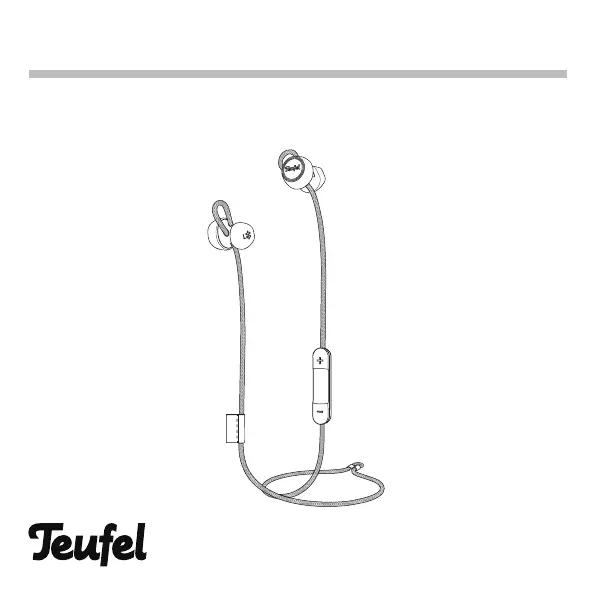
Teufel SUPREME IN - User Manual

Teufel SUPREME IN
31 pages
Print Icon
To Next Page IconTo Next Page
Loading...
User Manual
SUPREME IN
SUPREME

Questions and Answers

  • B
    bosborneJul 28, 2025
    Why won't my Teufel SUPREME IN connect to my mobile device?
    • D
      Danielle SnyderJul 28, 2025
      If your Teufel Headphone isn't connecting to your mobile device, first ensure your device supports Bluetooth. If it does, try turning Bluetooth off and then on again. Another solution is to delete your Teufel SUPREME IN headphone from the Bluetooth list on your mobile device and reconnect. Also, move your mobile device closer to the headphone, away from obstructions. You can also try connecting a different mobile device or clearing the headphone pairing list and connecting again.
  • T
    Thomas GrantAug 4, 2025
    What to do if there is no sound from my Teufel SUPREME IN Headphone?
    • C
      crawfordallisonAug 4, 2025
      If there is no sound from your Teufel Headphone, first ensure the audio is playing on your mobile device. Try connecting the headphone to the USB charging cable to check its charging status and charge if needed. Increase the volume on your mobile device and move it closer to the headphone, away from interference. Try other music sources or connect other mobile devices to isolate the problem.
  • R
    Rachel CoxAug 9, 2025
    What to do if my Teufel SUPREME IN doesn't power on?
    • J
      Jeffrey MaxwellAug 9, 2025
      If your Teufel Headphone doesn't power on, start by charging it. Then, ensure it is not in standby mode and wake it up. Also, check that the two ear-buds are not connected magnetically.
  • G
    Gregory AndersonAug 15, 2025
    How to fix Teufel Headphone if it doesn't charge?
    • M
      Melanie WilsonAug 15, 2025
      If your Teufel Headphone isn’t charging, ensure it's properly connected with the USB cable. Check for dirt or debris on the charging conductors of both the case and the headphone. If the headphone has been exposed to high or low temperatures, allow it to return to room temperature before attempting to charge it again.
  • M
    margaret72Aug 21, 2025
    How to improve the sound quality of my Teufel SUPREME IN?
    • A
      Adam BullockAug 21, 2025
      If your Teufel Headphone has poor sound quality, make sure both earbuds fit securely in your ear. You can also try using a different music source or connecting another mobile device. Ensure your mobile device is close to the headphones and free from obstructions. Also, clear any debris or wax from the earbuds and nozzles.

Summary

For Your Safety

Introduction

Whats in the box

Product overview

Getting started

Connecting with the Headphone

Guides the user on how to connect the headphones to a device via Bluetooth and pairing mode.

Using the headphones

Making and Receiving Phone Calls

Details how to answer, end, or reject phone calls using the multi-purpose button.

Charging the Headphones

Charging Procedure and Time

Explains how to charge the headphones using a USB cable and provides information on charging time.

Care and Maintenance

Troubleshooting

Common Solutions

Offers initial troubleshooting steps for common headphone issues.

Headphone Not Powering On

Lists solutions for when the headphone fails to turn on.

Bluetooth Connection Issues

Provides steps to resolve Bluetooth connection problems with a mobile device.

Headphone Not Charging

Lists solutions for when the headphone is not charging.

No Sound Issue Resolution

Offers troubleshooting steps for when there is no audio output from the headphones.

Specifications

Teufel SUPREME IN Specifications

General IconGeneral
MicrophoneYes
Driver typeDynamic
Cable length1.2m
Connector3.5mm jack
Bluetooth5.0
Charging Time2 hours for full charge
Frequency Response10 Hz - 22, 000 Hz
Impedance32 Ω
TypeOver-ear

Related product manuals