EasyManua.ls Logo

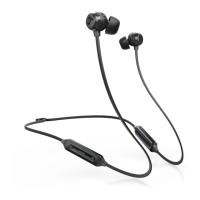
Teufel REAL BLUE IN - User Manual

Teufel REAL BLUE IN
21 pages
Print Icon
To Next Page IconTo Next Page
Loading...
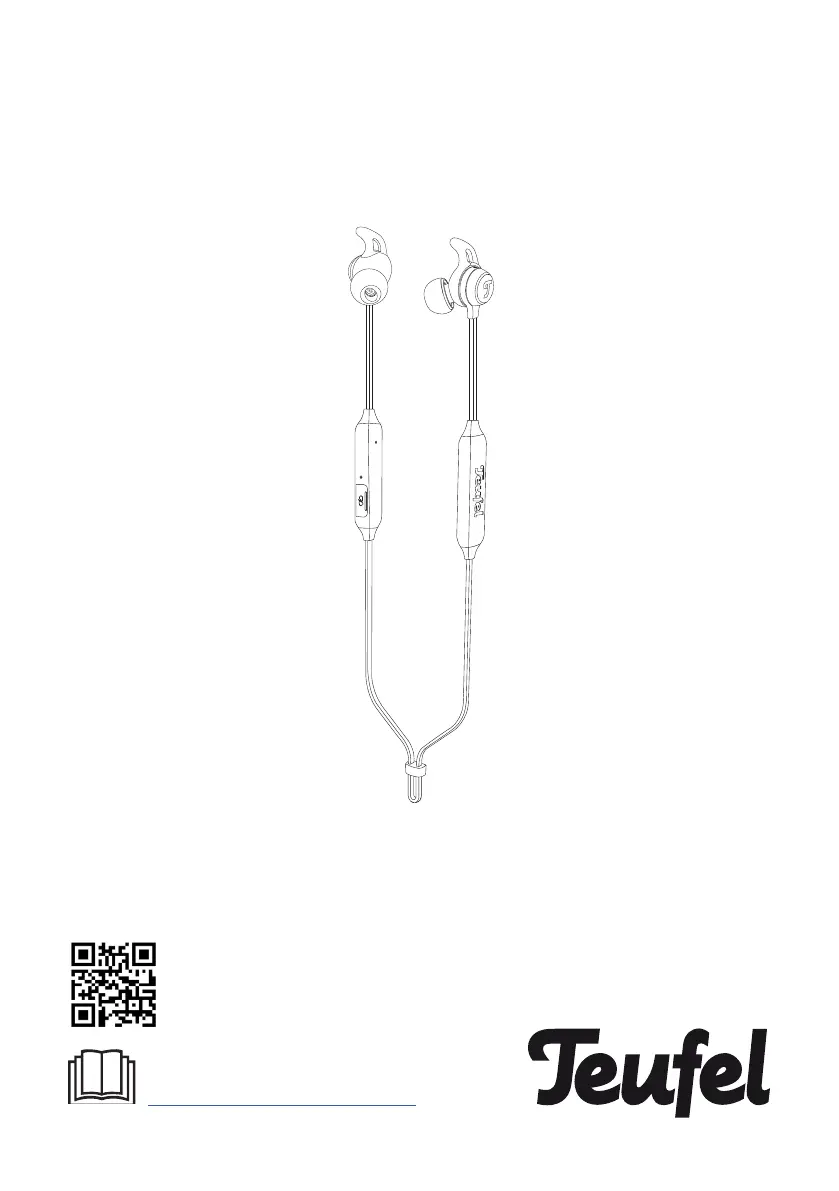
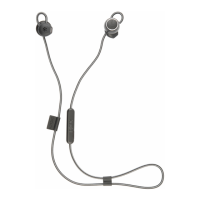
Teufel REAL BLUE IN
Bluetooth In-Ear Headphone
You can find an extensive user manual
online at
www.teufelaudio.com/real-blue-in
Technical Description And
User Manual

Questions and Answers

Summary

General Information

Notice

Information subject to change without notice; no liability is assumed by the manufacturer.

Right of Return

Conditions for exercising the 8-week right of return, requiring original packaging.

Complaints

Process for handling complaints, requiring an invoice number for processing.

For Your Safety

Proper Use

Proper usage of headphones, emphasizing adherence to manual for safety and reliability.

Safety Notes

Explanation of Terms

Defines signal terms like WARNING, CAUTION, NOTICE, and informational symbols used in the manual.

Danger of Suffocation

Warning about suffocation risk for children with packaging film and small parts.

Risk in Road Traffic and at Work

Warning about headphones dampening external noise, affecting awareness in traffic or work.

Risk of Explosion;Fire

Warning about explosion/fire risk from lithium batteries if handled improperly.

Radio Wave Interference

Warning about radio waves potentially affecting other sensitive devices.

Hearing Loss Risk

Caution about potential hearing loss from prolonged listening at high volumes.

Risk of Damage

Notice regarding potential damage from improper handling, moisture, heat, or mechanical influences.

Disposal

Electrical Waste Disposal

Guidance on environmentally friendly disposal of old electrical equipment.

Battery Disposal

Information on proper disposal of batteries and rechargeable batteries at designated collection points.

Trademarks

Bluetooth Trademark

Identifies Bluetooth as a registered trademark owned by Bluetooth SIG, Inc.

Qualcomm aptX Trademark

Identifies Qualcomm aptX as a product of Qualcomm Technologies International, Ltd.

1. Introduction

2. Whats in the box

3. Product Overview

Control Buttons

Details the functions of the Multi-Purpose, Volume Up, and Volume Down buttons.

Interface Features

Describes the USB charging slot, LED indicator, and built-in microphone.

4. Getting Started

4.1 Switching On or Off

Instructions on how to power the headphones on and off.

4.2 Choosing Eartips

Guidance on selecting the appropriate eartip size for optimal fit and audio performance.

4.3 Connecting with the Headphone

Steps to pair the headphones with a Bluetooth-enabled device.

ShareMe Feature

Explains the ShareMe feature for sharing audio between two sets of headphones.

4.4 Teufel Headphones App

Information on downloading and using the Teufel Headphones app for enhanced features.

5. Using the Headphones

Multi-Purpose Button Functions

Details operations for power, playback control, calls, pairing, and voice assistant.

Volume Up Button Functions

Explains volume adjustment and enabling the ShareMe feature.

Volume Down Button Functions

Explains volume adjustment and activating/deactivating auto-play features.

6. Charging

Charging the Headphones

Procedure for charging the headphones using a USB cable and operating temperature guidelines.

Charging Time and Battery Life

Information on full charging time and the resulting battery life.

Checking Headphone Battery Level

Methods for checking the battery level, including device display and app usage.

7. Troubleshooting

Common Solutions

Lists common checks and solutions for headphones and charging cable issues.

Headphones Dont Power On

Troubleshooting steps for when the headphones do not turn on.

Headphones Dont Connect

Steps to resolve issues with connecting headphones to a mobile device.

Headphones Dont Charge

Solutions for problems encountered when charging the headphones.

Clear Bluetooth Device List

Instructions to clear the headphone's Bluetooth pairing list.

No Sound

Troubleshooting steps for when no audio is heard from the headphones.

Poor Sound Quality

Solutions for addressing issues related to poor audio quality.

Eartips Falling Off

Guidance on securely attaching eartips to prevent them from falling off.

8. Technical Data

9. Declaration of Conformity

Summary

General Information

Notice

Information subject to change without notice; no liability is assumed by the manufacturer.

Right of Return

Conditions for exercising the 8-week right of return, requiring original packaging.

Complaints

Process for handling complaints, requiring an invoice number for processing.

For Your Safety

Proper Use

Proper usage of headphones, emphasizing adherence to manual for safety and reliability.

Safety Notes

Explanation of Terms

Defines signal terms like WARNING, CAUTION, NOTICE, and informational symbols used in the manual.

Danger of Suffocation

Warning about suffocation risk for children with packaging film and small parts.

Risk in Road Traffic and at Work

Warning about headphones dampening external noise, affecting awareness in traffic or work.

Risk of Explosion;Fire

Warning about explosion/fire risk from lithium batteries if handled improperly.

Radio Wave Interference

Warning about radio waves potentially affecting other sensitive devices.

Hearing Loss Risk

Caution about potential hearing loss from prolonged listening at high volumes.

Risk of Damage

Notice regarding potential damage from improper handling, moisture, heat, or mechanical influences.

Disposal

Electrical Waste Disposal

Guidance on environmentally friendly disposal of old electrical equipment.

Battery Disposal

Information on proper disposal of batteries and rechargeable batteries at designated collection points.

Trademarks

Bluetooth Trademark

Identifies Bluetooth as a registered trademark owned by Bluetooth SIG, Inc.

Qualcomm aptX Trademark

Identifies Qualcomm aptX as a product of Qualcomm Technologies International, Ltd.

1. Introduction

2. Whats in the box

3. Product Overview

Control Buttons

Details the functions of the Multi-Purpose, Volume Up, and Volume Down buttons.

Interface Features

Describes the USB charging slot, LED indicator, and built-in microphone.

4. Getting Started

4.1 Switching On or Off

Instructions on how to power the headphones on and off.

4.2 Choosing Eartips

Guidance on selecting the appropriate eartip size for optimal fit and audio performance.

4.3 Connecting with the Headphone

Steps to pair the headphones with a Bluetooth-enabled device.

ShareMe Feature

Explains the ShareMe feature for sharing audio between two sets of headphones.

4.4 Teufel Headphones App

Information on downloading and using the Teufel Headphones app for enhanced features.

5. Using the Headphones

Multi-Purpose Button Functions

Details operations for power, playback control, calls, pairing, and voice assistant.

Volume Up Button Functions

Explains volume adjustment and enabling the ShareMe feature.

Volume Down Button Functions

Explains volume adjustment and activating/deactivating auto-play features.

6. Charging

Charging the Headphones

Procedure for charging the headphones using a USB cable and operating temperature guidelines.

Charging Time and Battery Life

Information on full charging time and the resulting battery life.

Checking Headphone Battery Level

Methods for checking the battery level, including device display and app usage.

7. Troubleshooting

Common Solutions

Lists common checks and solutions for headphones and charging cable issues.

Headphones Dont Power On

Troubleshooting steps for when the headphones do not turn on.

Headphones Dont Connect

Steps to resolve issues with connecting headphones to a mobile device.

Headphones Dont Charge

Solutions for problems encountered when charging the headphones.

Clear Bluetooth Device List

Instructions to clear the headphone's Bluetooth pairing list.

No Sound

Troubleshooting steps for when no audio is heard from the headphones.

Poor Sound Quality

Solutions for addressing issues related to poor audio quality.

Eartips Falling Off

Guidance on securely attaching eartips to prevent them from falling off.

8. Technical Data

9. Declaration of Conformity

Teufel REAL BLUE IN Specifications

General IconGeneral
ConnectivityWireless
BluetoothYes
Driver Size40 mm
Frequency Response20 Hz - 20 kHz
Bluetooth Version5.0
MicrophoneYes
NFCNo
Noise CancellationActive Noise Cancellation
Sensitivity96 dB
Impedance32 Ohm

Related product manuals