EasyManua.ls Logo

Teufel Airy True Wireless - User Manual

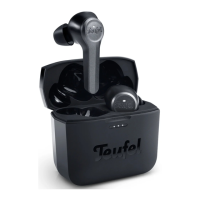
Teufel Airy True Wireless
41 pages
Print Icon
To Next Page IconTo Next Page
Loading...
User Manual
Teufel Airy True Wireless

Questions and Answers

Summary

General Notes and Information

About the User Manual

Information is subject to change; no reproduction without permission.

Original Packaging

Original packaging required for returns; without it, returns are not accepted.

Complaints

Invoice number needed for complaint processing. Contact for support.

Contact Information

Customer service contact details: address, phone, fax, online support, and contact form.

For Your Safety

Proper Use

Use earphones as described. Improper use may cause damage or injury. For private use only.

Safety Notes

General safety notices to protect yourself and third parties. Observe warning notices.

Explanation of Terms

Defines signal terms like WARNING, CAUTION, NOTICE, and information symbols.

WARNING: Danger of Suffocation

Keep children away from packaging film and small parts to prevent suffocation.

WARNING: Road Traffic and Work Safety

Do not use earphones while driving or operating machinery due to noise dampening.

WARNING: Risk of Explosion;Fire

Handle batteries properly; avoid heat, burning, and explosion risk environments.

Interference from Radio Waves

Radio waves may affect other devices. Use Bluetooth only where permitted.

CAUTION: Hearing Loss Risk

Avoid extended listening at high volumes to prevent hearing damage. Set volume low.

NOTICE: Risk of Damage

Improper handling can cause damage. Keep dry, protect from heat, moisture, and mechanical influences.

Disposal

Electrical Waste Disposal

Dispose of electrical equipment at authorised points for environmental protection.

Battery Disposal

Dispose of batteries at collection points. Only turn in empty batteries.

Trademarks

Intellectual Property Rights

Lists trademarks for Apple, Google, and Bluetooth, and their respective owners.

1. Introduction

2. Whats in the Box

3. Product Overview

3.1 Earphones

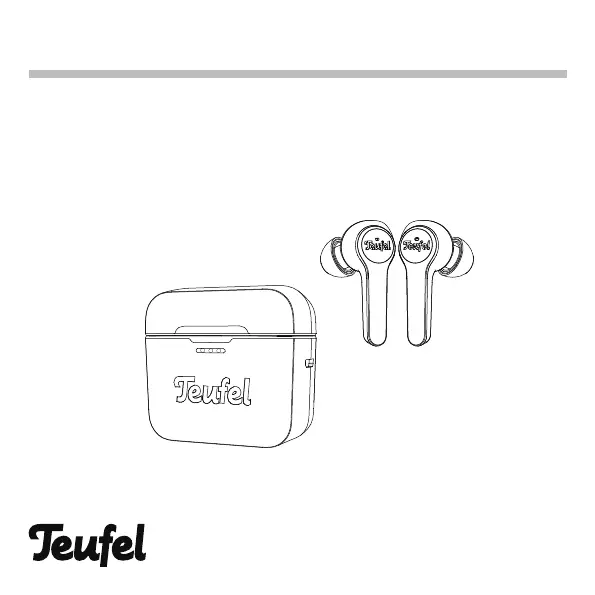
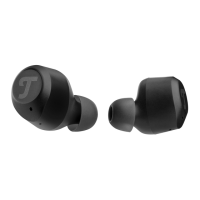
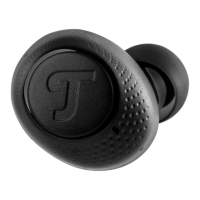
Details components of the earphones: power indicator, touch button, talk MIC, L/R logo, charging contact.

3.2 Charging Case

Details components of the charging case: power indicator, Micro USB charging port.

3.3 Earphone LED Indications

Explains earphone LED behavior for pairing, connection, calls, and battery status.

3.4 Charging Case LED Indications

Explains charging case LED behavior for opening, closing, and inserting earphones.

4. Getting Started

4.1 Powering On & Off

Instructions for automatic and manual powering on/off of earphones via charging case or button.

4.2 Choosing the Correct Eartips

Guidance on selecting the right eartip size for optimal audio performance and comfort.

4.3 Connecting the Earphones

Explains Bluetooth pairing process and compatibility with Bluetooth 5.0.

4.3.2 Pairing with a Bluetooth Device

Step-by-step guide to pair earphones with a Bluetooth device for the first time or subsequent devices.

5. Using the Earphones

5.1 Listening to Music Wirelessly

Control music playback (play/pause, next/previous track) using touch button operations.

5.2 Making Phone Calls

Use earphones as a headset for calls: accept, reject, end calls, hold, and switch calls.

5.3 Activating Voice Services

Activate Siri (iOS) or Google Assistant (Android) using touch button operations.

5.4 Volume Control

Volume is controlled by the connected device. Note sound settings may affect quality.

6. Charging

6.1 Charging the Earphones

Earphones charge in the case. Charging time up to 2 hours for 6 hours of use.

6.2 Charging the Charging Case

Connect supplied USB cable to Micro-USB port and a wall charger.

6.2.1 Charging Time

Allow up to 3 hours to charge case. Case fully charged can charge earphones up to 3 times.

6.2.2 Check Case Battery Level

LED power indicators on the front of the case show battery level.

7. Care and Maintenance

7.1 Cleaning Earphones and Charging Case

Instructions for cleaning eartips, earphone nozzles, charging pins, and charging case.

7.2 Storing Earphones in Charging Case

Store earphones in case to prevent damage and ensure they are charged.

8. Troubleshooting

Earphones Dont Power On

Solutions for earphones not powering on, including charging and standby mode.

Earphones Dont Connect

Troubleshooting steps for Bluetooth connection issues, including device settings and pairing.

Earphones Dont Charge

Solutions for charging problems, checking placement, battery, and charging contacts.

Charging Case Doesnt Charge

Solutions for charging case issues, checking battery, cable, and temperature.

No Sound

Troubleshooting steps for no audio output, checking playback, volume, and connection.

No Sound From One Earphone

Ensure both earphones are charged, paired, connected, and inserted correctly.

Poor Sound Quality

Tips for improving sound quality: fit, music source, connection, and cleaning.

Eartips Falling Off

Ensure eartips are securely attached to the earphones.

TWS Pairing Issues

Resetting TWS connection if one earphone is lost or for re-pairing.

9. Specifications

Earphone Specifications

Technical details for earphones: model, talk time, charging, wireless tech, chipsets, ports, battery, mic, waterproof grade.

Charging Case Specifications

Technical details for charging case: model, charging time, indicator, ports, battery, input power, protection.

Declaration of Conformity

Teufel Airy True Wireless Specifications

General IconGeneral
TypeIn-ear
Wireless TechnologyBluetooth
Water ResistanceIPX5
MicrophoneYes
Bluetooth Version5.0
Frequency Response20 Hz - 20 kHz
Charging PortUSB-C
Noise CancellationNo
Wireless Range10 m
Charging TimeApprox. 2 hours
Weight5 g (per earbud)

Related product manuals