The power LED (11) will now continuously illuminate
in blue.
If the source device is a Smartphone, the Bluetooth
connection will be interrupted by any incoming calls
and you can use the phone as normal.
After finishing your phone call, the sounds will once
again be diverted and played back by your Cine-
base.
6. Push the BT PAIRING button (24) to terminate the
Bluetooth connection.
Alternatively you can switch off the Bluetooth func-
tion on your source device.
NFC (Near Field Communication)
NFC is a transmission standard for the wireless
exchange of data over short distances. Via NFC your
Cinebase can automatically establish a Bluetooth con-
nection to a source device featuring the NFC function:
1. Use the BLUETOOTH button 20 to select Bluetooth
as the source.
2. Turn the NFC function on your source device on
(Bluetooth does not have to be turned on).
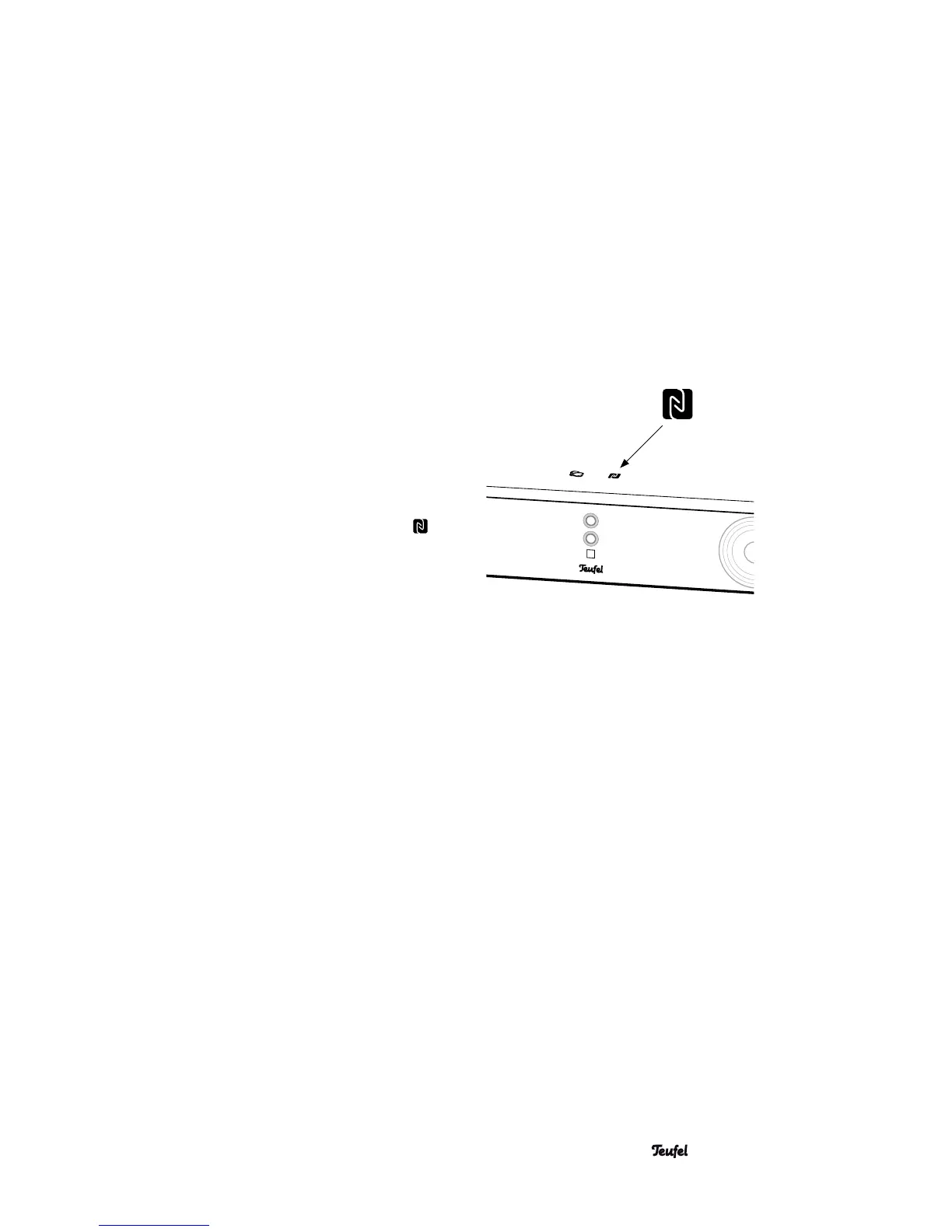
3. Hold your source device close to the NFC symbol
on the top of the Cinebase.
After a short time, you will be asked to approve the
data connection.
4. Confirm the request on your source device.
The connection has now been established.
15 • Cinebase



 To Next Page