2.1.7 Reset Pull-up Jumper
To enable the CC35xxE device, the nRESET line must be pulled high externally. On the LP-EM-CC35X1, the
nRESET line is pulled up by default, therefore, the CC35xxE device is enabled when power is provided to the
board.
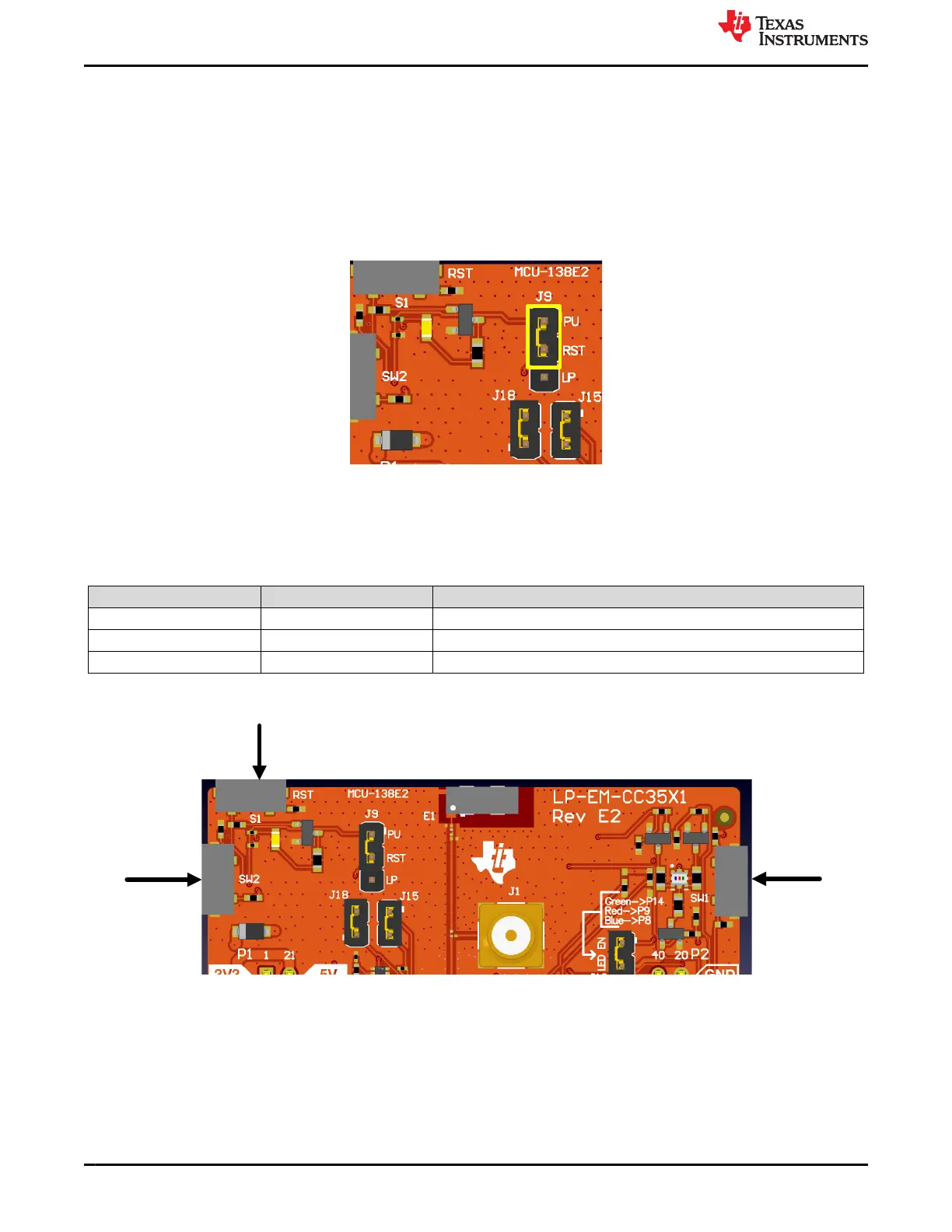
The LP-EM-CC35X1 gives the option to route the Reset line to the LaunchPad header (pin 16) to control the
reset line externally. To route the nRESET line to the LaunchPad header pin instead of the default pull up,
jumper J9 needs to be placed on the bottom two pins. J9 is in the pull up (PU) configuration, therefore, the
nRESET line is pulled up when power is supplied to the board, as shown in.Figure 2-15
Figure 2-15. nReset Pull up
2.1.8 Push Buttons
The push-button definitions are shown in Table 2-6.
Table 2-6. Push Button Definitions
Reference Use Comments
S1 RESET This signal is used to reset the CC35xxE device.
SW1 GPIO2 When pushed, GPIO2 is pulled to 3.3V.
SW2 GPIO36 When pushed, GPIO36 is pulled to 3.3V.
Figure 2-16. Push Buttons
Hardware www.ti.com
14 CC35xxE LaunchPad™ Development Kit for SimpleLink™ Wi-Fi 6 and
Bluetooth® Low Energy Wireless MCU
SWRU629 – SEPTEMBER 2024
Submit Document Feedback
Copyright © 2024 Texas Instruments Incorporated









 To Next Page