11-ENG
30eco_eng_f_d_nl_fin.doc TI-30 eco RS, Config 1: Eng Deu
Fra Nld Bob Fedorisko Revised: 10/21/03 11:06 AM
Printed: 10/21/03 11:18 AM Page 11 of 80
Memory
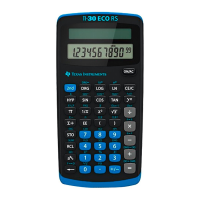
The calculator has 3 memories. When a memory
contains a number other than 0,
M1
,
M2
, or
M3
displays.
To clear a single memory, press 0
:
1, 0
:
2, or
0
:
3. To clear all 3 memories (solar only), press
!
.
:
n
Stores displayed value in memory
n
,
replacing current value.
23
:
1
M1
23.
D
2
J
M1
25.
@
n
Recalls value in memory
n
.
(continued)
@
1
M1
23.
D
3
J
M1
26.
"
m
n
Adds displayed value to memory
n
.
(continued)
4
"
m
1
M1
4
.
@
1
M1
27.
"
g
n
Exchanges displayed and memory
values.
(continued)
3
8
5
J
M1
15.
"
g
1
M1
27.
"
g
1
M1
15.


 To Next Page
 Loading...