© 1999 T
EXAS
I
NSTRUMENTS
I
NCORPORATED
TI-30X
Ù
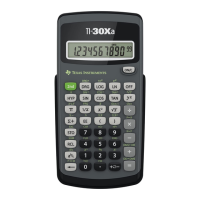
S: A Guide for Teachers
A-2
Quick Reference to Keys
(Continued)
A
K
EY
F
UNCTION
%
_
Changes a real number to percent. Results display according to the
decimal notation mode setting.
%
[,]
Enters a comma.
%
c
Calculates the specified root (x) of the value.
N
Lets you enter mixed numbers and fractions.
%
O
Converts a simple fraction to a mixed number or a mixed number to a
simple fraction.
%
i
Recalls the most recently calculated result, displaying it as
Ans
.
-
Clears characters and error messages on the entry line. Once the display is
clear, it moves the cursor to the last entry in history.
%
{
Clears all memory variables.
?
Calculates the cosine.
%
[
Calculates the inverse cosine.
v
Lets you enter the statistical data points (x for
1-VAR
stats; x and y for
2-VAR
stats).
J
Deletes the character at the cursor. If you hold
J
down, it deletes all
characters to the right. Then each time you press
J
, it deletes 1
character to the left of the cursor.
I
Displays the following menu that lets you change the Angle mode to
degrees (
º
), radians (
r
), or gradients (
g
), and then back to degrees without
affecting the value in the display.
DEG
Sets degree mode.
RAD
Sets radian mode.
GRD
Sets gradient mode.
When you turn on the TI30X
Ù
S, it is always in the
DEG
mode.
%
^
Calculates the natural antilogarithm (e raised to the power of the value).
%
C
Lets you enter and calculate the exponent.
<
Completes the operation or executes the command.


 To Next Page
 Loading...