© 1999 T
EXAS
I
NSTRUMENTS
I
NCORPORATED
TI-34 Û: A Guide for Teachers
113
Math Menu
18
Keys
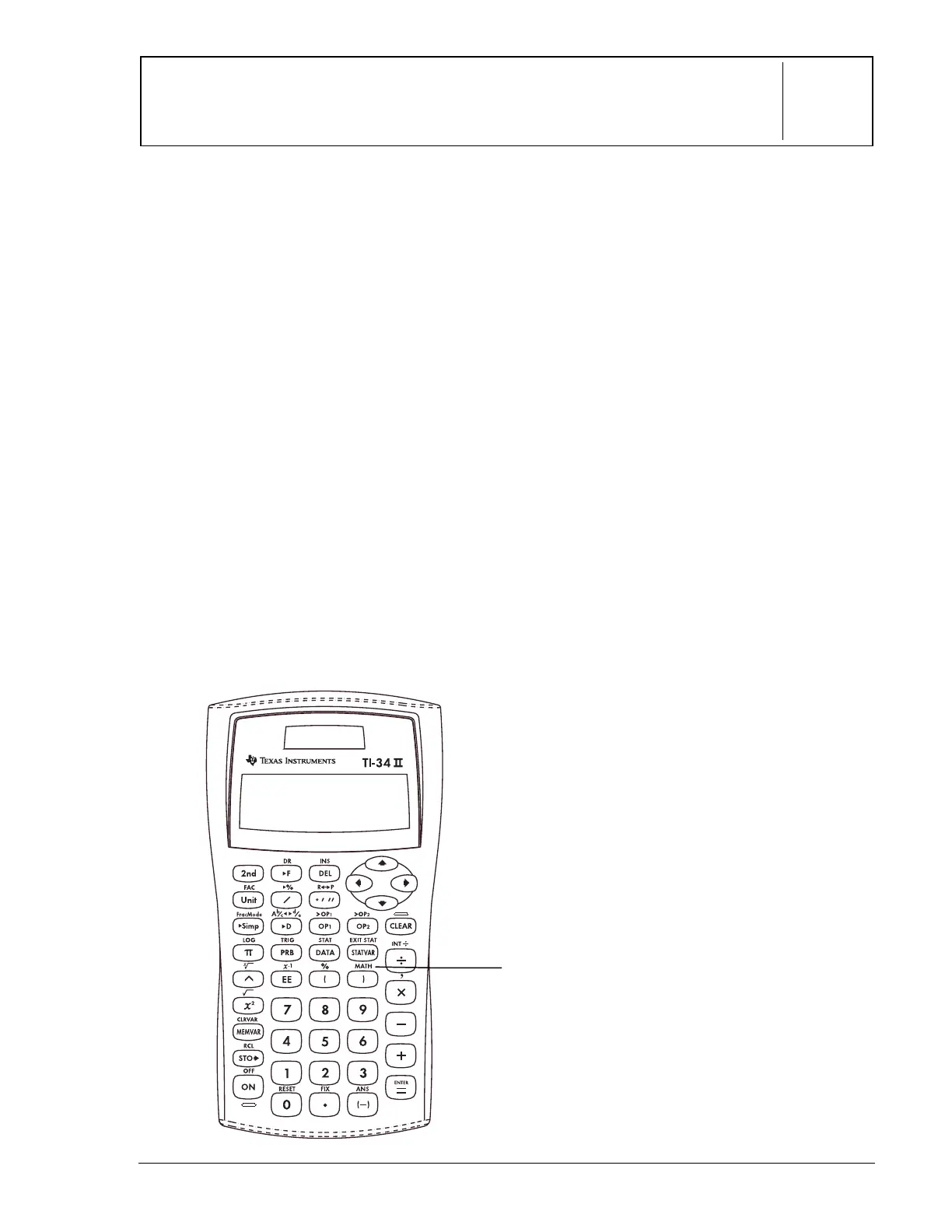
These numbered paragraphs provide
explanations for the corresponding numbered
keys on the illustration below.
1.
%d
displays a menu with various
math functions. Some functions require
you to enter two values, real numbers,
or expressions that equal a real
number.
abs(n)
Displays absolute value of
n
.
round(n,digits)
Rounds
n
to specified
number of digits.
iPart (n)
Returns only the integer
(iPart) of
n
.
fPart(n)
Returns only the fractional
part of
n
.
min(n
1
,n
2
)
Returns the minimum (min)
of two values,
n
1
and
n
2
.
max(n
1
, n
2
)
Returns the maximum of
two values,
n
1
and
n
2
.
lcm (n
1
,n
2
)
Returns the least common
multiple (lcm) of two values,
n
1
and
n
2
.
gcd (n
1
, n
2
)
Returns the greatest
common divisor (gcd) of two values,
n
1
and
n
2
n
3
Calculates the cube of
n
.
3
Ñ
(n)
: Calculates the cube root of
n
.
remainder(n
1
,n
2
)
: Returns the
remainder resulting from the division
of two values,
n
1
and
n
2
.
Notes
• The example on the transparency master
assumes all default settings.
• To use the functions, select the math
function from the menu, and then enter
the value.
•
%`
must separate the two values.
• The closing parenthesis following
function names is optional.
1


 To Next Page
 Loading...