© 1999 T
EXAS
I
NSTRUMENTS
I
NCORPORATED
TI-34 Û: A Guide for Teachers
48
Order of Operations
4
Keys
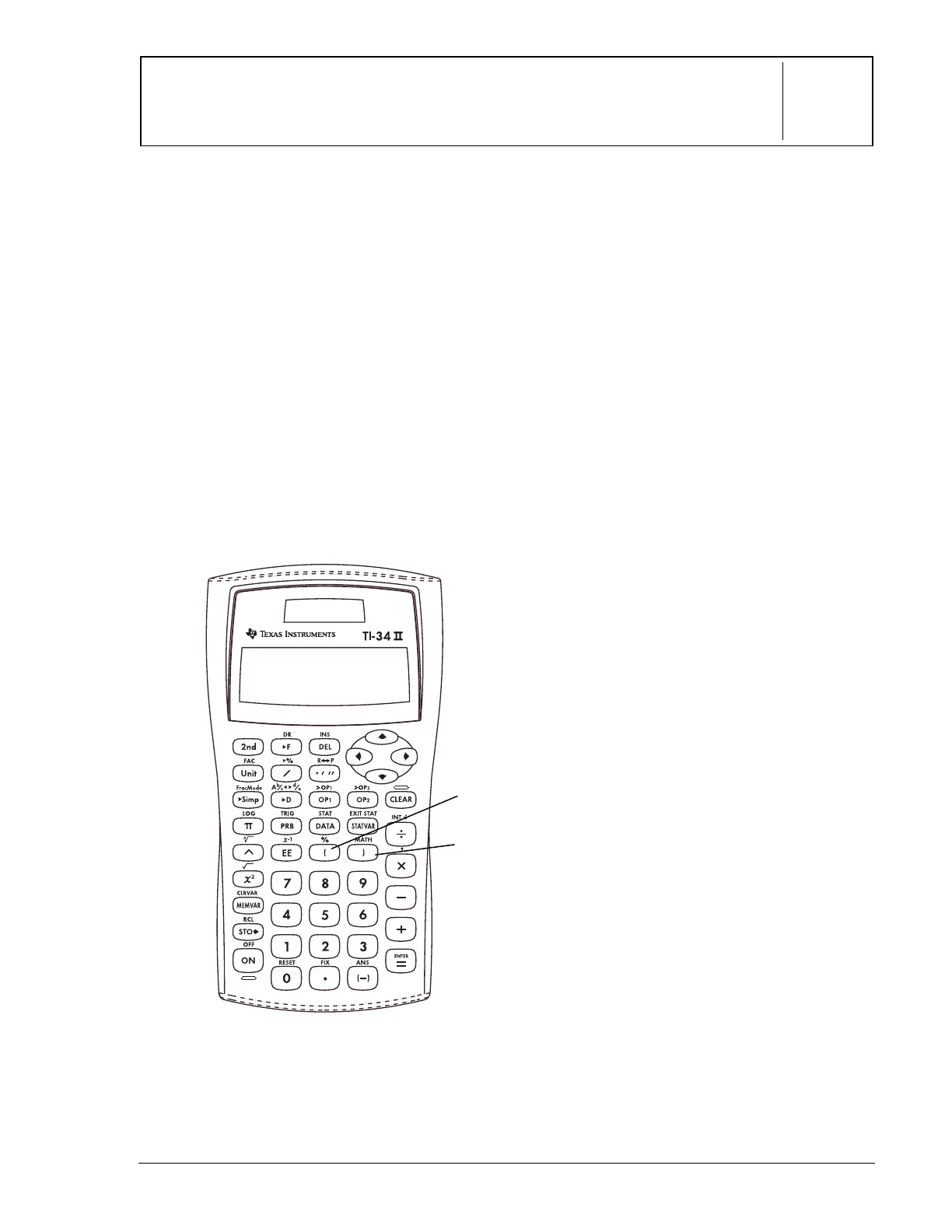
These numbered paragraphs provide
explanations for the corresponding numbered
keys on the illustration below.
1.
D
opens a parenthetical expression.
2.
E
closes a parenthetical expression.
Notes
• The examples on the transparency
masters assume all default settings.
• The transparency master showing the
Equation Operating System (EOSé)
demonstrates the order in which the
TI-34
Û
completes calculations.
• Operations inside parentheses are
performed first. Use
D
E
to change the
order of operations and, therefore,
change the result.
Example: 1 + 2 x 3 = 7
(1 + 2) x 3 = 9
2
1



 To Next Page
 Loading...