© 1999 T
EXAS
I
NSTRUMENTS INCORPORATED
TI-34 Û: A Guide for Teachers
6
Star Voyage—Scientific Notation
Overview
Students investigate scientific notation by changing
numbers into scientific notation, and then using
them in calculations.
Math Concepts
• scientific
notation
• addition
• division
Materials
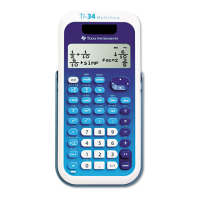
• TI-34 Û
• pencil
• student activity
(page 8)
Introduction
Set up the activity by telling your students:
The standard form for scientific notation is a
Q
10
n
,
where a is greater than or equal to 1 and less than
10, and n is an integer.
1. Have students practice writing the following
numbers in scientific notation using pencil and
paper.
a. 93 000 000 9.3
Q
10
7
b. 384 000 000 000 3.84
Q
10
11
c. 0.00000000000234 2.34
Q
10
-12
d. 0.0000000157 1.57
Q
10
-8
2. Have students change the following numbers into
scientific notation using the TI-34
Ö
.
a. 12 000 000 000 000 1.2
Q
10
13
b. 974 000 000 000 9.74
Q
10
11
c. 0.0000000000034 3.4
Q
10
-12
d. 0.00000000004 4
Q
10
-11
3. Have students change the following numbers into
floating decimal (standard notation).
a. 5.8 Q 10
7
58 000 000
b. 7.32 Q 10
5
732 000
c. 6.2 Q 10
-6
0.0000062
d. 3 Q 10
-8
0.00000003
1. Enter the first number.
¸¸0000000000
2. Press < to display the
number in scientific
notation.
1. 2x10
13
³ 1. Enter
5.8
and press C.
5.8¯
2. Enter 7 and press <.
5.8
¯
7
58000000.
Note: To enter a negative
number, press M and then
enter the number.



 To Next Page
 Loading...