© 1999 T
EXAS
I
NSTRUMENTS
I
NCORPORATED
TI-34 Û: A Guide for Teachers
41
Editing the Display
2
Keys
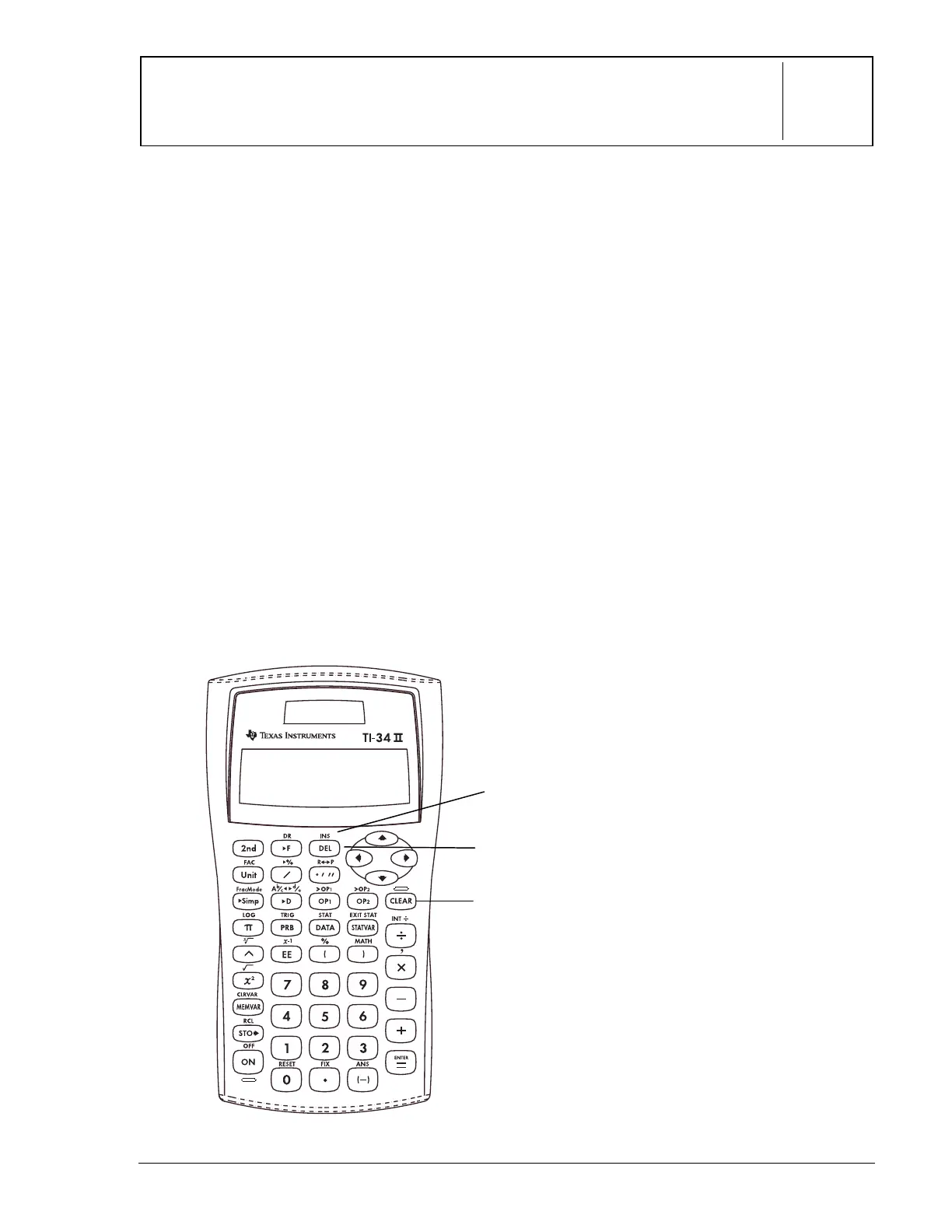
These numbered paragraphs provide
explanations for the corresponding numbered
keys on the illustration below.
1.
-
clears characters and error
messages. Once the display is clear, it
moves the cursor to the most recent
entry.
2.
%
f
inserts a character at the
cursor.
3.
J
deletes the character at the
cursor or at the immediate left of the
cursor. Hold
J
down to delete all
characters to the right.
Notes
• The examples on the transparency
masters assume all default settings.
• Pressing
-
does not affect the
memory, statistical registers, angle
units, or numeric notation.
1
2
3



 To Next Page
 Loading...