© 1999 T
EXAS
I
NSTRUMENTS
I
NCORPORATED
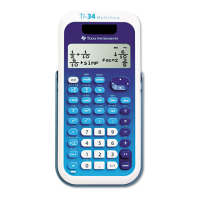
TI-34 Û: A Guide for Teachers
A-4
Quick Reference to Keys
(Continued)
A
Key Function
z
Displays the following menu of variables.
A B C D E
Lets you view the stored value before pasting it to
the display.
% '
Turns off the calculator and clears the display.
&
Turns on the calculator.
%n
Stores an operation for later recall.
m
Recalls and displays the operation stored in
m
.
%p
Stores a second operation for later recall.
o
Recalls and displays the operation stored in
p
.
H
Displays the following menu of functions:
nPr
Calculates the number of possible permutations.
nCr
Calculates the number of possible combinations.
!
Calculates the factorial.
RAND
Generates a random 10-digit real number between 0
and 1.
RANDI
Generates a random integer between 2 numbers
that you specify. Separate the 2 numbers with a
comma.
% h
Recalls the stored values to the display.
%
Displays the
RESET
menu.
RESET: N Y
Press < when
N
(no) is underlined to return to the previous screen
without resetting the calculator.
Press < when
Y
(yes) is underlined to reset the calculator. The
message
MEM CLEARED
is displayed.
Also, press & and - simultaneously to reset the calculator
immediately. No menu or message is displayed.
% k
Displays the following menu that lets you convert rectangular
coordinates (
c
,
y
) to polar coordinates (
r
,
q
) or vice versa.
R4Pr
Converts rectangular coordinate to polar coordinate
r
.
R4P
q
Converts rectangular coordinate to polar coordinate
q
.
P4R
c
Converts polar coordinate to rectangular coordinate
c
.
P4Ry
Converts polar coordinate to rectangular coordinate
y
.


 To Next Page
 Loading...