EasyManua.ls Logo

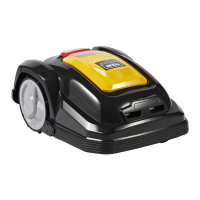
Texas RMX 800 - User Manual

Texas RMX 800
176 pages
Go to English
Print Icon
To Next Page IconTo Next Page
Loading...
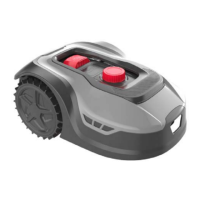
RMX 500 / RMX 800
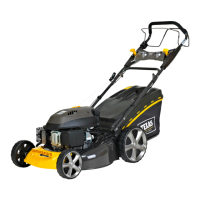
RMX 1600 / RMX 2000
Texas A/S - Knullen 22 - DK-5260 Odense S - Denmark Version 23.1
Tel. +45 6395 5555 - www.texas.dk - post@texas.dk
DK Betjeningsvejledning
GB User manual
DE Bedienungsanleitung
IT Manuale d’Istruzioni

Table of Contents

Question and Answer IconNeed help?

Do you have a question about the Texas RMX 800 and is the answer not in the manual?

Summary

Safety symbols

Safety regulations

Preparation before installation

Installation and placement of charging station

Laying boundary wire

Flower beds

Options for protecting flower beds with boundary wire.

Connect boundary wire to charging station

Power the charging station

Booting and testing the installation

Setting

PIN code setting

Changing the start time and cutting time

Installing App

Preparation before connecting to robot

Setting up the App

App connection via QR code

Step-by-step guide for app setup using QR code.

Manual app connection

Step-by-step guide for app setup without QR code.

Using the App

Mowing schedule setup

Setting and managing the robot's mowing schedule via the app.

App settings and parameters

Configuration options within the mobile app for robot behavior.

Functions of the robot

Cleaning and replacement of parts

Replacing the battery

Error codes

Troubleshooting common robot errors

Solutions for common error codes and operational issues.

Summary

Safety symbols

Safety regulations

Preparation before installation

Installation and placement of charging station

Laying boundary wire

Flower beds

Options for protecting flower beds with boundary wire.

Connect boundary wire to charging station

Power the charging station

Booting and testing the installation

Setting

PIN code setting

Changing the start time and cutting time

Installing App

Preparation before connecting to robot

Setting up the App

App connection via QR code

Step-by-step guide for app setup using QR code.

Manual app connection

Step-by-step guide for app setup without QR code.

Using the App

Mowing schedule setup

Setting and managing the robot's mowing schedule via the app.

App settings and parameters

Configuration options within the mobile app for robot behavior.

Functions of the robot

Cleaning and replacement of parts

Replacing the battery

Error codes

Troubleshooting common robot errors

Solutions for common error codes and operational issues.

Texas RMX 800 Specifications

General IconGeneral
BrandTexas
ModelRMX 800
CategoryLawn Mower
LanguageEnglish

Related product manuals