64
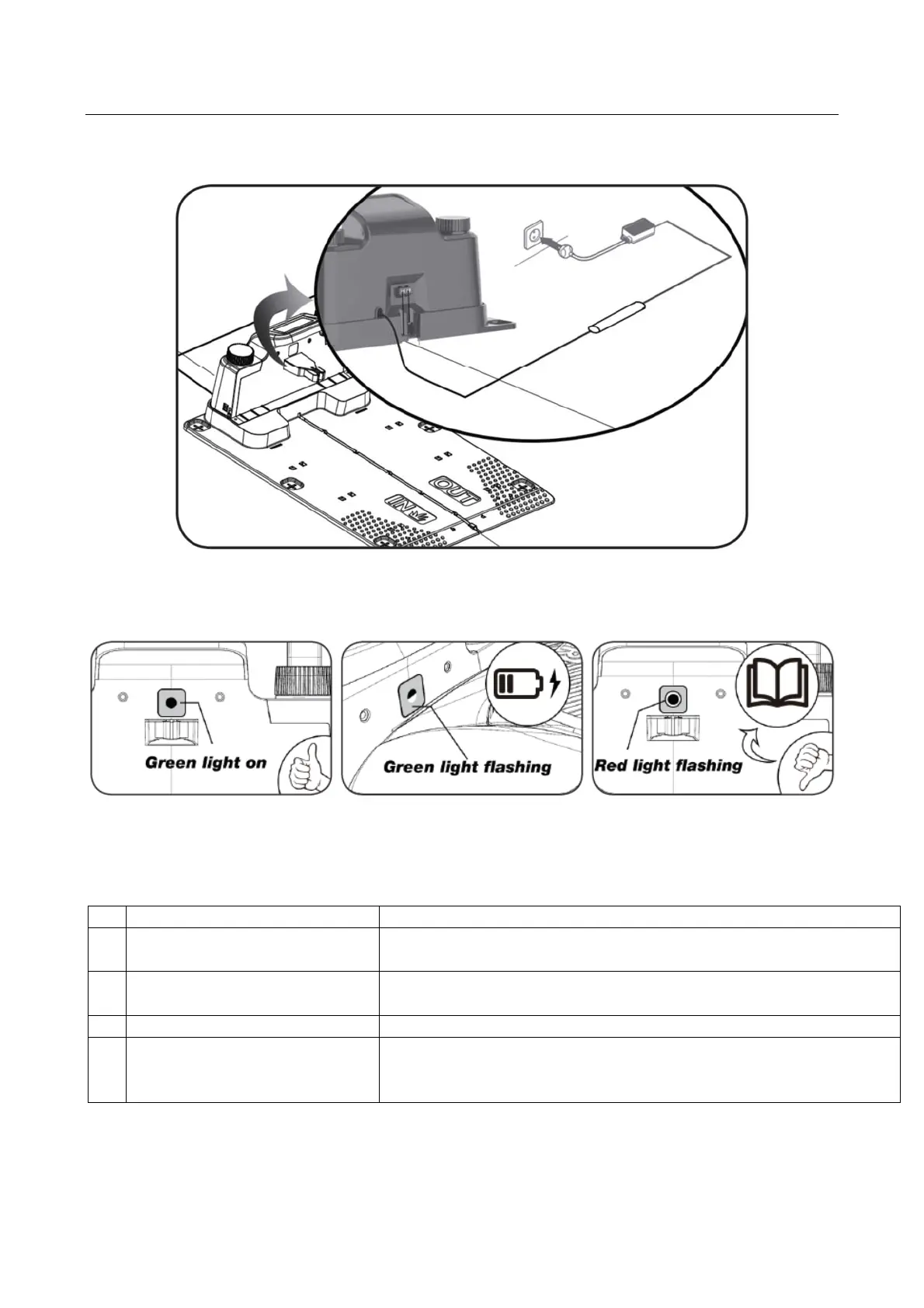
8. Power the charging station
Now the 230V power supply can be connected to the charging station.
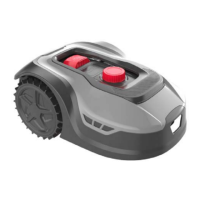
A small LED diode lights up. If the diode lights up green, everything is OK and there is a
connection through the boundary wire.
If there is no light in the diode, first check if the 230V power supply is connected correctly
and turned on. If the LED does not constantly light up or flash green, and there are no
problems with the 230V power supply, check the following troubleshooting scheme:
LED diode DESCRIPTION
1 Green light The boundary wire is mounted correctly and the robot is fully
char
ed.
2 No light There is a lack of power. Check that the power supply is
fitted correctl
to the char
in
station and in the wall socket.
3 Green li
ht flashin
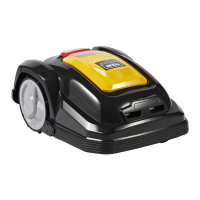
The robot mower is char
in
3 Red light flashing The boundary wire is not fitted correctly in the red/black
connector or there is breakage on the boundary wire.
Check the wire connectin
points if necessar
.
Note: A faint buzz may be heard at the charging station’s power supply. This is normal.
Model RMX1600/2000 also has a green LED diode for Wi-Fi and Super-Link.



 To Next Page