8
Operation Instructions
Timer Function
The timer function is applicable for the left burner only.
Timer Setting Procedure
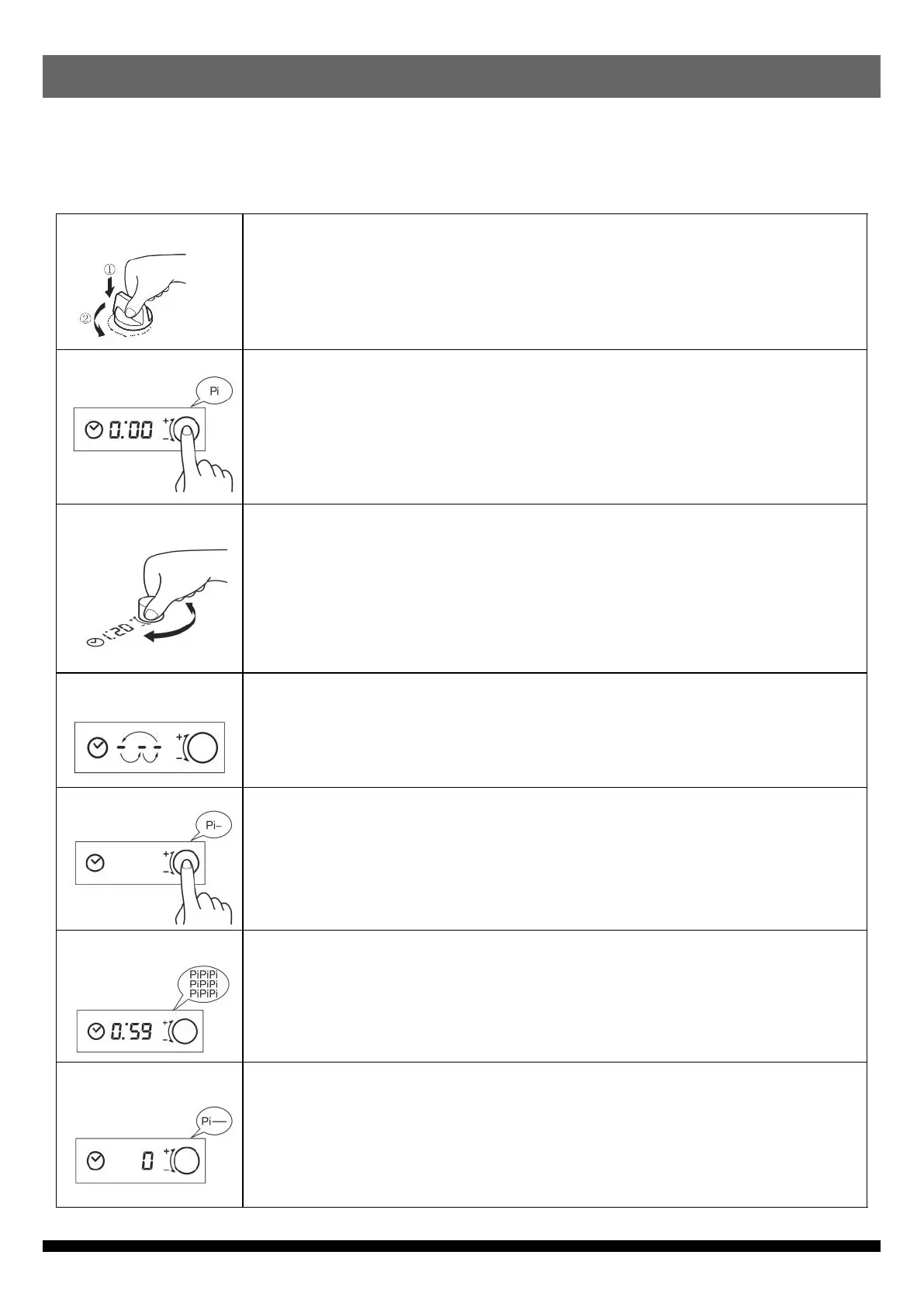
Press and turn control knob anti-clockwise to ignite burner.
“ 0:00 ”is shown on display when timer knob is pressed. Timer mode is
activated.
If there is no operation for 15 seconds, display is off and timer mode is cancelled.
(If battery power is low, “ Lo ” is shown on display. Please replace batteries.)
Set timer by turning timer knob.
Timer can be set at minimum 1 minute and maximum 4 hours.
Timer setting : 1 to 60 minutes : 1-minute interval
1 to 4 hours : 5-minute interval
When time is set, countdown is started in 1 second.
When timer knob is not used for 10 seconds, energy saving mode is activated.
3 segments of display flash alternately. Remaining time is displayed again by
pressing timer knob.
If timer knob is pressed while remaining time is displayed, timer mode is
cancelled. Buzzer beeps once.
When 1 minute is left, buzzer beeps 3 times “ PiPiPi ” and display shows
remaining seconds.
When time is up, buzzer gives a long beep and flame is turned off. Turn control
knob to off position “ ● ”.
1. Ignition of gas burner
2. Timer Mode Setting
3. Timer Setting
4. Energy Saving Mode
5. Timer Cancel
6. 1 min before set time
7. End of set time


 To Next Page