

EasyManua.ls Logo

Thales KeySecure k570 - User Manual

Thales KeySecure k570
37 pages
Print Icon
To Next Page IconTo Next Page
Loading...
SafeNet KeySecure k570 Appliance
INSTALLATION GUIDE
Question and Answer IconNeed help?

Do you have a question about the Thales KeySecure k570 and is the answer not in the manual?

Summary

Overview

Verifying the Integrity of Your Shipment

Received Items

Basic order items

Lists essential components included with the KeySecure k570 Appliance order.

PED related order items

PED device

Details the PED device required for PED-authenticated KeySecure k570 Appliance models.

Optional Items

Sliding Rail Mounting Bracket Set

Describes the optional sliding rail kit for mounting the appliance in a server rack.

Sliding Rail Rack Mounting Screws

Lists the screws needed for the optional sliding rail mounting system.

Rack-Mounting

Using the Supplied Mounting Brackets

Instructions for installing the appliance using the default mounting brackets provided.

Using the Optional Sliding Rail System

Connecting to the Appliance

Connecting the appliance to your network

Steps to connect the KeySecure k570 Appliance to the network via power and network cables.

Connecting the appliance to a console device

Connecting to the GUI

Installing the Locking Bezel

Deploying the Appliance

Initializing the SafeNet Luna PCIe HSM Card

Details the process to initialize the internal HSM card using the lunacm utility.

Resetting the Crypto Officer Password

Activating the Appliance

Configuring the HSM as Root of Trust

Licensing

Lock Codes

Explains the role of lock codes for licensing KeySecure servers.

Connector;Client Licensing

Support Contacts

Customer Support Portal

Information on accessing the Thales Customer Support Portal for resources and case management.

Telephone Support

Contact details for Thales Group Customer Support via telephone.

Email Support

Contact details for technical support via email.

Troubleshooting Issues in Conjunction with Customer Support

Guidance on providing logs when contacting customer support for troubleshooting.
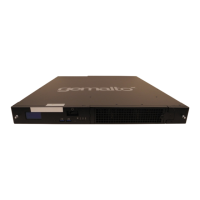
Thales KeySecure k570 Specifications

General IconGeneral
BrandThales
ModelKeySecure k570
CategoryFirewall
LanguageEnglish