Activating the Appliance
The initial Application Administrator can now log in. This is part of the Appliance Activation, which is covered in
the following section. To activate the KeySecure k570 Appliance, the initial Application Admin user must log in
using these steps:
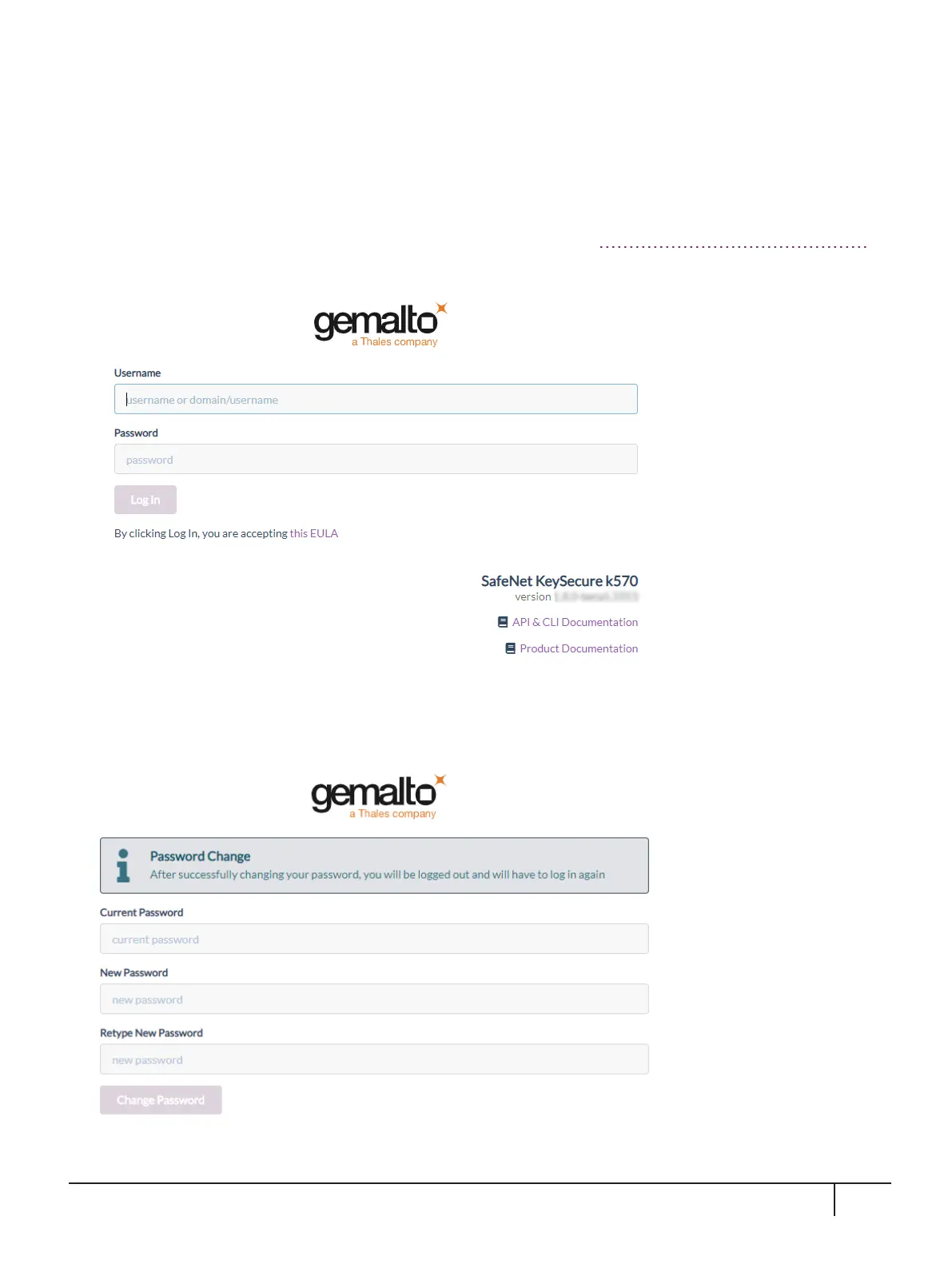
1. Browse to the KeySecure IP address as you did earlier in the section "Connecting to the GUI"on page22.
The Log In screen is displayed:
2. Log in using the initial default credentials for the initial Application Admin user: Username = admin,
Password = admin.
The following Password Change screen is displayed:
3. Enter a new password using this default Password Policy:
KeySecure k570 Appliance : Installation Guide
16 June 2020,Copyright© 2020 Thales Group.All rights reserved.
31


 To Next Page