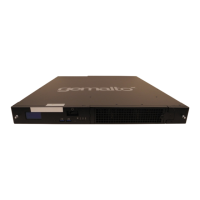
NOTE Although the k570 appliance is shipped with the HSM Card already reset to
factory defaults, this step is still recommended as a precaution. In addition, you may re-
execute the steps in this section in the future if you wish to re-initialize the SafeNet HSM
Card.
4. Initialize the SO role (blue key, red key for domain).
lunacm:> hsm init -label <admin token slot label>
Optional:
lunacm:> slot list
Notice that the slot with description "Admin Token Slot" now has a label.
lunacm:> role login -n so
lunacm:> partition create
Optional:
lunacm:> slot list
Notice the slot with the slot description "User Token Slot". Remember the ID of this slot as this will be
used later.
lunacm:> role logout
5. Initialize the partition and the Partition SO role.
lunacm:> slot set -slot <slot number of user token slot created above>
lunacm:> partition init -label <new partition label>
Respond to PED prompts to create the partition.
–
SO token (Blue)
–
Partition Cloning Domain token (Red)
6. Activate the partition.
lunacm:> role login -name Partition SO
You must be logged in as Partition SO to change partition policies.
lunacm:> partition changepolicy -policy 22 -value 1
Activation is enabled.
lunacm:> partition changepolicy -policy 23 -value 1
Auto Activation is enabled.
7. Initialize the Crypto Officer role.
lunacm:> role login –name Partition SO
You must be logged in as Partition SO to initialize the Crypto Officer role.
“po” is the short form for “Partition SO”.
lunacm:> role init –name Crypto Officer
KeySecure k570 Appliance : Installation Guide
16 June 2020,Copyright© 2020 Thales Group.All rights reserved.
27


 To Next Page