2 Printer Setup
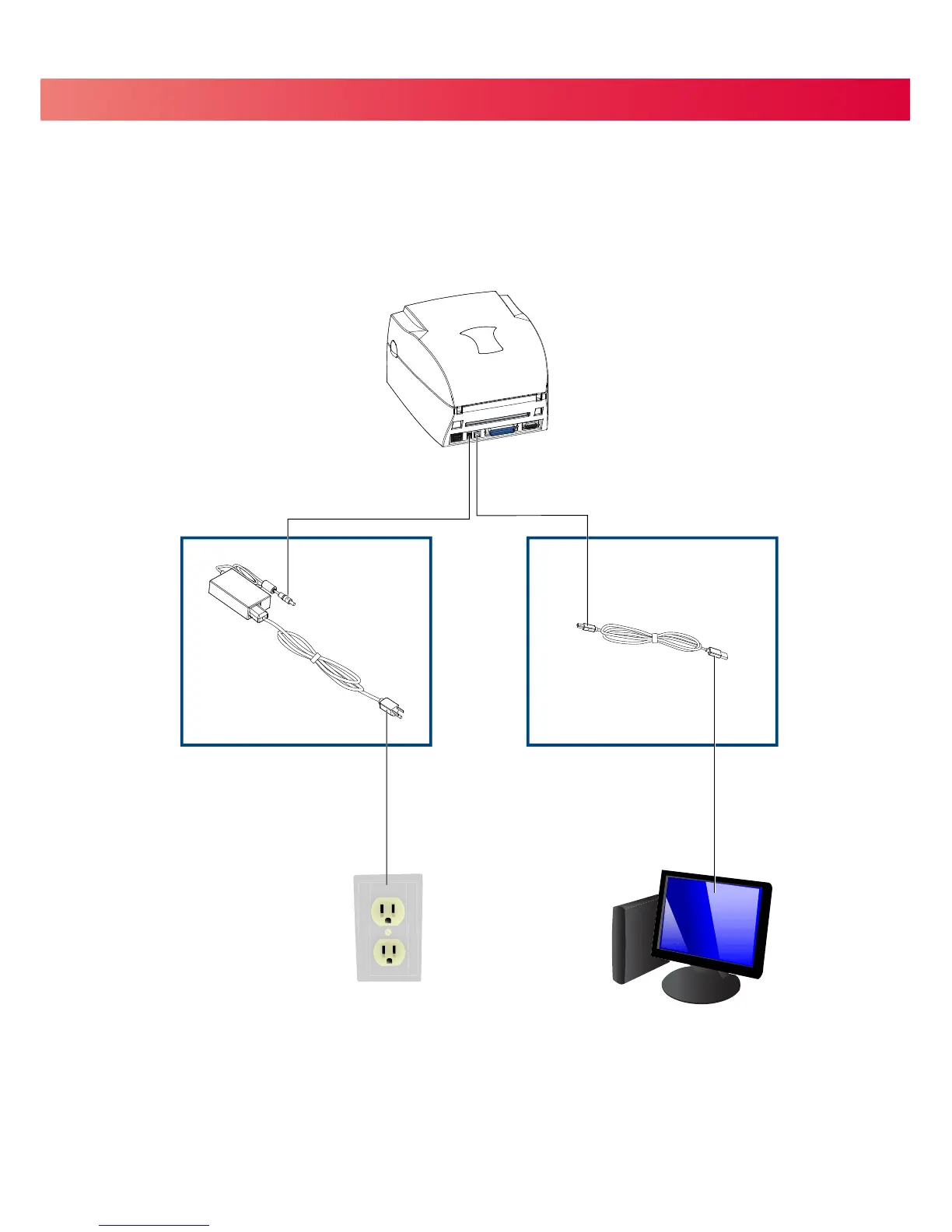
2.7 Connecting the Printer to Your Computer
B1
USB PORT
A1
POWER JACK
A2
ELECTRICAL OUTLET
B2
USB PORT
11
1. Ensure that the printer is turned off.
2. Connect the power cord to the AC adapter and connect the AC adapter to the printer.
3. Plug the power cord into an electrical outlet.
4. Connect the USB cable to the printer and your computer.
5. Turn the printer on. The LED should light up.


 To Next Page