5 Accessories
5.1 Preparation
Please do the following before installing any of the optional modules.
Turn Off The Printer:
Turn off the printer before installing any module.
Open The Top Cover:
Open the Top Cover by pressing the release buttons on both sides of the Top Cover.
Please see the Section 2.1 of this manual for further information about opening the Top Cover.
Open The Print Mechanism:
Press the release catches on both sides of the Print Mechanism to open and lift the print mechanism.
Please see the Section 2.2 of this manual for further information about opening the Print Mechanism.
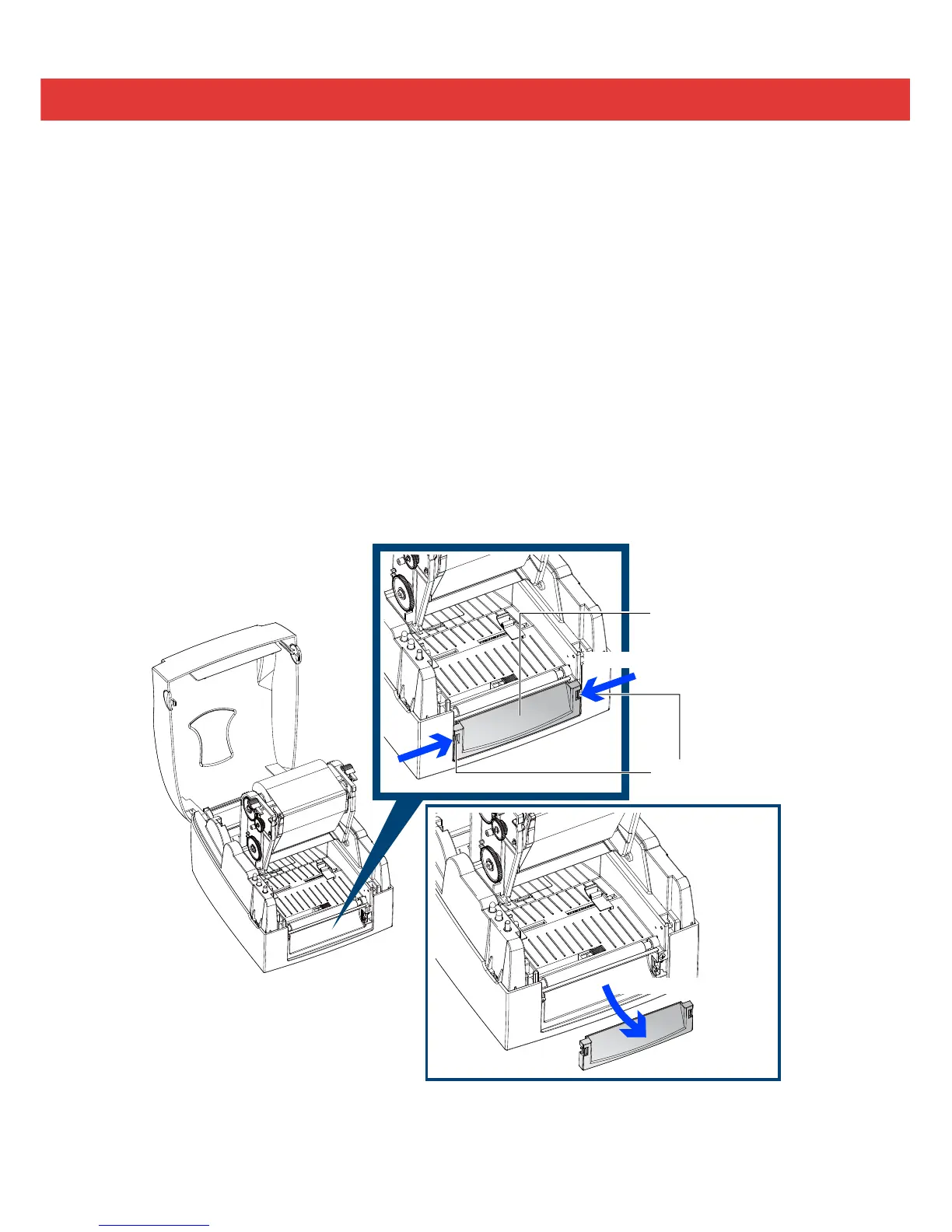
Remove the Front Cover:
Press in the two release tabs on the Front Cover.
Remove the Front Cover as shown in the illustration.
28


 To Next Page