5 Accessories
5.3 Installing The Cutter
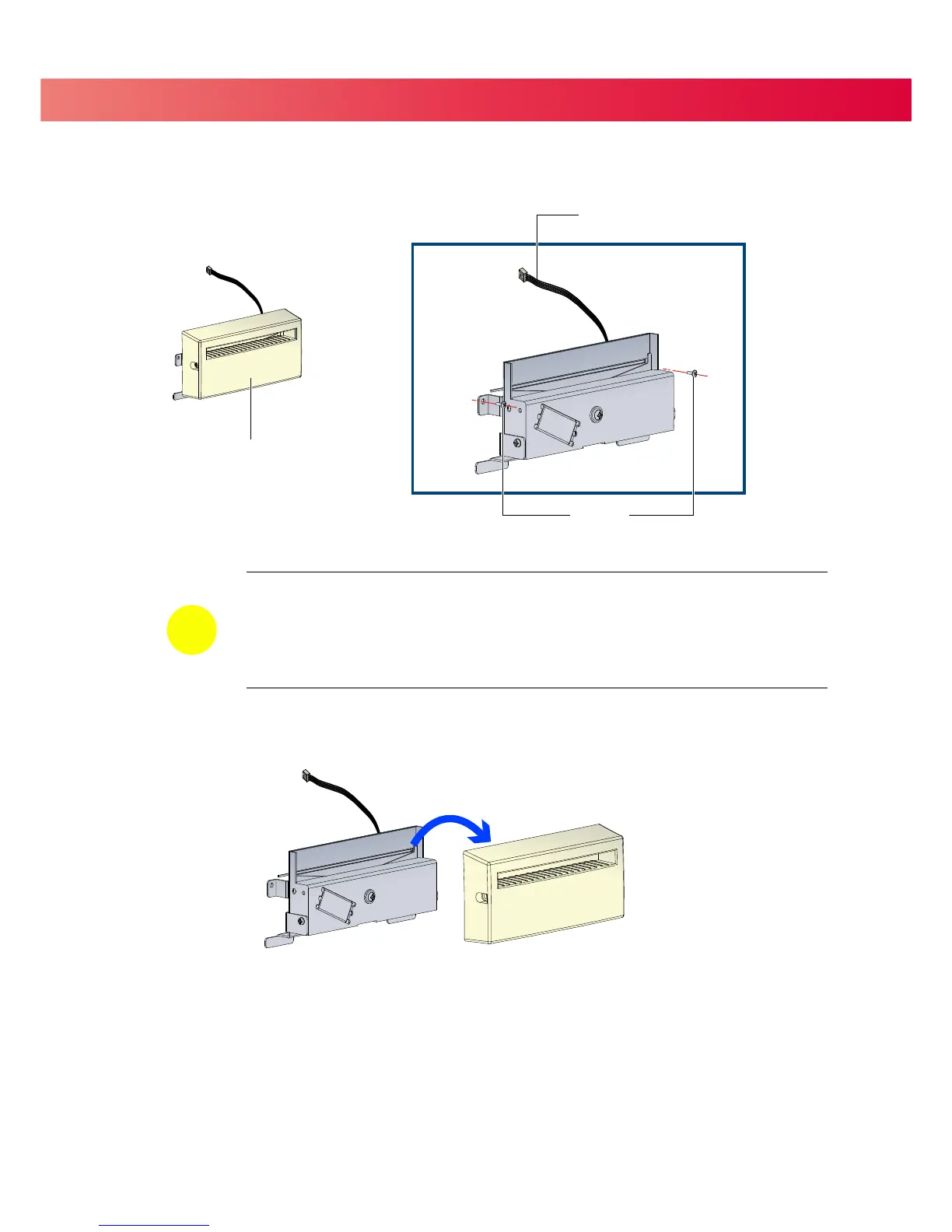
Remove the Cutter Cover before installing the Cutter module.
Please complete the preparation steps on page 28 before installing the Cutter.
34
CONNECTION CABLE
Remove the Cutter Cover
=
Remember to turn the Printer off before installing the Cutter.
=
Do not use to cut adhesive labels! Glue residue will be left on the cutter blade and impair its
function. The cutter has a blade life of 400,000 cuts when using paper liner which is
250μm thick and 3 inches wide.
= Maximum width when using the Cutter is
116 mm.
NOTICE


 To Next Page