2 Printer Setup
12
2.8 EASYLABEL Start Installation
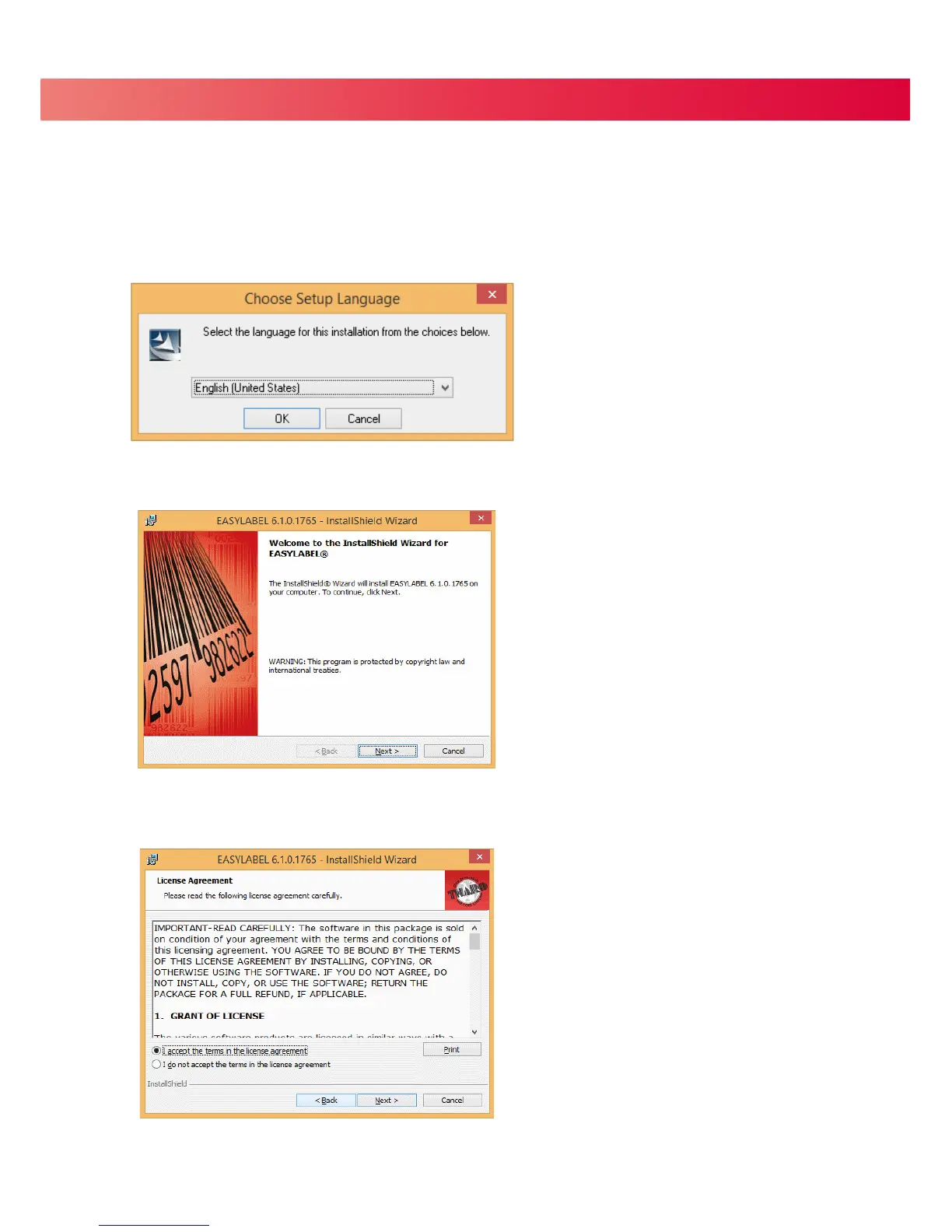
2. The EASYLABEL InstallShield Wizard starts. Click “Next” to continue.
3. The next screen you can read EASYLABEL’s License Agreement. Click the “I accept the terms in the license agreement”
radio button and click “Next” to continue the installation.
1. Insert the product CD into CD/DVD drive of your computer. Open the "install” folder on the CD.
Right click on the setup.exe icon and choose “Run as Administrator” to start the installation.
Select a language for the installation and click OK to continue.
EASYLABEL Start is the free labeling package included with every Tharo printer.


 To Next Page