EasyManua.ls Logo

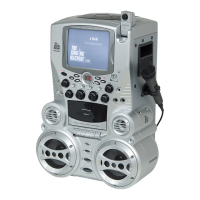
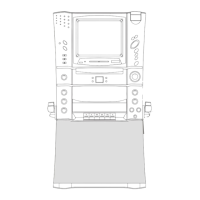
The Singing Machine STVG-500 - User Manual

The Singing Machine STVG-500
24 pages
Print Icon
To Next Page IconTo Next Page
Loading...
STVG-500
COMPACT DISC + GRAPHICS
WITH BUILT-IN TV KARAOKE CENTER
OWNER’S MANUAL
Please read before using this unit.
â
The Singing Machine is a registered trademark of The Singing Machine Co., Inc.
â

Questions and Answers

  • D
    david01Aug 14, 2025
    What to do if The Singing Machine Karaoke System CD player cannot work normally?
    • J
      josephcarolynAug 15, 2025
      If your Singing Machine Karaoke System's CD player isn't working right, and you see strange symbols, here's what to check: 1. Make sure the disc is inserted correctly, with the label facing up. 2. See if the disc is dirty; if so, gently wipe it with a soft cloth. 3. The disc might be scratched or warped, try using a new disc. 4. Ensure you're using a standard disc. Only use discs bearing standard logo as described on page 13. 5. If moisture has formed inside the CD deck, wait 20 to 30 minutes for it to dry out. 6. Try resetting the Singing Machine by unplugging it for 30 seconds.
  • D
    Diane PhillipsAug 17, 2025
    Why is there no sound coming from The Singing Machine STVG-500 Karaoke System?
    • D
      dsanchezAug 17, 2025
      If you're not getting any sound from your Singing Machine Karaoke System, there are several potential causes: * The volume control might be set to the minimum. Try turning up the volume. * If you're using a TV or PA system, its volume might be too low, so increase its volume. * The TV or PA system might be off; ensure it's powered on. * The AUX OUT jacks might not be connected. Refer to page 11 for ‘Audio Connection’ instructions. * The wrong function might be selected. Choose the correct function.
  • D
    danielmercadoAug 21, 2025
    How to fix no song lyrics on screen for The Singing Machine Karaoke System?
    • S
      Shawn ByrdAug 21, 2025
      If song lyrics aren't showing up on your screen while using The Singing Machine Karaoke System, consider these solutions: * Ensure the video cable is properly connected from the Singing Machine’s VIDEO OUT to the TV VIDEO IN. * Make sure your TV's source selector is set to VIDEO using your TV remote. * If your TV lacks a video line input, connect the system's VIDEO OUT to the VIDEO IN of your VCR, or use an RF Modulator to connect to the TV cable input. * If you're using a CDG disc, check that it's clean and that the CDG indicator is lit.
  • Q
    qholmesAug 25, 2025
    Why is there no sound when using home stereo with The Singing Machine STVG-500 Karaoke System?
    • X
      xwheelerAug 26, 2025
      If you're not getting sound through your home stereo with The Singing Machine Karaoke System, the source selection on your stereo might be incorrect. Select AUX IN as the source for your home stereo. Also, check the connection to the stereo system. Follow direction on page 11 for connecting to a home stereo system.
  • R
    Robert RiveraAug 28, 2025
    Why is there no sound when using TV or VCR with The Singing Machine STVG-500?
    • J
      johnsonelizabethAug 28, 2025
      If you're not getting sound through your TV or VCR with The Singing Machine Karaoke System, the source selection on your TV or VCR might be incorrect. Follow directions on page 9 for ‘Video Connection’.
  • G
    Glenn RamosAug 31, 2025
    How to fix unsteady tape sound on The Singing Machine Karaoke System?
    • E
      Erika RodriguezAug 31, 2025
      If you're experiencing unsteady tape sound with The Singing Machine Karaoke System, it could be due to a few reasons: * The capstan might be dirty, try cleaning it. * The cassette tape winding might be irregular, try replacing the tape. * The pitch knob may be in the wrong position, try adjusting it.
  • A
    Alyssa BridgesSep 3, 2025
    Why The Singing Machine STVG-500 cannot record?
    • C
      Corey HernandezSep 3, 2025
      If The Singing Machine Karaoke System isn't recording, it might be because: * The erasure prevention tabs on the cassette are broken out. Replace the tape or cover the tab openings with adhesive tape. * The Play and Record buttons were not pressed down simultaneously. Ensure both buttons are pressed down together when recording.
  • H
    Heather GillSep 7, 2025
    What causes distorted recorded tape sound on The Singing Machine Karaoke System?
    • C
      Christine GarciaSep 7, 2025
      If the recorded tape sound is distorted on The Singing Machine Karaoke System, it could be due to: * A dirty head. Clean the capstan. * A faulty cassette tape. Replace the tape.
  • T
    Tiffany RobertsSep 10, 2025
    How to fix picture jumping up on The Singing Machine STVG-500 Karaoke System?
    • K
      Kristin SchneiderSep 10, 2025
      If the picture is jumping up on The Singing Machine Karaoke System, the VERTICAL HOLD Control might not be set correctly. Try adjusting the VERTICAL HOLD Control.

Summary

Warnings and Cautions

General Safety Warnings

Important warnings to prevent fire, electric shock, and moisture damage.

Laser Safety Precautions

Information regarding the Class 1 Laser product and potential hazards.

Electrical Safety Cautions

Precautions related to electrical shock, plug insertion, and ventilation.

Important Safety Instructions

General Usage Guidelines

Instructions on reading, retaining, heeding warnings, and following operating procedures.

Safe Operation Practices

Guidelines for cleaning, attachments, water exposure, accessory placement, ventilation, and power sources.

Important Safety Instructions (Continued)

Electrical Connection Safety

Guidelines for grounding, polarization, cord protection, and attachment plugs.

Outdoor Antenna Grounding

Procedure for grounding an outdoor antenna system for protection.

Important Safety Instructions (Continued)

Environmental and Usage Precautions

Safety measures for lightning, power lines, overloading, object entry, and heat.

Servicing and Maintenance Safety

Guidelines for servicing, replacement parts, safety checks, mounting, and nonuse periods.

Karaoke Glossary of Terms

Audio and Voice Effects

Definitions for Echo, Multiplex, Auto Voice Control, Pitch Control, and Key Controller.

CDG Disc Format

Explanation of Compact Disc + Graphics format and its use in karaoke.

Introduction to STVG-500

Key Features Overview

Highlights main features like TV lyrics display, voice control, balance, echo, volume, and connectivity.

Control Locations

Front Panel Controls

Identification and description of all controls located on the front panel of the unit.

Rear Panel Connections and Controls

Identification and description of rear panel jacks, controls, and the AC power cord.

Making Connections

Connecting to TV for Video;Lyrics

Steps to connect the Singing Machine to a TV for displaying lyrics and video.

TV;VCR Configuration for Input

Guidance on setting up TV/VCR inputs and common configuration methods.

Connecting External Video Source

Instructions for connecting a video component to the Singing Machine's video input.

Connecting Audio to TV;Stereo

Steps to connect the unit's audio output to a TV or home stereo system.

Connecting External Audio Source

How to connect another audio component to the Singing Machine's AUX IN jacks.

CD and CD+G Operation

Disc Preparation and Loading

Instructions for preparing, loading, and handling CD and CD+G discs.

Playing CD;CD+G Discs

Details on playing discs, power control, function selection, and disc loading.

Playback Controls and Modes

Explanation of Play/Pause, Stop, Skip, Search, Repeat, Program, and Intro Play functions.

Cassette Operation

Loading, Unloading, and Playback

Instructions for handling cassettes and basic playback operations.

Microphone and Sing Along Features

Using microphones, echo, pitch, and singing along with tape playback.

Recording Sing Along

Procedure for recording vocals and music from CD/CDG discs onto a blank cassette.

Public Address System Use

Instructions for using the unit as a PA system with a microphone.

Care and Maintenance

Unit and Tape Head Cleaning

Procedures for cleaning the exterior, tape heads, capstan, and pinch rollers.

Disc and Cassette Deck Care

Guidelines for handling discs, cleaning CD players, and maintaining the cassette deck.

Troubleshooting Guide

Power and Sound Issues

Solutions for no power, no sound, and audio routing problems with the unit.

CD Player Issues

Troubleshooting common CD player errors, display messages, and sound problems.

Cassette and Video Issues

Solutions for unsteady tape sound, recording problems, and distorted audio.

CDG Display and Picture Issues

Troubleshooting for missing lyrics, jumping pictures, and CDG indicator problems.

Specifications

Technical Specifications

Detailed technical data for audio, CD player, monitor, cassette deck, and microphone sections.

Product Details and Accessories

Information on power, dimensions, weight, and included accessories.

Limited Warranty and Service

Warranty Information

Details of the 90-day limited warranty, exclusions, and limitations.

Service Procedures

Instructions for obtaining warranty service, including contact information and return procedures.

The Singing Machine STVG-500 Specifications

General IconGeneral
TypeKaraoke System
ConnectivityBluetooth
PowerAC Power
Microphone InputYes
Number of Microphone Inputs2
Built-in SpeakerYes
USB PortYes
SD Card SlotNo
Weight5.5 lbs
Audio OutputRCA
Disc Playback FormatsCD+G
Video OutputComposite
Display7-inch Color LCD

Related product manuals