EasyManua.ls Logo

The Singing Machine STVG-710 - User Manual

The Singing Machine STVG-710
20 pages
Print Icon
To Next Page IconTo Next Page
Loading...
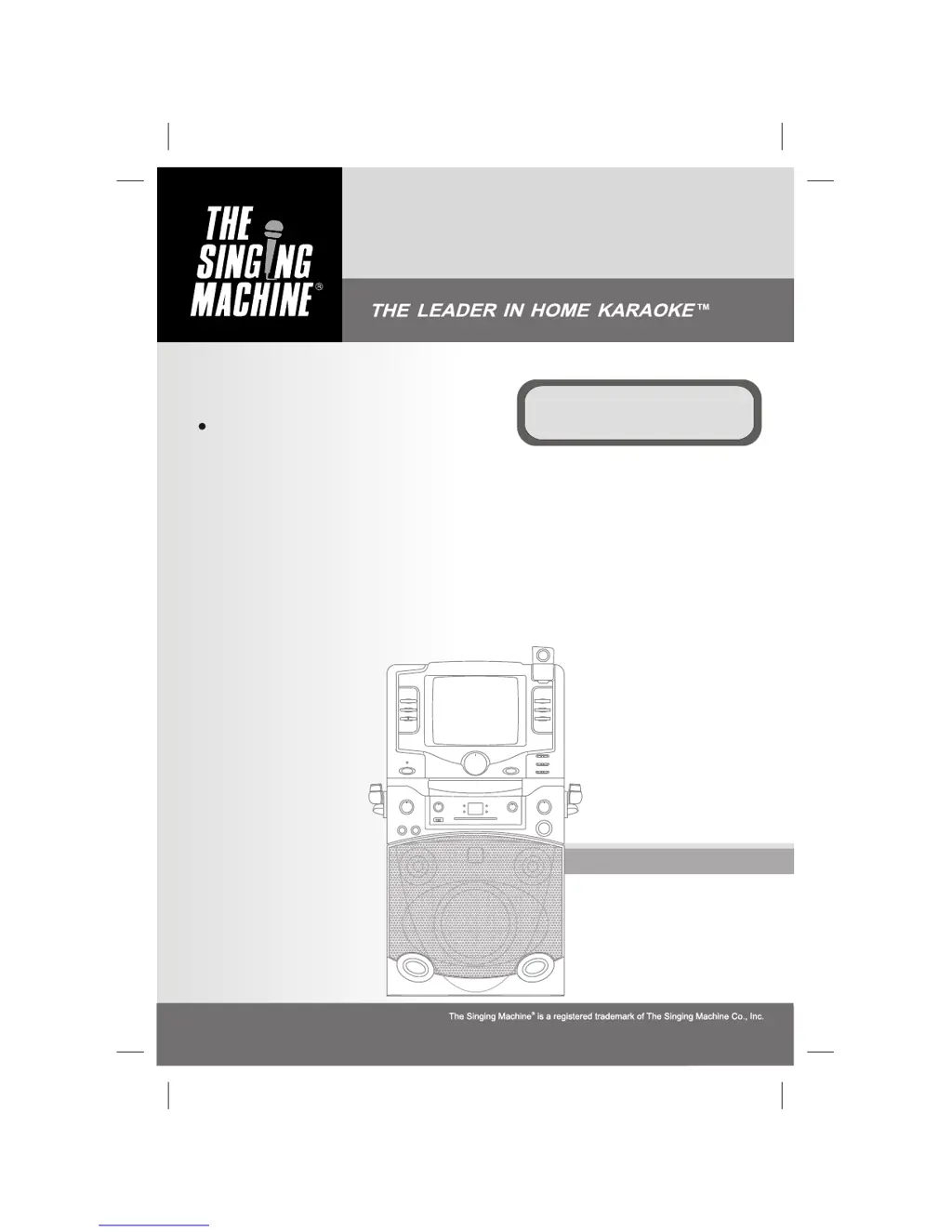
Instruction Manual
STVG-710
Semi-Pro Compact Disc +
Graphics with Built-In TV, Video
Camera Karaoke Center
Please read before using this unit.

Questions and Answers

  • M
    Mary VazquezAug 18, 2025
    How to fix no sound on The Singing Machine STVG-710?
    • C
      Curtis GilbertAug 18, 2025
      If you're not getting any sound from The Singing Machine Karaoke System, first, check that the volume control isn't set to the minimum; if it is, turn up the volume. Also, verify that the AUX OUT jacks are connected correctly. Finally, ensure that you've selected the correct function on the system.
  • C
    Craig DunnAug 20, 2025
    How to fix picture jumping up on The Singing Machine Karaoke System?
    • W
      Willie AllenAug 20, 2025
      If you see a jumping picture on The Singing Machine Karaoke System, adjust the VERTICAL HOLD Control until the picture stabilizes.
  • T
    Tammy PattersonAug 23, 2025
    Why no song lyrics appear on TV screen using The Singing Machine STVG-710 Karaoke System?
    • M
      Michelle WhiteAug 23, 2025
      If no song lyrics appear on your TV screen when using The Singing Machine Karaoke System, ensure the video cable is correctly connected from the Karaoke System's VIDEO OUT to the TV's VIDEO IN. Also, make sure the TV's source selector is set to VIDEO input.
  • B
    Brian LynchAug 26, 2025
    What to do if there is no sound when using The Singing Machine STVG-710 Karaoke System with a home stereo?
    • L
      lhortonAug 26, 2025
      If you're experiencing no sound from The Singing Machine Karaoke System, and the audio is supposed to be coming through your home stereo, first ensure that the source selection on your stereo is set to AUX IN. If that's correct, double-check that you have properly connected the Karaoke System to your stereo system.
  • C
    Christopher BrownAug 28, 2025
    What to do if there is no sound when using The Singing Machine STVG-710 Karaoke System with TV or VCR?
    • H
      Heather AguilarAug 28, 2025
      If you are getting no sound from The Singing Machine Karaoke System, and the audio is supposed to be going through your TV or VCR, ensure that the source selection on your TV or VCR is correct.
  • L
    Laura MejiaAug 30, 2025
    What to do if The Singing Machine Karaoke System CD player is not working?
    • D
      Dawn RodriguezAug 30, 2025
      If the CD player of The Singing Machine Karaoke System isn’t working normally, and you see “aai”, “aa”, or “aaa” displayed, try the following: 1. Ensure the disc is inserted correctly (not upside down). 2. Check if the disc is dirty; if so, wipe it clean with a soft cloth. 3. Verify the disc isn’t scratched or warped; if it is, use a new disc. 4. Make sure you are using a standard disc. 5. If moisture has formed inside the CD deck, wait 20-30 minutes for it to dry out. 6. Try disconnecting the machine from the power source for 30 seconds to reset it.
  • L
    lisa84Sep 2, 2025
    Why does the music or vocal cut out on The Singing Machine STVG-710 Karaoke System when playing CDG?
    • E
      Emily PadillaSep 2, 2025
      If you're experiencing music or vocal cutouts while playing a CDG and singing with the microphone on The Singing Machine Karaoke System, try these adjustments: * Adjust the balance to the midpoint. * Adjust the AVC to the minimum setting. * Ensure you are playing a track that includes both music and vocals, not just a music-only track.
  • J
    Jodi CookSep 5, 2025
    What to do if there is no sound from TV/PA when using The Singing Machine STVG-710 Karaoke System?
    • W
      weberjoshuaSep 5, 2025
      If you are not getting any sound from your TV or PA system when using The Singing Machine Karaoke System, make sure the volume control on the TV or PA system is turned up. Also, verify that the TV or PA system is powered on.
  • H
    Heather WeberSep 7, 2025
    Why is the image blurry on The Singing Machine STVG-710 Karaoke System?
    • R
      rachel73Sep 7, 2025
      If The Singing Machine Karaoke System shows a blurry image, give the camera a minute to warm up. If the issue persists, clean the camera lens. If it's still blurry, carefully adjust the lens by rotating it slightly left or right until the display is clear, being careful not to overturn it.
  • E
    Elizabeth MasseySep 10, 2025
    What to do if no image displays on The Singing Machine Karaoke System camera?
    • R
      Ryan RobinsonSep 10, 2025
      If there is no image displaying on The Singing Machine Karaoke System's monitor when you try to use the camera, make sure the camera lens is lifted up and not down. Also, check that the MONITOR Selector is set to CAMERA mode. Finally, ensure that the lens cap is removed from the camera.

Summary

Safety Warnings

General Safety Precautions

Covers fire, shock, moisture, ventilation, and laser safety warnings for product operation.

Electrical Safety Instructions

Instructions for preventing electric shock, including not opening the unit and proper plug usage.

Important Safety Instructions

Operating and Handling Guidelines

Covers reading instructions, retaining them, heeding warnings, and following usage guidelines.

Advanced Safety and Installation

Control Panel Overview

Rear Panel Connections and Controls

Making Connections

Power and TV Video Connections

Guides on connecting power and setting up video/audio connections to a TV or VCR.

Selector Functions and Audio Input

CD and CD+G Operation

Playback Controls and Modes

Details on play, pause, stop, skip, search, repeat, program, and intro playback functions.

Care and Maintenance

Troubleshooting Guide

Power and Sound Issues

Resolves problems related to no power, no sound, and volume control issues.

CD Player and Disc Errors

Addresses issues like CD player not working, disc errors, and moisture detection.

Video and Display Problems

Solutions for video playback issues, lyrics not appearing, and monitor display problems.

Audio and Camera Issues

Troubleshooting steps for audio mix issues, picture jumping, and blurry camera images.

The Singing Machine STVG-710 Specifications

General IconGeneral
BrandThe Singing Machine
ModelSTVG-710
CategoryKaraoke System
LanguageEnglish

Related product manuals