EasyManua.ls Logo

The Singing Machine STVG-700 - User Manual

The Singing Machine STVG-700
20 pages
Print Icon
To Next Page IconTo Next Page
Loading...
STVG-700
Please read before using this unit.
OWNER'S ANUALOWNER'S ANUAL
The Singing Machine is a registered trademark of The Singing Machine Co., Inc.
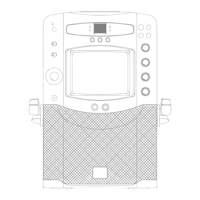
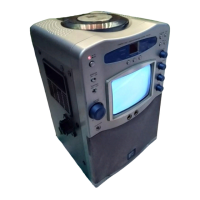
SEMI-PRO COMPACT DISC + GRAPHICS
WITH BUILT-IN TV KARAOKE CENTER
MM

Questions and Answers

  • T
    Taylor HarperAug 12, 2025
    How to fix CD PLAYER that cannot work normally on The Singing Machine STVG-700?
    • R
      Ronald TaylorAug 12, 2025
      If your CD player isn't working correctly, try these steps: Ensure the disc is inserted correctly, with the label side up. If the disc is dirty, gently wipe it clean with a soft cloth. Scratched or warped discs may not play correctly, so try a new one. Make sure you are using a standard, brand-name disc. If moisture has formed inside the CD deck, wait 20 to 30 minutes to let it dry.
  • J
    Jeffrey CoxAug 16, 2025
    How to fix CASSETTE unsteady tape sound on The Singing Machine STVG-700?
    • M
      Michael ArmstrongAug 16, 2025
      To address unsteady tape sound, start by cleaning the capstan. If the cassette tape winding is irregular, replace the tape. Also, check the pitch knob position and adjust if necessary.
  • M
    millermelissaAug 20, 2025
    How to fix picture jumping up on The Singing Machine STVG-700 Karaoke System?
    • C
      christophersinghAug 20, 2025
      If the picture is jumping up and down, adjust the V. hold knob until the image stabilizes.
  • C
    Cameron MendezAug 25, 2025
    What to do if there is no sound from The Singing Machine Karaoke System?
    • B
      Brandon ChavezAug 25, 2025
      If you're not getting any sound from your Karaoke System, there are a couple of things to check. First, make sure the volume isn't set too low; try turning it up. Also, ensure you've selected the correct function on the system.
  • C
    Cindy RussoAug 27, 2025
    Why no song lyrics appear on screen of The Singing Machine Karaoke System?
    • R
      Rhonda ParkerAug 27, 2025
      If song lyrics aren't showing up on the screen, ensure that the Function Selector is set to CD. Check the video cable connection from the system’s VIDEO OUT to the TV VIDEO IN. Also, verify that the source selector on your TV is set to VIDEO input. If your TV lacks a video line input, connect the system's VIDEO OUT to the AUX IN of your VCR, or use an RF Modulator connected to the TV cable input.
  • B
    Bradley FischerAug 31, 2025
    What to do if The Singing Machine STVG-700 has no power when POWER is on?
    • S
      saundersstevenAug 31, 2025
      If your Karaoke System isn't powering on, make sure the power plug is securely inserted into the AC outlet.
  • M
    mcneilmelindaSep 4, 2025
    Why is record tape sound distorted on The Singing Machine Karaoke System?
    • C
      Casey WhitneySep 4, 2025
      Distorted sound when recording could be due to a dirty head; try cleaning the capstan. Alternatively, the cassette tape itself might be faulty, so try replacing it with a new one.
  • C
    chad72Sep 7, 2025
    What to do if I cannot record on The Singing Machine STVG-700?
    • T
      thomastyroneSep 8, 2025
      If you're unable to record, it could be due to broken erasure prevention tabs on the cassette. Replace the tape or cover the tab openings with adhesive tape. Also, when recording, ensure that both the Record and Play buttons are pressed down simultaneously.

Summary

WARNINGS

Safety Warnings

Information on electrical shock and laser hazards.

IMPORTANT SAFETY INSTRUCTIONS

General Safety Precautions

Essential safety guidelines for unit operation and placement.

Ventilation and Power Safety

Guidelines for ventilation, power sources, cords, and overloading.

Lightning and Environment

Precautions for lightning storms and avoiding moisture.

Servicing and Damage Handling

Servicing and Damage Procedures

Procedures for servicing and handling damaged units.

Placement and Grounding Guidelines

Placement and Grounding

Guidelines for unit placement, heat, and antenna grounding.

Karaoke Glossary of Terms

Echo, Multiplex, and AVC

Explanations of echo, multiplex, and auto voice control features.

Pitch Control and CDG

Descriptions of pitch control and CD+G format.

INTRODUCTION

System Features

Overview of the Karaoke Center's main features.

CONTROL LOCATIONS

Front Panel Controls

Identification of controls on the front unit panel.

Rear Panel Connections

Identification of connection ports on the rear unit panel.

MAKING THE CONNECTIONS

Connecting Power and TV

Steps for power connection and TV hookup for lyrics.

Audio Input and Antenna

Connecting audio sources and antenna systems.

CD OR CD+G OPERATION

Disc Preparation and Playback

Guidelines for handling, loading, and playing discs.

Playback Controls

Using play, pause, stop, and skip functions.

CD OR CD+G OPERATION

Advanced Disc Functions

Using search, repeat, program, and intro play.

TV OPERATIONS

Tuning TV Channels

Steps for tuning and listening to TV broadcasts.

CASSETTE OPERATION

Cassette Handling and Playback

Loading, unloading, and playing cassette tapes.

Radio and TV Reception

Tuning and operating AM/FM radio and TV broadcasts.

CASSETTE OPERATION

Microphone and Sound Adjustments

Using microphone, echo, and tone controls.

Sing Along and Recording

Instructions for singing along and recording audio.

CASSETTE OPERATION

Recording TV Broadcasts

Recording TV broadcasts without singing along.

Public Address System

Using the unit as a PA system with a microphone.

CARE AND MAINTENANCE

Unit and Tape Head Cleaning

Procedures for cleaning the unit and tape heads.

Cassette Deck and Disc Care

Maintenance tips for the cassette deck and discs.

TROUBLE SHOOTING GUIDE

Power, Sound, and Cassette Issues

Solutions for common problems with power, sound, and cassettes.

CD Player and TV Issues

Solutions for CD player operation and TV reception problems.

SPECIFICATIONS

Audio and CD Player Specs

Technical specifications for the audio and CD player sections.

TV, Radio, and Cassette Specs

Technical specifications for TV, radio, and cassette deck.

Unit Dimensions and Accessories

Physical dimensions, weight, and included accessories.

The Singing Machine STVG-700 Specifications

General IconGeneral
TypeKaraoke System
Microphone Inputs2
Audio OutputRCA
Video OutputRCA
PowerAC Adapter
Built-in SpeakerYes
USB PortYes
SD Card SlotYes
ConnectivityBluetooth
Disc CompatibilityCD+G
Included AccessoriesAC Adapter
Display7-inch Color TFT LCD

Related product manuals