
 Need help?
Do you have a question about the Thermal Arc 186 DC and is the answer not in the manual?
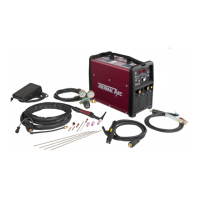
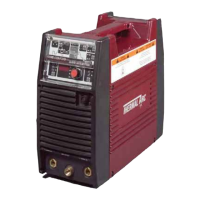
Lists all components included with the Thermal Arc 186 AC/DC power supply.
Provides key technical details such as rated output, voltage, and amperage range.
Explains the dual digital displays for pre-set and actual output current and voltage.
Details the button used to select between LIFT TIG, HF TIG, and STICK welding modes.
Summarizes indicator lights, control knobs, and buttons for operating the machine.
Lists the parts included with the TIG torch, such as the torch body and lead length.
Describes how different control modules can be swapped on the TIG torch.
Step-by-step instructions for connecting the TIG torch and work lead to the power source.
Guides on connecting the shielding gas supply to the TIG torch and power source.
Controls pre-weld gas flow to prevent porosity at the start of a weld.
Sets the starting current for TIG welds in 4T modes.
Defines the time for current to ramp up from initial to base/high current.
Sets the main weld current for TIG (when PULSE is OFF) and STICK modes.
Sets the higher current value when using the PULSE function in TIG.
Defines the minimum current level during the PULSE cycle.
Controls the percentage of time the high current is active during a pulse cycle.
Sets the rate at which the current alternates between high and low during pulsing.
Manages the time for current to ramp down to the crater current at weld end.
Sets the final current level to fill the crater at the end of a weld.
Adjusts the duration of shielding gas flow after the arc is extinguished.
Sets the frequency of the AC waveform for AC TIG welding.
Adjusts the ratio of penetration to cleaning action for AC TIG welding.
Instructions for connecting the electrode holder and work lead for STICK welding.
Guides on choosing the STICK process on the machine.
Enhances arc starting by providing a brief surge of current.
Sets the primary welding current for STICK mode.
Controls the machine's output to maintain arc stability and penetration.
 General
| Input Frequency | 50/60 Hz |
|---|---|
| Output Current Range | 5-180 A |
| Welding Processes | Stick, TIG |
| Input Phase | 1-Phase |
| Rated Output | 180A |
| Duty Cycle | 60% |
| Input Voltage | 115/230 VAC |


 To Next Page