EasyManua.ls Logo

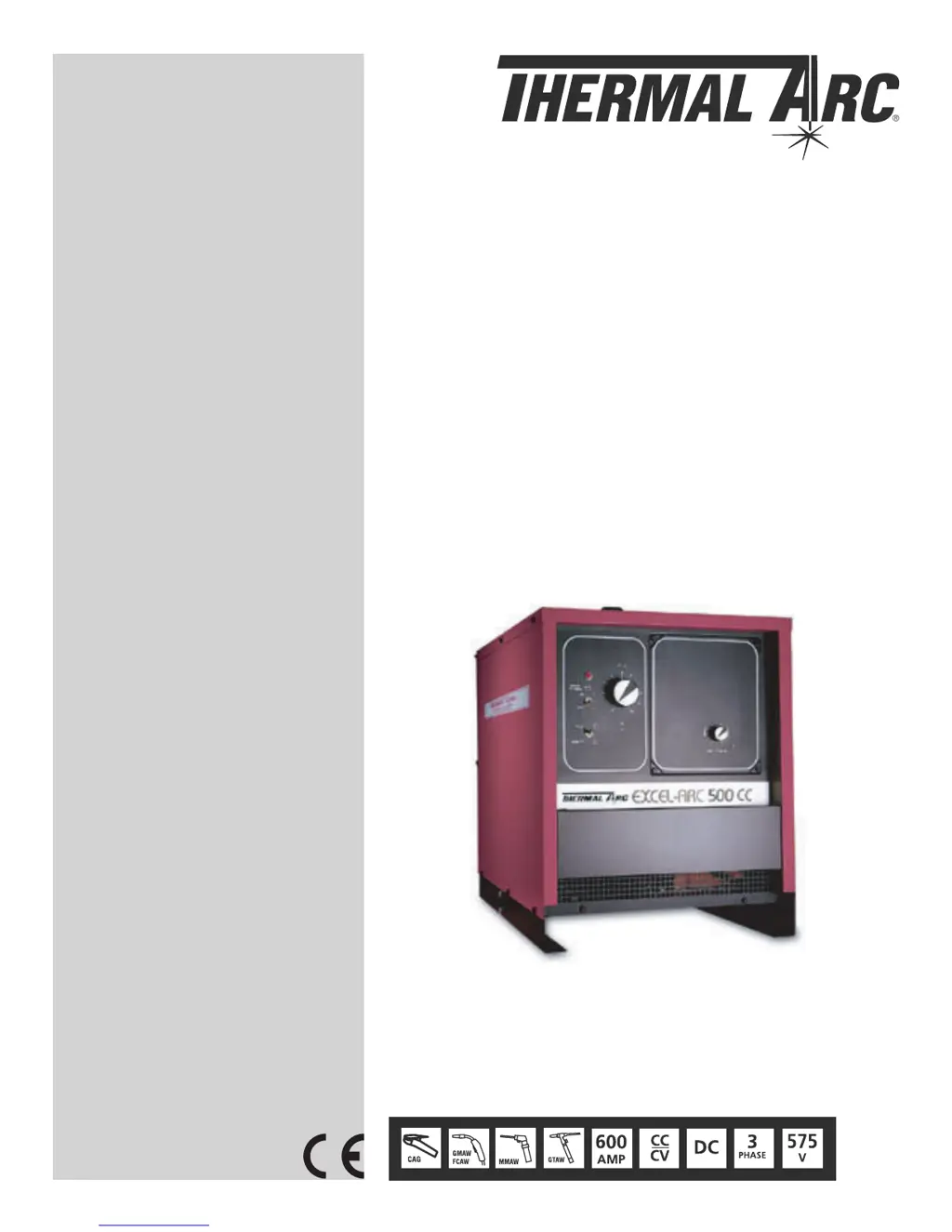
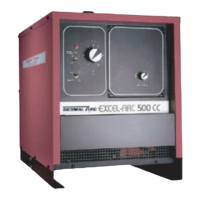
Thermal Arc Excel-Arc 500 - User Manual

Thermal Arc Excel-Arc 500
76 pages
Print Icon
To Next Page IconTo Next Page
Loading...
EXCEL-ARC
®
Version No: 1 Issue Date: August 22, 2005 Manual No.: 430429-451
Operating Features:
TRANSFORMER-RECTIFIER
DC WELDER
Operating Manual
Art # A-06056
500
6045

Questions and Answers

  • N
    nicholechenAug 17, 2025
    How to troubleshoot Thermal Arc Excel-Arc 500 that will not start?
    • H
      hwashingtonAug 17, 2025
      If the Thermal Arc Welding System isn't starting, ensure the power switch is in the ON position. Check the voltage of the power lines and repair any broken power leads. Also, verify that the line voltage is correct and the input power connections match the wiring diagram. Inspect for open circuits to the power switch or control transformer, and replace the fuse on the control transformer if it's blown, after addressing the cause.
  • J
    Jose SmithAug 20, 2025
    What to do if Thermal Arc Excel-Arc 500 Welding System shuts down soon after delivering welding current?
    • J
      Jeremiah BanksAug 20, 2025
      If your Thermal Arc Welding System unit delivers welding current but soon shuts down due to thermal overload trips, reduce the load as overloads should only be brief. Avoid continuous operation at overload currents and replace power leads with larger diameter cables if they are too long or small. Ensure the ambient temperature isn't too high, operating at reduced loads if it exceeds 104° F (40° C). Also, check for any blockages in the air intake and exhaust openings, and verify the fan is operating correctly by checking the fan thermostat and testing the motor.
  • T
    tthompsonAug 22, 2025
    What to do if the fan is not operating on my Thermal Arc Excel-Arc 500 Welding System?
    • J
      Jillian LongAug 23, 2025
      If the fan on your Thermal Arc Welding System is not operating, you can either replace or repair the motor. Check for any broken leads or connections to the fan motor and repair the wiring if necessary. Also, inspect the circuit breaker on the rear panel of the welding machine and reset it if it has blown, noting that the 115-volt receptacle may be overloaded.
  • L
    Latoya SmithAug 26, 2025
    Why does the line contactor fail to close on my Thermal Arc Excel-Arc 500 Welding System?
    • J
      Jade PattonAug 26, 2025
      If the line contactor on your Thermal Arc Welding System fails to close, replace the defective NVR coil. Remove any mechanical obstructions on the contactor and repair any broken leads at the line contactor.
  • J
    John JosephAug 28, 2025
    How to fix a chattering contactor on Thermal Arc Welding System?
    • T
      Taylor FordAug 28, 2025
      If the contactor on your Thermal Arc Welding System chatters, use larger leads. Also, check the line voltage.
  • F
    Frank WhiteAug 31, 2025
    What causes the contactor to blow link fuses on a Thermal Arc Excel-Arc 500 Welding System?
    • C
      Chad HurstAug 31, 2025
      If the contactor operates and blows link fuses on your Thermal Arc Welding System, check the nameplate of the welding machine for the correct line voltage and then check the actual line voltage. Verify the links on the voltage changeover board are correctly connected by checking the Voltage Changeover diagrams. Install the proper size fuse, and if those steps don't resolve the issue, further troubleshooting is needed. Remove any short circuits in primary connections, and repair or replace the transformer if it has failed.
  • E
    Eric CollinsSep 2, 2025
    What to do if Thermal Arc Welding System won't deliver welding current despite contactor operation?
    • K
      Kevin HuffSep 2, 2025
      If the solid-state contactor operates, but the Thermal Arc Welding System will not deliver welding current, and open circuit voltage is present at the output when the gun switch is depressed, ensure there are ground connections at the work and that the welding cables are properly connected.
  • N
    Nichole JuarezSep 5, 2025
    Why am I getting shocked by my Thermal Arc Excel-Arc 500 Welding System?
    • O
      oliverpaulSep 5, 2025
      If you're getting shocked when touching the Thermal Arc Welding System case, ground cable, work, or work table, ground the welding machine case. Ground the work and work table to plant ground.
  • J
    Joshua SmithSep 8, 2025
    Why voltage/amps dial does not control welding voltage on Thermal Arc Excel-Arc 500?
    • D
      Daniel WhiteheadSep 8, 2025
      If the voltage/amps dial does not control welding voltage on your Thermal Arc Welding System, replace the potentiometer if it's burned out. Check for loose connections in the voltage control circuit and replace the control board if it has failed.
  • C
    Carolyn EricksonSep 12, 2025
    What to do if the contactor fails to open on my Thermal Arc Welding System?
    • J
      Jeremy DaySep 12, 2025
      If the contactor fails to open on your Thermal Arc Welding System, clean the contactor contacts.

Summary

Warnings and Disclaimers

General Warnings

Important safety notices and disclaimers regarding equipment use.

Section 1: Safety Instructions and Warnings

Arc Welding Hazards

Details on hazards associated with arc welding processes and electrical shock.

Principal Safety Standards

Lists key safety standards and regulations relevant to welding operations.

Section 2: Introduction

Controls and Outlets

Detailed explanation of the front panel controls, indicators, and power receptacles.

Specifications

Technical specifications including output, input, and performance data for various models.

SECTION 3: INSTALLATION

SECTION 4: OPERATION

SECTION 5: SERVICE

Troubleshooting Guide

A comprehensive guide to diagnosing and resolving common operational issues with the welding machine.

SECTION 6: PARTS LIST

Thermal Arc Excel-Arc 500 Specifications

General IconGeneral
BrandThermal Arc
ModelExcel-Arc 500
CategoryWelding System
LanguageEnglish

Related product manuals