EasyManua.ls Logo

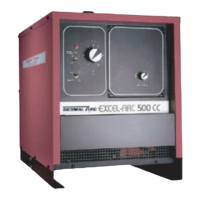
Thermal Arc EXCEL-ARC 8065 CC/CV - User Manual

Thermal Arc EXCEL-ARC 8065 CC/CV
62 pages
Print Icon
To Next Page IconTo Next Page
Loading...
EXCEL-ARC
®
750 and 8065
Transformer-Rectifier DC
Welding Machine
For the Following Specs:
500016-1 750 CC, 60 Hz
500016-2 8065 CV, 60 Hz
500016-3 8065 CC/CV, 60 Hz
500016A-1 750 CC, 60 Hz
500016A-2 8065 CV, 60 Hz
500016A-3 8065 CC/CV, 60 Hz
OWNER’S MANUAL Number 430429-174
Revised December 1, 1997
THERMAL ARC INC., TROY, OHIO 45373-1085, U.S.A.
IMPORTANT: Readtheseinstructionsbefore installing, operating, or servicing this system.

Questions and Answers

  • M
    Melissa DoyleAug 19, 2025
    How to troubleshoot a Thermal Arc EXCEL-ARC 8065 CC/CV that will not start?
    • M
      Meghan WilkersonAug 19, 2025
      If your Thermal Arc Welding System isn't starting, here's what to check: * Ensure the power switch is in the ON position. * Verify the voltage of the power lines. * Look for and repair any breaks in the power lead. * Confirm you're using the correct line voltage. * Check the input power connections against the wiring diagram. * Inspect for open circuits to the power switch or control transformer, repairing any broken wires or loose connections. * Examine the control transformer fuse and replace it if blown, after addressing the cause.
  • M
    millerloriAug 21, 2025
    What to do if Thermal Arc EXCEL-ARC 8065 CC/CV Welding System shuts down soon after delivering welding current?
    • N
      Nathan HayesAug 21, 2025
      If the Thermal Arc Welding System unit delivers welding current but soon shuts down (Thermal overload trips), consider the following: * Reduce the load on the welding machine, as overloads can only be sustained for a short period. * Avoid continuous operation at overload currents to prevent exceeding the duty cycle. * Replace power leads that are too long or have too small a cross-section with larger diameter cables. * Reduce loads when the ambient temperature is above 104° F (40° C). * Ensure that the air intake and exhaust openings are not obstructed. * Check the fan thermostat and test the fan by applying motor nameplate voltage to test, inspecting the bearings.
  • J
    johnsonjeromeAug 23, 2025
    Why does the contactor chatter on my Thermal Arc EXCEL-ARC 8065 CC/CV Welding System?
    • A
      Andrea SmithAug 25, 2025
      If the line contactor in your Thermal Arc Welding System chatters, it could be due to a couple of reasons. The line leads might be too small, so try using larger leads. Alternatively, the line voltage might be low, so check the line voltage.
  • M
    michaelwrightAug 26, 2025
    What causes the fan to stop working on a Thermal Arc EXCEL-ARC 8065 CC/CV?
    • T
      Tina JensenAug 26, 2025
      If the fan in your Thermal Arc Welding System isn't operating, consider these potential causes: * The motor may have failed, requiring replacement or repair. * There might be a broken lead or connection to the fan motor, which needs wiring repair. * A circuit breaker on the rear panel of the welding machine may have blown; try resetting it, and ensure the 115-volt receptacle isn't overloaded.
  • K
    Kristine GomezAug 28, 2025
    What causes the line contactor to fail to close on a Thermal Arc EXCEL-ARC 8065 CC/CV?
    • L
      Lisa RitterAug 28, 2025
      If the line contactor fails to close on your Thermal Arc Welding System, it could be due to a defective NVR coil, which would need replacement. There might also be a mechanical obstruction on the contactor that needs to be removed. Finally, check for broken leads at the line contactor and repair them if necessary.
  • C
    Christian PhamAug 30, 2025
    What to do if Thermal Arc Welding System doesn't deliver welding current even though contactor operates?
    • M
      Mr. Sean MontesAug 30, 2025
      If the solid-state contactor operates, but the Thermal Arc Welding System doesn't deliver welding current, and open circuit voltage is present at the output when the gun switch is depressed, check for the following: Ensure there are ground connections at the work and that the welding cables are properly connected.
  • T
    tlewisSep 2, 2025
    Why does the contactor blow link fuses on my Thermal Arc EXCEL-ARC 8065 CC/CV?
    • R
      rodriguezwilliamSep 2, 2025
      If the contactor operates and blows link fuses on your Thermal Arc Welding System, here are some things to check: Verify that you are using the correct line voltage by checking the nameplate of the welding machine and comparing it to your line voltage. Ensure the links on the voltage changeover board are correctly connected by referring to the Voltage Changeover diagrams. Make sure the line fuse is the proper size. Remove any short circuits in primary connections. If a transformer failed, repair or replace it.
  • L
    Laura WatkinsSep 4, 2025
    Why does the operator get a shock from Thermal Arc Welding System?
    • D
      Darrell WhiteSep 4, 2025
      If touching the Thermal Arc Welding System case, ground cable, work, or work table results in a shock, it indicates a grounding issue. Ensure the welding machine case is properly grounded. Also, ground the work table and the work itself to the plant ground.
  • L
    langjackieSep 6, 2025
    What to do if voltage/amps dial does not control welding voltage on Thermal Arc Welding System?
    • C
      calebdavisSep 6, 2025
      If the voltage/amps dial on your Thermal Arc Welding System isn't controlling the welding voltage, it could be due to a few reasons. The potentiometer might be burned out and need replacement. Check for loose connections in the voltage control circuit and secure them. A control circuit board failure could also be the cause, requiring replacement of the control board.
  • W
    wilsonshannonSep 8, 2025
    What causes the output of a Thermal Arc Welding System to go to maximum with no control?
    • K
      katrinameyerSep 9, 2025
      If your Thermal Arc Welding Machine output goes to maximum and there is no control, connect voltage sensing lead. Add jumpers JP-2 and JP-4 on Control P.C. Board.

Summary

Introduction

How To Use This Manual

Guide on utilizing the owner's manual for safe operation and understanding annotations.

Equipment Identification

Locating and recording unit specification, model, and serial numbers for reference.

Receipt Of Equipment

Instructions for checking equipment upon receipt and reporting any shipping damage.

Arc Welding Safety Instructions and Warnings

Electric Shock Hazards

Warnings and precautions regarding touching live electrical parts and preventing electrocution.

Arc Rays and Noise Hazards

Guidance on protecting eyes, skin, and hearing from welding arc radiation and noise.

Arc Welding Safety Instructions and Warnings

Health and Environmental Hazards

Precautions against toxic fumes, gases, and engine exhaust for worker safety.

Fire and Explosion Hazards

Safety measures to prevent fires, explosions from sparks, fuel, and flammable materials.

Physical Hazard Warnings

Guidance on protecting against injuries from flying sparks, hot metal, and cylinder incidents.

Arc Welding Safety Instructions and Warnings

Engine Fuel Fire;Explosion Hazards

Warnings and precautions related to the flammability of engine fuel.

Moving Parts Injury Hazards

Safety measures to avoid injury from moving components like fans, rotors, and belts.

Battery Hazards

Safety advice for working with batteries, including acid burns and explosive gases.

Coolant Burn Hazards

Warnings about hot coolant and pressure release procedures for radiators.

Description of Equipment

General Equipment Description

Overview of the EXCEL-ARC® welding machines and their basic characteristics.

Recommended Unit Applications

Table detailing suitable welding and cutting operations for specific models.

Wire Feeder Compatibility

Information on connecting Thermal Arc wire feeders to the welding units.

Description of Equipment

Controls and Outlets

Description of various switches, receptacles, and potentiometers on the machine's panel.

Description of Equipment

Duty Cycle Explained

Definition and explanation of duty cycle percentage in relation to machine operation time.

Installation

Installation Location Selection

Guidelines for choosing an optimal site for unit installation to ensure performance and longevity.

Equipment Grounding Procedures

Instructions for properly grounding the welding machine frame for safety.

Installation

Internal Wiring Checks

Steps for verifying internal wiring, particularly for line voltage changeover circuitry.

Connecting to Line Voltage

Procedures and safety warnings for connecting the welding machine to the power supply.

Installation

Welding Lead Selection

Guidance on choosing appropriate size copper welding leads based on current and length.

Operation

General Operating Precautions

Essential safety advice and general steps before operating the welding system.

Preweld Operation Steps

Sequence of actions to perform before starting the welding process.

SMAW and Carbon Arc Gouging Operation

Specific instructions for operating in SMAW and Carbon Arc Gouging modes.

Semiautomatic and Automatic Welding

Operation guidelines for wire feed welding processes.

Maintenance

Replacing SCRs

Instructions for safely replacing Silicon Controlled Rectifiers (SCRs) in the field.

Lubrication Schedule

Recommended intervals for lubricating the fan motor based on duty type.

Inspection and Cleaning Procedures

Guidelines for maintaining the machine for uninterrupted service.

Troubleshooting

Welding Machine Will Not Start

Common causes and remedies when the welding machine fails to power on.

Line Contactor Fails to Close

Troubleshooting steps for issues with the line contactor not engaging.

Contactor Chattering Issues

Diagnosis and solutions for a contactor that chatters instead of closing properly.

Troubleshooting

Contactor Operates and Blows Fuses

Troubleshooting guide for a contactor that causes fuses to blow.

Overload Shutdown Issues

Reasons and solutions for the unit shutting down due to thermal overload trips.

Solid-State Contactor Issues

Problems related to the solid-state contactor operation and output voltage.

Troubleshooting

Voltage;Amps Dial Control Issues

Troubleshooting for the voltage or amperage control dial not functioning correctly.

Fan Not Operating

Causes and solutions when the unit's cooling fan fails to operate.

Operator Shock Hazards

Safety advice and steps to prevent electrical shock when touching the machine or work area.

Abnormal Current;Voltage Fluctuations

Identifying and resolving inconsistent welding current or voltage readings.

Troubleshooting

Detailed Troubleshooting Instructions

Comprehensive guide for diagnosing and resolving complex welding machine malfunctions.

Parts List

Equipment Identification

How to find and use part numbers and specification details for ordering.

How To Use This Parts List

Explanation of the parts list format, illustrations, and part relationship indicators.

Diagrams

Thermal Arc EXCEL-ARC 8065 CC/CV Specifications

General IconGeneral
BrandThermal Arc
ModelEXCEL-ARC 8065 CC/CV
CategoryWelding System
LanguageEnglish

Related product manuals