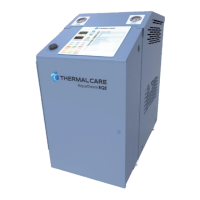
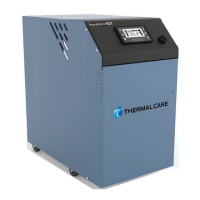
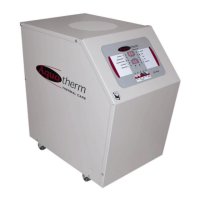
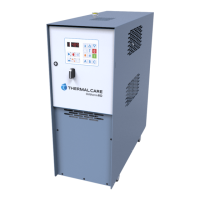
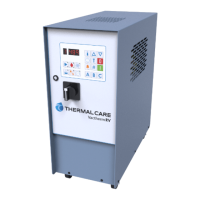
The device described in this manual is a Thermal Care Aquatherm RQE Basic Temperature Controller, a packaged unit designed for industrial applications requiring precise temperature control of a cooling fluid. It typically integrates a fluid pump, an electric immersion heater, and a temperature control valve within a single cabinet.
Function Description
The primary function of the Aquatherm RQE Basic Temperature Controller is to circulate and maintain a specific temperature for a cooling fluid. This is achieved through a control loop that utilizes an RTD (Resistance Temperature Detector) sensor to monitor the fluid temperature, an electric immersion heater for heating, and a temperature control valve for cooling. The controller allows users to set a desired temperature (setpoint) and then actively manages the heating and cooling components to keep the process fluid at that setpoint.
A key feature is the mold purge option, which allows the unit to clear process lines of fluid using a compressed air source. This is initiated by stopping the unit, ensuring the cooling source water feed is closed, and then pressing and holding the mold purge soft key. The unit will display "PURGING" and open both cooling and purge valves until the stop soft key is pressed or a default timeout (60 seconds) elapses.
The unit also incorporates an auto-vent sequence during start-up to remove air from the water circuit. This sequence opens the cooling valve for the first half of the cycle (default 30 seconds) to allow air to escape, then energizes the pump for the second half (default 30 seconds) while the cooling valve remains open to remove remaining air. This prevents improper operation and premature heater failure.
Important Technical Specifications
While specific numerical values for pump flow rates, heater capacities, or cooling capacities are not provided in the general manual, several operational and control parameters are detailed:
- Temperature Control Range: The unit is capable of maintaining temperatures within a user-configurable range. The default setpoint maximum is 250°F and the minimum is 40°F.
- Temperature Units: The controller supports both Fahrenheit (°F) and Celsius (°C), with °F as the default.
- Voltage Imbalance Tolerance: The unit requires the main power supply voltage to be within the specified utilization range and mandates that voltage imbalance between phases in a three-phase system must not exceed 2%.
- Sound Pressure: The equipment can exceed 70 dBA sound pressure at 1 meter distance and elevation during operation.
- Storage Temperature: When stored, the unit should be in an indoor sheltered area that does not exceed 145°F.
- Cooling Source Requirements: The cooling source fluid pressure must be above the pressure switch setpoint. For most applications, the design cooling source supply pressure is between 25 psi and 50 psi. Units with a 300°F operating range option require an inlet cooling source pressure of 75 psi. The total pressure in the unit (cooling source inlet pressure plus pump pressure) should not exceed 150 psi to prevent the pressure relief valve from opening.
- Water Chemistry Requirements: Detailed limits are provided for various water characteristics, including Alkalinity (70-300 ppm), Chlorides (less than 300 ppm), Electrical Conductivity (10-500µS/cm), pH (7.5-9.0), and Total Hardness (4.0-8.5 dHk), among others. These are crucial for preventing corrosion, scale, fouling, and biological contamination.
- PID Control Parameters: The controller uses Proportional-Integral-Derivative (PID) control. User-adjustable parameters include P-Band (0.2 to 999.7 Δ°F, default 10 Δ°F), I-Gain (0 to 999, default 50), D-Gain (0 to 999, default 10), and Deadband (0 to 99.9 Δ°F, default 0.5 Δ°F). Factory parameters like "Cool-Heat Rto" (0.1 to 10.0, default 1.25) and "Dynamic Mult" (0.0 to 10.0, default 1.75) influence the PID algorithm's effectiveness in heating vs. cooling and across temperature ranges.
- Low Pressure Event Handling: The unit can tolerate up to 3 low-pressure events within 15 minutes (default settings) before temporarily shutting down and restarting when pressure returns. This protects the motor/pump from damage due to unstable fluid pressure.
- Venting Parameters: "Valve Vent" (5 to 180 seconds, default 30 sec) and "Valve/Pmp Vent" (5 to 180 seconds, default 30 sec) define the duration of the deaeration process during cold startup. "Vent Bypass" (32 to 260 °F, default 120 °F) sets a temperature threshold above which venting will not occur.
Usage Features
- Controller Home Screen: The default operating screen displays "STOPPED," "Setpoint," and "Process" temperatures.
- Soft Buttons: Three context-sensitive soft buttons below the display change function based on the menu in use.
- Navigation: Increase (↑), Decrease (↓), and Enter (↵) buttons are used for adjusting temperatures, selecting menu items, and confirming changes.
- User Parameters: A range of user-configurable parameters are accessible through the menu, allowing adjustment of alarm settings (deviation, high/low temperature), low pressure recovery time, PV source selection, PV smoothing, low pressure count/time, temperature units, venting times, and PID control settings.
- System Size Selection: Users can select "Small," "Medium," or "Large" system sizes, which automatically adjust factory-suggested PID parameters for optimal response based on fluid volume and mold mass.
- Diagnostics Menu: Provides access to detailed information on digital inputs (pressure switch, pump overload, contactor states, high temperature input), digital relay outputs (pump, heater, cooling solenoid, purge solenoid, alarm), and runtime statistics (pump/heater runtime and actuations, cooling solenoid runtime and actuations, pressure switch actuations, mold purge actuations, pump overload trips, alarm output actuations, high temperature input trips, cooling water temperature at startup, cooling/heating long term average percent, last alarm duration, low pressure hours, memory writes, PLC loop time, max PLC loop time, power supply voltage/frequency).
- Alarm/Warning Counts: Tracks occurrences of various conditions such as RTD shorts/opens, channel errors, pump/heater contactor stuck closed/open, low pressure shutdowns/events, pump overload, overtemperature, and temperature over/under factory/user limits. It also logs flash memory warnings, brownout alarms, and electric power alarms (incorrect phase rotation, unequal phase legs).
- Temperature Loop Monitoring: Displays real-time data on PID output contributions (P, I, D), output multiplier, output percentage, current process value, setpoint, and error signal.
- USB Port: Located on the front of the controller, it is for factory programming only and should not be connected to other devices.
Maintenance Features
- Preventive Maintenance Schedule:
- Once a Week:
- Check "To Process" temperature against the setpoint; investigate if it deviates more than 2°F.
- Monitor pump discharge pressure for deviations from normal operating pressure.
- Inspect pump seal area for leaks and replace if necessary.
- Once a Month:
- Repeat weekly checks.
- With main power off, inspect electrical connections at contactors, starters, and controls for looseness or frayed wires.
- Verify incoming voltage is within 10% of the design voltage.
- Check amp draws to each leg of the pump motor and heater to confirm proper current draw.
- Troubleshooting Guide: The manual provides a table linking common problems (e.g., alternating overheating/overcooling, inability to heat/cool, heater failure, pressure relief valve leaks) to possible causes and recommended remedies.
- Water Chemistry Management: Emphasizes the importance of maintaining specific water chemistry limits to prevent corrosion, scale, fouling, and biological contamination, recommending consultation with a specialist for treatment and monitoring.
- Glycol Usage Caution: Advises using only industrial-grade glycol specifically designed for heat transfer systems, warning against automotive glycols due to potential gelling, fouling, and damage to pump seals.
- Documentation: Unit-specific drawings and supplemental documents are provided for installation, servicing, and troubleshooting.

 Need help?
 General

 To Next Page