3
Installation Instructions:
Step 1:
Step 2:
Step 3:
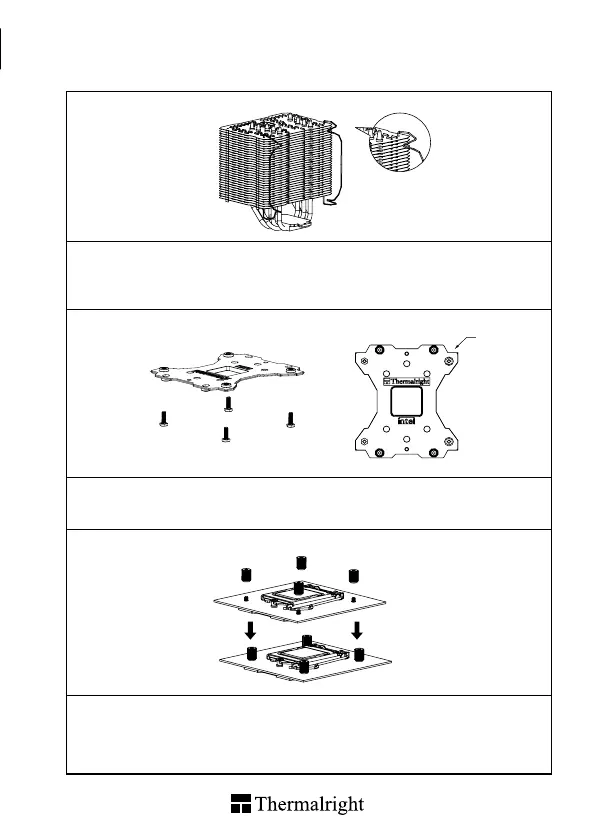
Step 1 : Fan clips installaion
Take out Macho Direct Heat-sink from the color box. Pull both ends of the fan clip and make them go
through holes on the corners of the heat-sink (as shown in the picture.) Repeat for the other fan clip.
Leave both fan clips on the heat-sink body for fan installation later on . Do not remove them.
Step 2 : Backplate Installation
Make four M3L8 Screw Pillars go through the Backplate from bottom towards top. And then place the
Backplate on the table. Put the four washers (for Intel) around the Screw Pillars.
Step 3 : Place the motherboard on top of the Back Plate. See the four Screw Pillars go through the four
holes around the processor socket.Cap the four Screw Pillars with the four Screw Nuts.Make sure the
side with a washer is facing the Back Plate.
1150
1151
1155
1156
1
2
4
3


 To Next Page