
 Need help?
Do you have a question about the Thermaltake Shark and is the answer not in the manual?
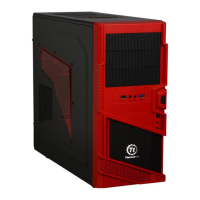
Provides detailed technical specifications including dimensions, materials, cooling system, and drive bays for the computer case.
Highlights key features such as cooling system, ventilation, side panel design, and security locks of the computer case.
Step-by-step instructions on unlocking and removing the side panel for access to the case interior.
Explains how to operate the front door lock mechanism using the provided key.
Guide on installing 5.25-inch devices, such as optical drives, using drive rails.
Instructions for mounting internal 3.5-inch devices like HDDs into the provided drive trays.
Details on installing external 3.5-inch devices, typically floppy drives or card readers.
Describes the operation of the tool-free mechanism for securing PCI expansion cards.
Steps for removing the motherboard tray and installing the motherboard onto it.
Explains how to connect front panel LEDs and switches (power, HDD, reset) to the motherboard headers.
Provides pin definitions for USB, IEEE1394 Firewire, and front panel audio connectors.
Information regarding chassis compatibility and mounting points for liquid cooling systems.
Details on the features and specifications of the optional Thermaltake Silent Purepower™ power supply.
 General
| Brand | Thermaltake |
|---|---|
| Model | Shark |
| Category | Enclosure |
| Language | English |





 To Next Page