7 8
User's Maunal
SHARK
SHARK
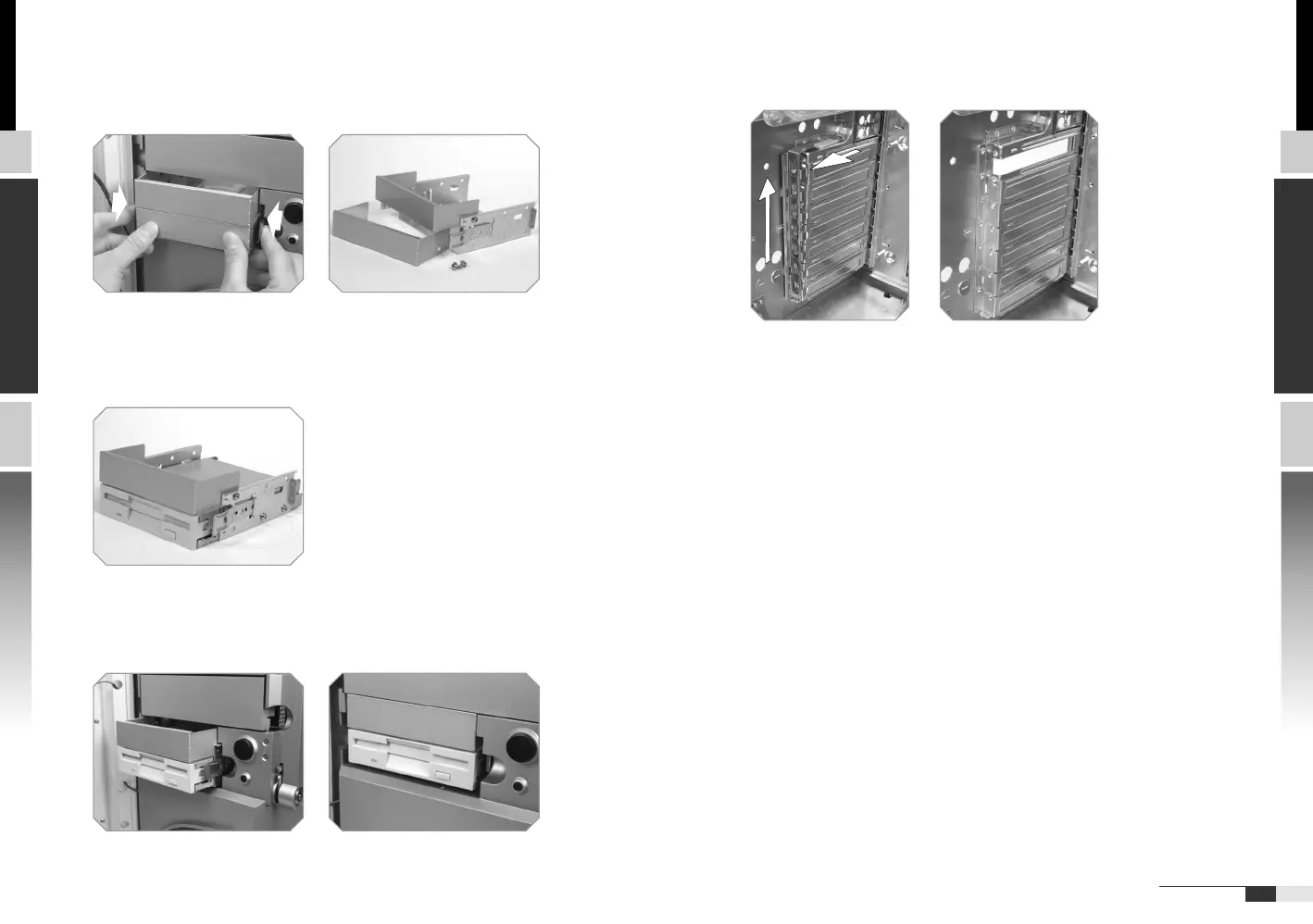
2.6 PCI slot tool-free function operation
Open the plastic clip then take off the PCI bracket as follow.
u Squeeze tab and pull external 3.5" device cage out.
Remove bezel.
v Mount 3.5" device into the cage and fasten device in the case
by screws.
w Slide the cage into drive bay till the fixed-postition.
2.5 Installing 3.5" External Device





 To Next Page