3 4
User's Maunal
SHARK
SHARK
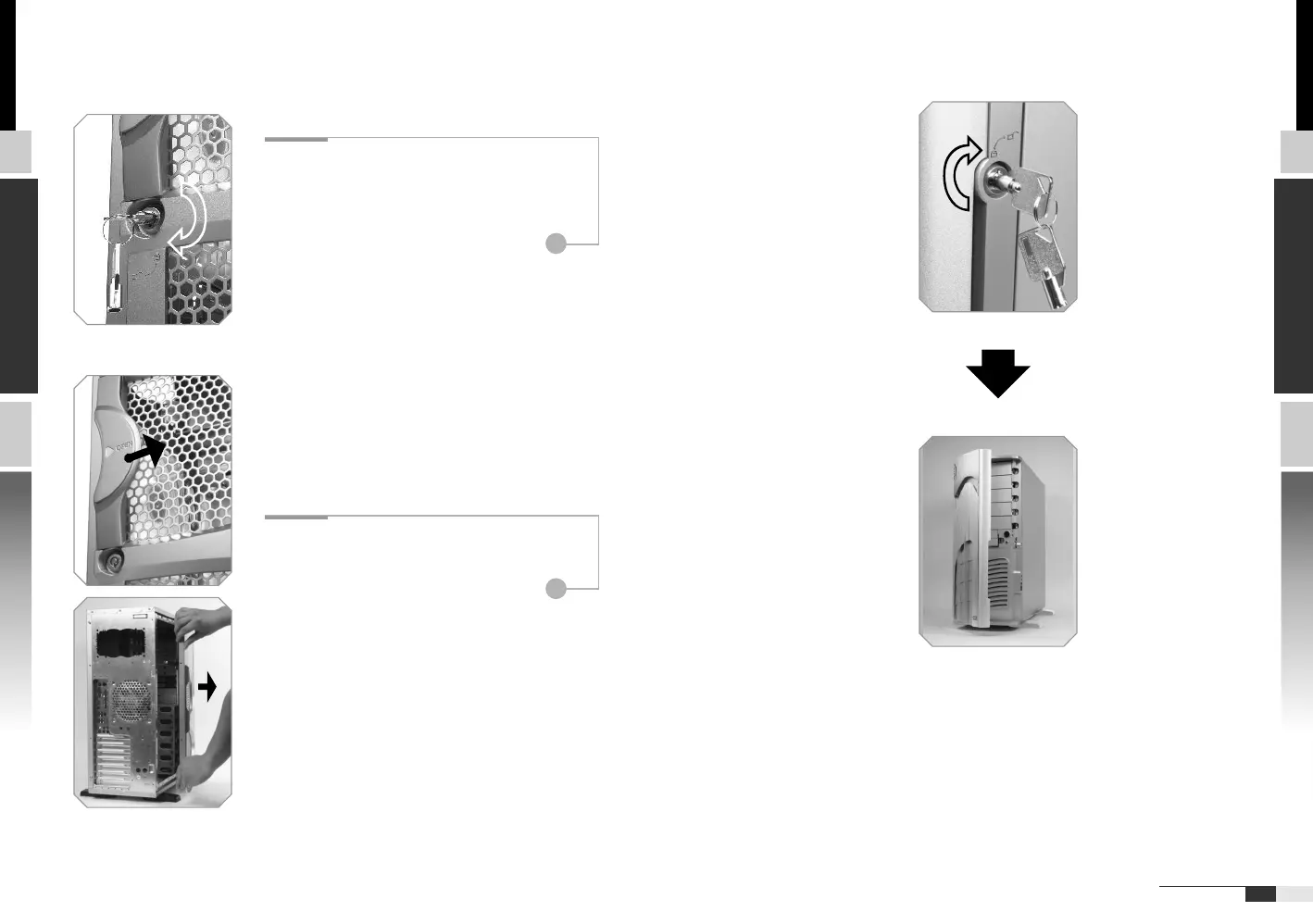
Locate the side panel key attached to
the back side of the case.
To unlock the side panel, turn the key
clockwise shown in the picture.
2.2 Front door lock operation
Insert the provided
key and turn it
clockwise.
Chapter2 Case Mechanical Operation
2.1 How to open the side panel
1
Push side panel lever to the direction
shown in the picture. Then swing the
panel outward to remove.
2





 To Next Page