999
REMOTE CONTROLLER
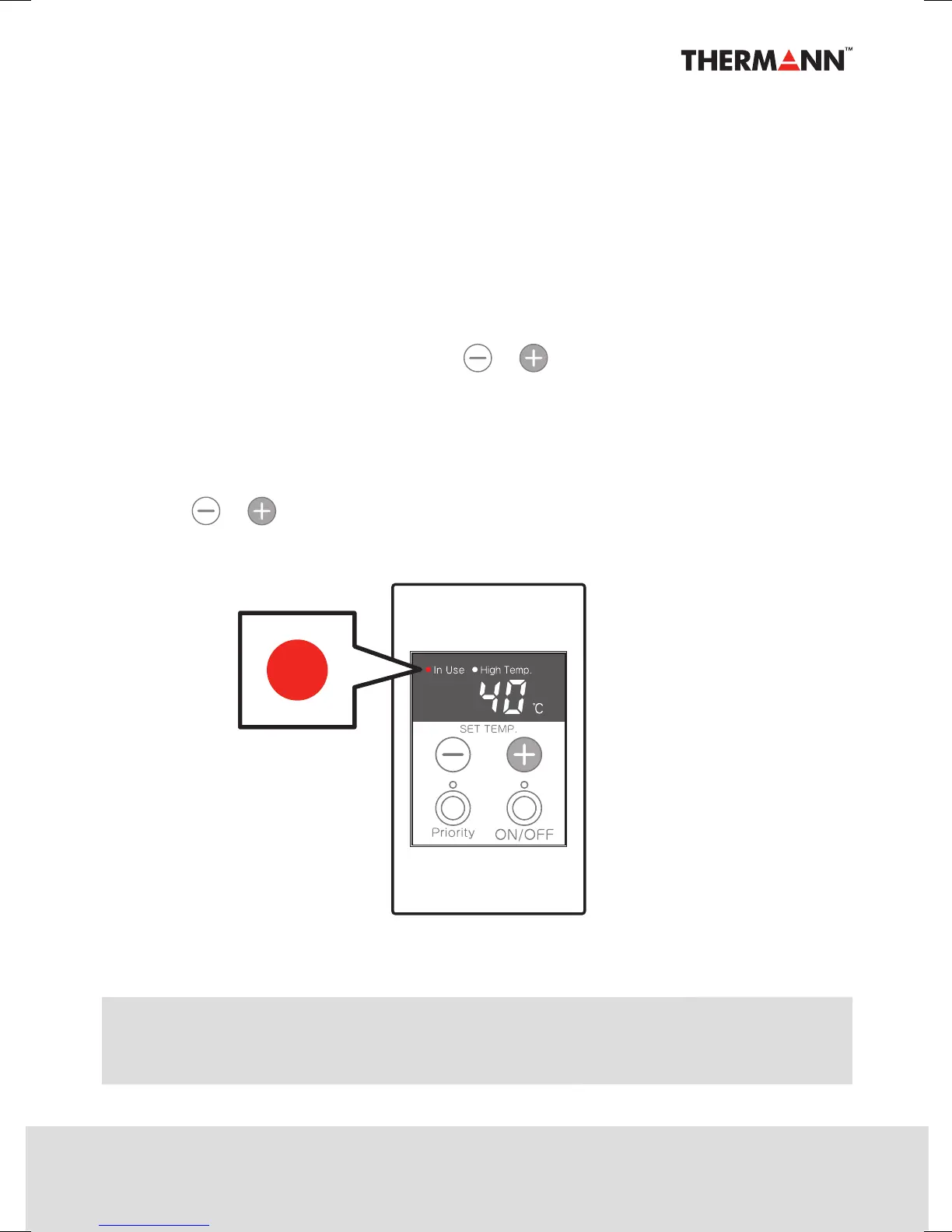
Operation of Remote Controller
Please read these instructions carefully before using this appliance.
1. Turn on the ON/OFF button.
2. The temperature display will read 40°C.
3. The priority indicator will illuminate.
4. Select hot water temperature by pushing or button on the remote controller.
5. Turn on the hot water tap or shower. The ``In Use´´ indicator will illuminate
after a short delay.
This indicator will remain illuminated until the hot water tap or shower
is turned o.
6. The hot water temperature can be altered at any time during the operation by
pushing or button located on the remote controller.
Remote Controller
Energy-saving Mode
If no data is adjusted within a period of approximately 5 minutes the display becomes
dim. This is energy-saving mode and not a failure.



 To Next Page