Operating Instructions 6-11
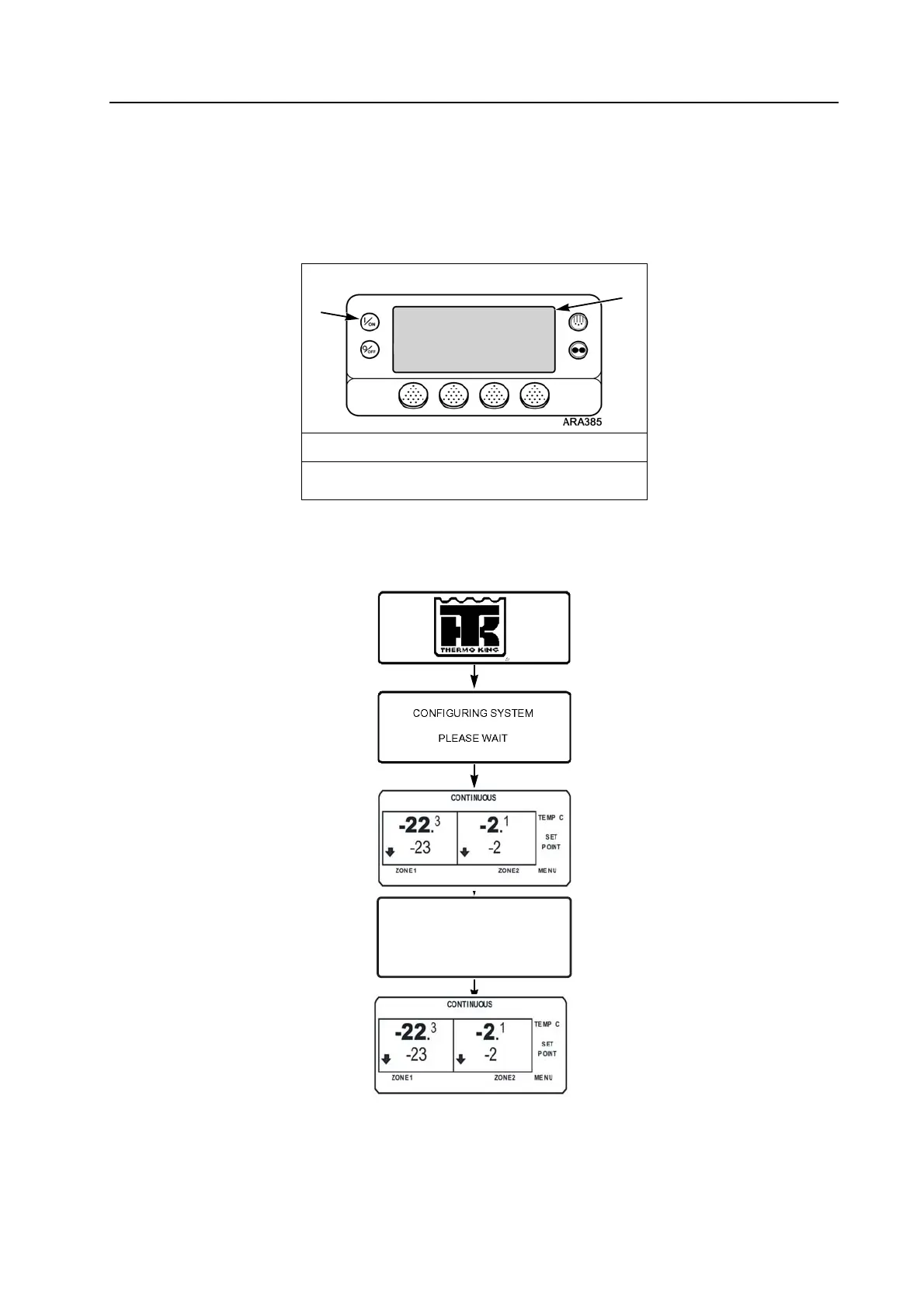
Turning Unit On (Single or Multi-temp SR-2/SR-3)
Complete the following steps to turn on the unit:
1. Press the ON hard key.
NOTE: With SPECTRUM Multi-Temp applications, Zone 1 is turned on any time the host unit is turned on. Zone 1 is turned
off when the host unit is turned off.
2. The display briefly shows a Thermo King Logo as the display initializes.
NOTE: With extremely cold ambient temperatures it may take up to 15 seconds for the first display to appear.
Turning Unit On Screen Sequence
Press On Key
1. On Key
2. Display
DIESEL ENGINE STARTING
ARA797



 To Next Page