Operating Instructions 6-12
3. The “Configuring System” Screen briefly appears while communications are established and the unit prepares for operation.
4. The Standard Display showing box temperatures and setpoints briefly appears.
5. The “Diesel Engine Starting” Screen briefly appears as the engine preheats and starts. On Model 50 units the electric standby
run screen will appear instead if the unit is connected to standby power.
6. The Standard Display showing box temperatures and setpoints reappears when the unit is running.
Turning Unit Off (Single or Multi-Temp SR-2/SR-3)
Complete the following steps to turn unit off:
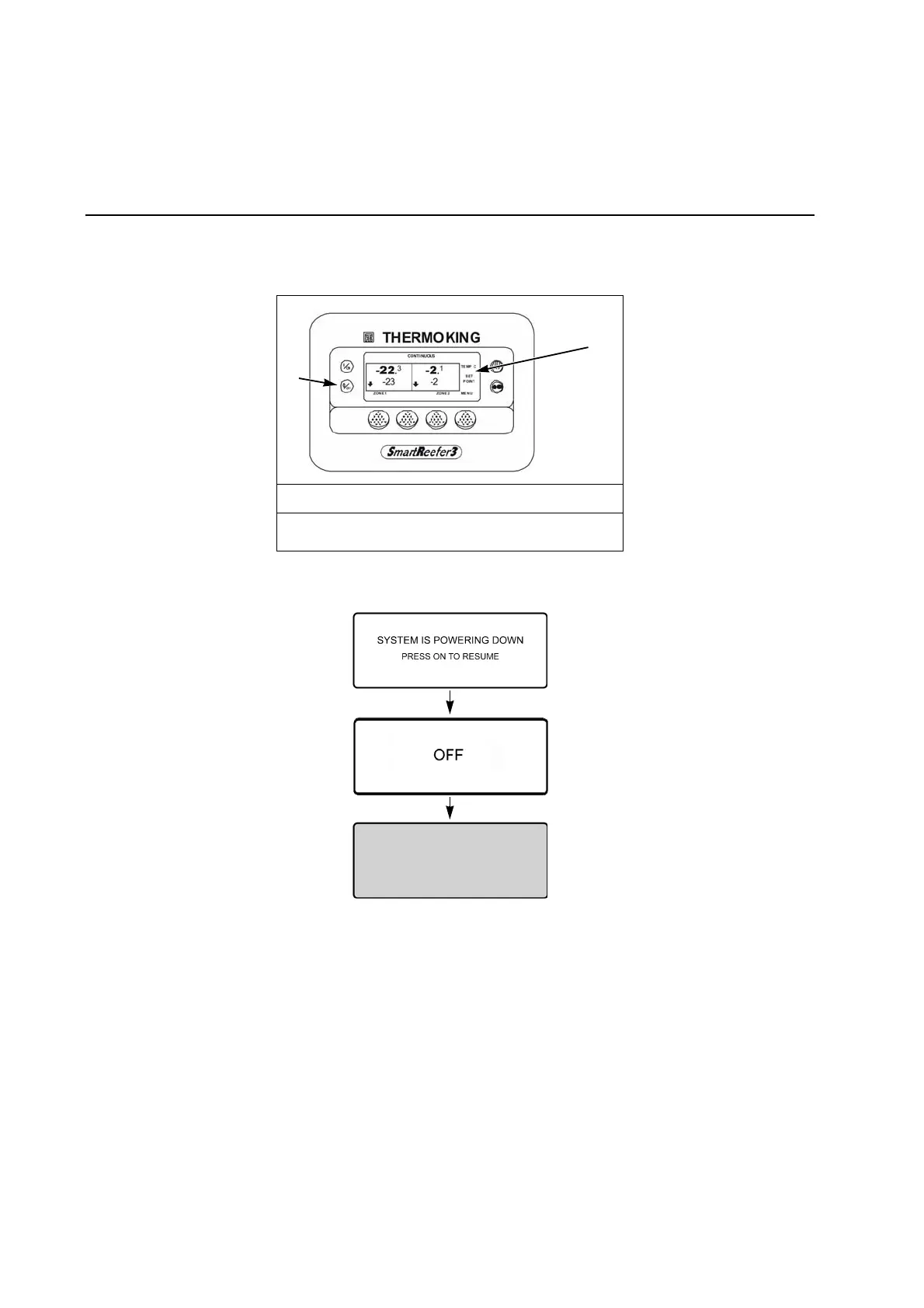
1. Press the O
FF hard key.
2. The controller shuts down immediately.
3. The “System is Powering Down” Screen will briefly appear.
Turning Unit Off Screen Sequence
4. The Off Screen will briefly appear.
5. The screen then goes blank. To start the unit again, press the O
N hard key.
Press Off Key
1. Off Key
2. Display



 To Next Page