EasyManua.ls Logo

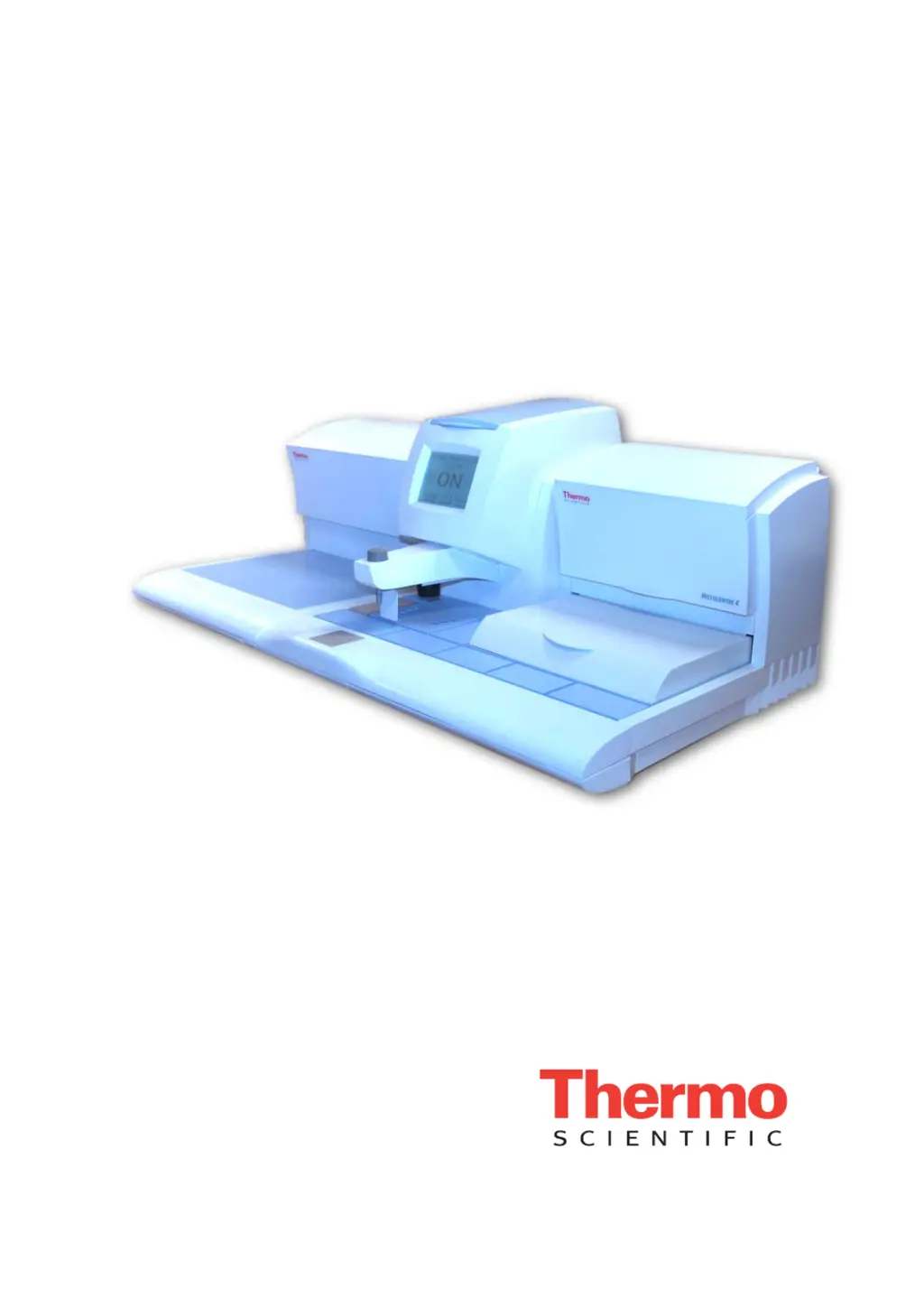
Thermo Scientific HistoStar - User Manual

Thermo Scientific HistoStar
128 pages
Print Icon
To Next Page IconTo Next Page
Loading...
Thermo Scientific
HistoStar
Operator Guide
A81010100 Issue 2

Questions and Answers

  • J
    Jeff BishopAug 16, 2025
    What to do if the wax tank of Thermo Scientific Laboratory Equipment will not heat up?
    • K
      Kristie SandersAug 16, 2025
      If the wax tank on your Thermo Scientific Laboratory Equipment will not heat up, first ensure the wax tank heater is switched on. If the problem persists, switch the embedding module off for 30 seconds and then back on again to reset the control system. Compare the set point temperature to the actual temperature - if the set point temperature is not achieved after a suitable length of time: * Switch off the embedding module * Wait for 20 minutes and then switch the embedding module back on. Perform a Heater System Check.
  • K
    Kayla TaylorAug 19, 2025
    What to do if the hot spot on Thermo Scientific Laboratory Equipment will not heat up?
    • E
      Elizabeth FosterAug 19, 2025
      If the hot spot on your Thermo Scientific Laboratory Equipment will not heat up, first ensure the hot spot heater is switched on. If the problem persists, switch the embedding module off for 30 seconds and then back on again to reset the control system. Compare the set point temperature to the actual temperature - if the set point temperature is not achieved after a suitable length of time: * Switch off the embedding module * Wait for 20 minutes and then switch the embedding module back on. Perform a Heater System Check.
  • M
    Melissa BellAug 21, 2025
    What to do if Thermo Scientific Laboratory Equipment does not heat up?
    • J
      Jason BrooksAug 22, 2025
      If your Thermo Scientific Laboratory Equipment does not heat up, switch the embedding module off for 30 seconds and then back on again to reset the control system. Perform Heater System Check.
  • J
    Jennifer Rose DVMAug 25, 2025
    What to do if wax will not dispense from Thermo Scientific Laboratory Equipment?
    • G
      gordonangelaAug 25, 2025
      If the wax will not dispense from your Thermo Scientific Laboratory Equipment, first, ensure there's enough wax in the tank. If there is sufficient wax, give the wax time to melt, ensuring the temperature setting is adequate for the type of wax being used. Compare the set point temperature to the actual temperature. If the set point temperature is not achieved after a suitable length of time: * Switch off the embedding module * Wait for 20 minutes and then switch the embedding module back on. Also, check that the wax dispense flow control is open by turning the knob counter-clockwise. If the problem persists, switch the embedding module off for 30 seconds and then back on again to reset the control system and perform a Heater System Check.
  • T
    thompsonanthonyAug 27, 2025
    How to fix Thermo Scientific Laboratory Equipment display that will not turn on?
    • K
      Kevin LaraAug 27, 2025
      If your Thermo Scientific Laboratory Equipment display will not turn on, the unit may not be powered. Switch the embedding module off for 30 seconds and then back on again to reset the control system. Also, check that the Mains Lead is connected correctly.
  • B
    Brian RodriguezAug 30, 2025
    Why is the temperature control erratic on my Thermo Scientific Laboratory Equipment?
    • B
      Brandi CummingsAug 30, 2025
      If your Thermo Scientific Laboratory Equipment exhibits erratic temperature control, switch the embedding module off for 30 seconds and then back on again to reset the control system. Compare the set point temperature to the actual temperature - if the set point temperature is not achieved after a suitable length of time: * Switch off the embedding module * Wait for 20 minutes and then switch the embedding module back on.
  • J
    james41Sep 2, 2025
    Why is wax not fully melted in my Thermo Scientific Laboratory Equipment?
    • A
      Anthony ConleySep 2, 2025
      If wax is not fully melted in your Thermo Scientific Laboratory Equipment, allow more time for the wax to melt, ensuring the temperature setting is high enough for the wax being used. Compare the set point temperature to the actual temperature - if the set point temperature is not achieved after a suitable length of time: * Switch off the embedding module * Wait for 20 minutes and then switch the embedding module back on. If the wax surface is not melted, close the tissue storage cover during warm-up, as draughts can cause a skin to form on the surface of the wax.
  • D
    Donna MillerSep 4, 2025
    What to do if wax will not dispense when using footswitch on Thermo Scientific Laboratory Equipment?
    • C
      charlescomptonSep 4, 2025
      If wax will not dispense when using the footswitch on your Thermo Scientific Laboratory Equipment, check that the air tube is fully inserted into the footswitch connector port. If this does not solve the issue, replace the footswitch.
  • C
    Christopher BishopSep 7, 2025
    How to fix incorrect key touch position on Thermo Scientific Laboratory Equipment?
    • M
      Morgan MorrisonSep 7, 2025
      If your Thermo Scientific Laboratory Equipment key touch position is incorrect, recalibrate the touchscreen.
  • D
    Dr. Dillon MillerSep 10, 2025
    What to do if Thermo Scientific Laboratory Equipment does not heat up sufficiently to melt wax off forceps?
    • N
      Noah GonzalesSep 12, 2025
      If the Thermo Scientific Laboratory Equipment is not heating up sufficiently to melt wax off forceps, increase the power level of the forcep block.

Summary

Legal Information

Contact Addresses

Lists contact details for Anatomical Pathology in UK and USA.

Standards and Compliance

Details CE Mark requirements and instrument compliance with safety standards.

Refrigerant Warning

Provides a warning regarding the refrigerant used in the Cold Module.

Symbols and Conventions

General Safety Symbols

Explains commonly used safety symbols for safe operation and potential hazards.

Definition of Note

Clarifies the purpose of 'Note' entries in the document.

How To Use This Guide

Introduction and Chapter Summary

Introduces the HistoStar and provides a summary of the manual's chapters.

Chapter 1 - Introducing HistoStar

Introduction to HistoStar

Provides an overview of the HistoStar system, its modules, and key features.

Compatibility

Details the instrument's compatibility with cassettes, moulds, and paraffin waxes.

Identification of Parts

Illustrates and labels the various components of the HistoStar modules.

System Interfacing and Specifications

Explains user interface and lists instrument specifications.

Chapter 2 - Basic Operation

Safety Precautions

Outlines essential safety statements to be read before operating the instrument.

Switching On HistoStar

Provides step-by-step instructions for powering up the HistoStar.

Operating Method

Describes the general procedure for using the HistoStar for tissue embedding.

Using the Para Trimmer

Explains how to use the Para Trimmer to remove excess wax from cassettes.

Switching Off HistoStar

Enter Sleep Mode

Instructions for switching the instrument to its power-saving 'Sleep Mode'.

Switching Off Completely

Steps for fully powering down the HistoStar instrument.

Chapter 3 - Setup

Unpacking HistoStar Modules

Guide on unpacking the Embedding and Cold Modules safely.

Connections

Details how to connect the HistoStar to mains power and other modules.

Setup and Location

Covers proper placement, clearances, and levelling of the instrument.

Setting Workflow Direction

Guidance on arranging modules to suit laboratory workflow.

Filling with Wax

Pouring Pre-molten Wax

Step-by-step instructions for filling the wax tank with molten wax.

Dispense Lever Adjustment and Wax Flow Control

Adjusting Dispense Lever Position

How to reposition the dispense lever for optimal use.

Adjusting Wax Dispense Flow Rate

Instructions for modifying the flow rate of dispensed wax.

System Settings

Time, Date, and Temperature Units

Configure instrument clock, date, and temperature measurement units.

Temperature and Timer Configuration

Set operational temperatures and program timed start/stop sequences.

Display, Audio, and Lighting Adjustments

Customize screen contrast, sound alerts, and working area illumination.

Forceps, Language, and Touchscreen Settings

Adjust forceps power, UI language, and calibrate the touchscreen.

Electric (Heated) Forceps

Connecting Electric Forceps

Steps for connecting the electric forceps to the embedding module.

Using Electric Forceps

Instructions on powering on and operating the electric forceps.

Cleaning Electric Forceps

Proper methods for cleaning the electric forceps.

Chapter 4 - Troubleshooting

Troubleshooting Tables Overview

Introduction to the troubleshooting section and its format.

Display and Interface Issues

Problems with the touchscreen and general display functionality.

Wax Handling and Dispensing Issues

Troubleshooting wax tank, dispense lever, and flow control problems.

Temperature Control Issues

Problems with forceps block, hot spot, cold spot, cold plate, and sensors.

Operational and Sectioning Problems

Issues like poor sectioning, heater system checks, and electric forceps problems.

Chapter 5 - Cleaning and Maintenance

Safety for Cleaning and Maintenance

Crucial safety warnings before performing cleaning or maintenance.

Routine Cleaning Tasks

Daily and weekly cleaning procedures for maintaining the HistoStar.

Maintenance Procedures

Steps for fuse replacement and emptying the waste wax drawer.

Draining and Assembly Operations

Using the wax draining assembly and draining tanks.

Appendix A - Spares and Accessories

Accessories List

A list of optional accessories available for the HistoStar.

Spares List

A list of replacement parts for the HistoStar instrument.

Appendix B - Packing Instructions, Removal from Use and Disposal

HistoStar Repacking Instructions

Steps for packing the HistoStar for transit, storage, or return.

Appendix C - Screen Maps

Appendix D - Approved Reagent List

Approved Waxes (Paraffins)

Lists paraffin waxes approved for use with the HistoStar.

Approved Cleaning Reagents

Lists cleaning reagents approved for use with the HistoStar.

Thermo Scientific HistoStar Specifications

General IconGeneral
ApplicationTissue embedding
Voltage100-240 V
Frequency50/60 Hz
DisplayLCD
Section ThicknessNot applicable
Blade TypeNot applicable
WeightApproximately 40 kg

Related product manuals