__________________________________________________________________________
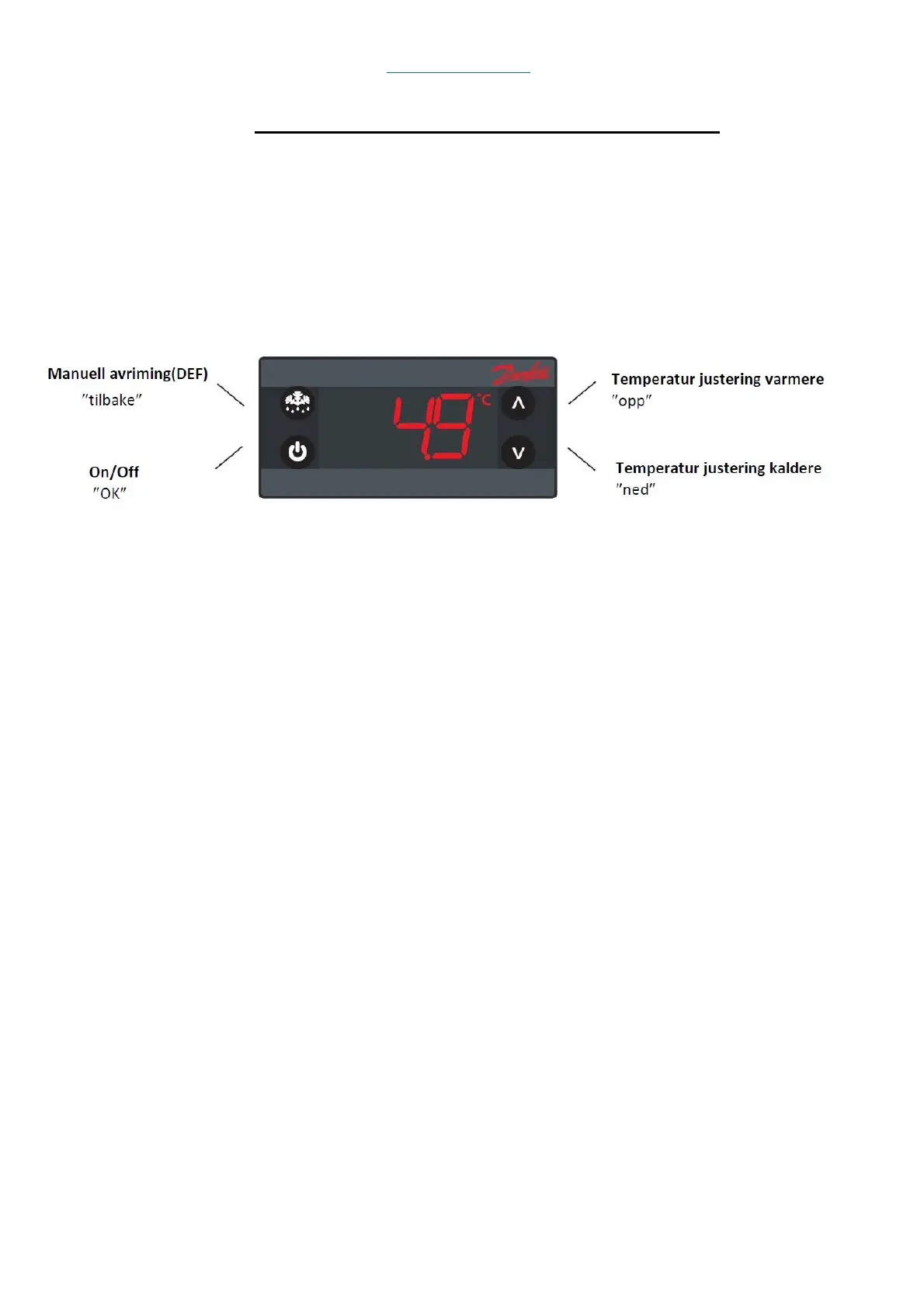
Adjusting the temperature of the cooling unit
The temperature can be set from 3 - 20 °C The
operating display indicates the room’s air temperature.
When setting 4°C, the displayed temperature will vary
by +/- approx. 2.5°C
Place a thermometer in a glass of water to measure the temperature of the food goods.
Temperature adjustment:
1. Press “up” to increase the temperature
2. Press “down” to decrease the temperature
3. Wait 10 seconds The new temperature has now been set.
Manual defrosting:
Use manual defrosting if a mass of ice has built up on the heat sinks of
the cooling unit. Duration 30 minutes.
1. Press “manual defrosting” for 6 seconds to activate manual defrosting.
2. Press “manual defrosting” for 6 seconds to deactivate manual defrosting.
On/Off Standby mode:
Use Standby mode when you want to turn off cooling on the cooling unit.
1. Press and hold “On/Off” for 10 seconds to deactivate cooling on the cooling unit
2. Press and hold “On/Off” for 10 seconds to activate cooling
Parameter settings: (Intended for service technician)
1. Press “up/down” and hold for 5 seconds to access the parameter
menu.
2. First parameter group is displayed “tHE”
3. Press “up/down” to find the desired group
4. Press "OK”
5. First parameter is displayed
6. Press “up/down” to find the desired parameter
7. Press "OK”
8. Press “up/down” to find the desired setting.
9. Press "OK”
The display will automatically return to the indicated temperature
after 30 seconds, or after you press “back” twice


 To Next Page