-10-
-11-
Replacing Batteries
Low Battery Indication will appear on the
Upper Display when the thermometer’s
batteries are running low. Immediately
replace the batteries when the icon
appears.
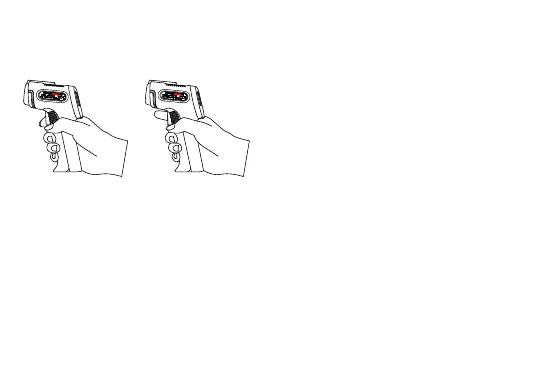
HOLD for continuous
temperature reading
RELEASE to lock
the temperature result
1. Open the Battery Compartment and
remove the used batteries. Dispose
of the used batteries properly.
2. Insert two new AAA batteries with
the correct polarity.
3. Close the Battery Compartment.
Distance-Spot Ratio
The ThermoPro TP30 measures surface
temperature on the basis of distance to
spot diameter ratio (D: S). As the
distance between the thermometer and
the surface increases, the total surface
area measured will also increase. With
a distance to spot ratio of 12: 1 the
surface area measured has a diameter
of roughly 1/12 the distance.
6. Press the Measurement Trigger once
again to make another measurement.
measured temperature.


 To Next Page