Never stand in-front or behind the scooter when placing the
scooter in freewheel mode, stand to the side
Make sure all garments, packages or other obstacles are
clear of the scooter to prevent injury
Always return the manual freewheel to the closed position
when task is completed
1. Standing on the side of the scooter, locate the freewheel lever
at the rear, right hand side of the scooter, just below the right
directional (see image).
2. Pull up on the lever to move it to its ‘Open’ position – the drive
and braking system are now disabled.
3. Standing at the side of the scooter, push the scooter into the
desired position.
4. When the user has finished moving the scooter, standing to the
side of the scooter, push the lever in a downward position to
‘Closed’, taking the scooter out of the freewheeled mode.
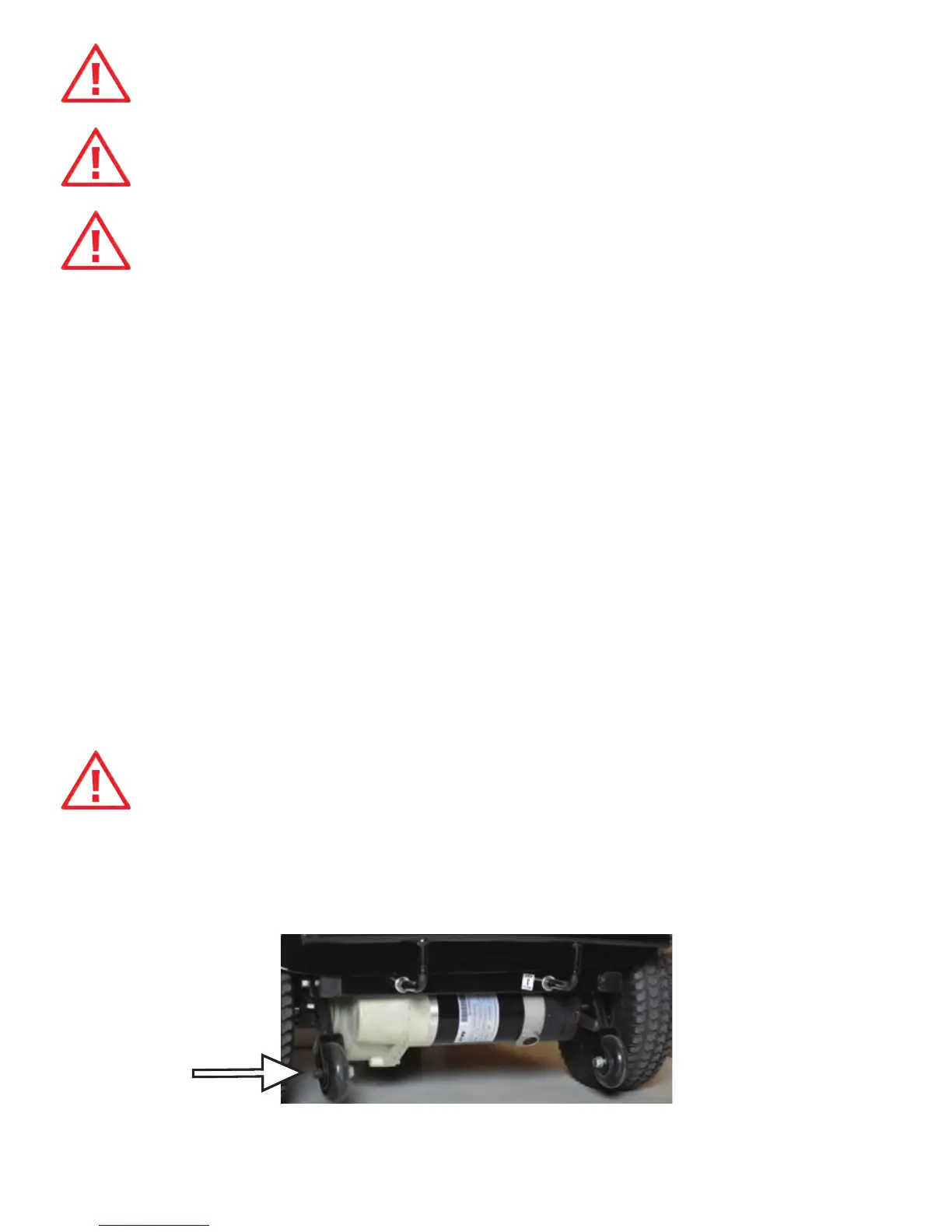
Anti-Tip Wheels
The anti-tip wheels are located at the rear of the scooter, they
are an important safety feature of the scooter.
PROHIBITED – never remove or modify the anti-tip wheels, removal
of the wheels or modification to the frame will result in voiding of
the Trekker Scooter warranty.
27


 To Next Page